How to hide elements on mobil?
-
-
Dear Maximiliane
@goldmine
There are a number of ways to approach the problem but i think the easiest for you would be using a Custom Class.
You can right-click any element (image or text) in the Gridder and give it a Custom Class or ID:

Any element that you wish removed, give it a class called:
custom-remove
Within > Lay Options > Custom CSS & HTML:
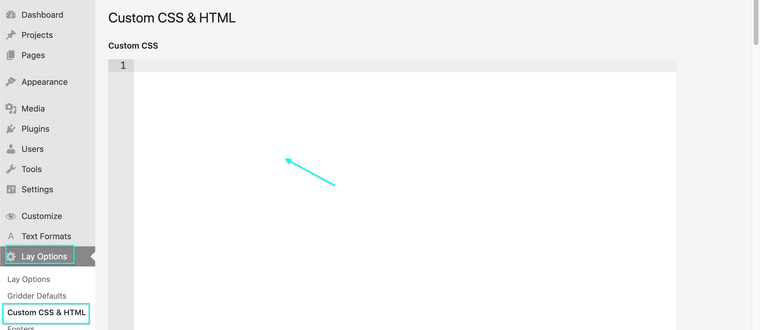
You will see an input area called:
Custom CSS for Mobile Version
(Code added here will only be applied to Mobile)
Here we can add some CSS saying:
"whatever has the class
custom-removewe will not display:.custom-remove{ display:none }
Best wishes
Richard
-
Dear Maximiliane
@goldmine
There are a number of ways to approach the problem but i think the easiest for you would be using a Custom Class.
You can right-click any element (image or text) in the Gridder and give it a Custom Class or ID:
Any element that you wish removed, give it a class called:
custom-remove
Within > Lay Options > Custom CSS & HTML:
You will see an input area called:
Custom CSS for Mobile Version
(Code added here will only be applied to Mobile)
Here we can add some CSS saying:
"whatever has the class
custom-removewe will not display:.custom-remove{ display:none }
Best wishes
Richard
-

Hello! It looks like you're interested in this conversation, but you don't have an account yet.
Getting fed up of having to scroll through the same posts each visit? When you register for an account, you'll always come back to exactly where you were before, and choose to be notified of new replies (either via email, or push notification). You'll also be able to save bookmarks and upvote posts to show your appreciation to other community members.
With your input, this post could be even better 💗
Register Login