Background image with multiple ROW , just for one page
-
hello , is ot possible to have a background image , with 3 or 4 row but just for one page.
If I change it in customize, all the web site have the same background image.Is laytheme able to do that ?
-
Dear Marion
@marion-guillard
If you dont apply a background image to the row itself in the Gridder:
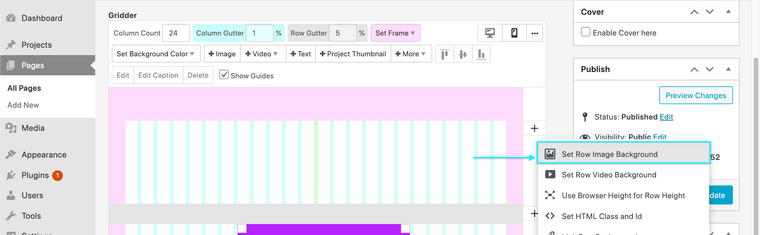
Then you may want to Custom Code. You would apply a Background Image normally via > Customize> and then add some CSS saying "remove the background image for all pages "except" e.g Page A "
The "exception - Page A" will be using the page's "slug" in the code:
https://laytheme.com/documentation/custom-css-styling.html#css-based-on-current-page
Something like:
body:not(.slug-homepage) {
   background-image:none !important;
}
this
.slug-homepageis relevant for me but you will need to find the slug of your page or project, the link above explains this 👍
Best
Richard

Hello! It looks like you're interested in this conversation, but you don't have an account yet.
Getting fed up of having to scroll through the same posts each visit? When you register for an account, you'll always come back to exactly where you were before, and choose to be notified of new replies (either via email, or push notification). You'll also be able to save bookmarks and upvote posts to show your appreciation to other community members.
With your input, this post could be even better 💗
Register Login