Fullscreen Slider trouble...
-
Hello!
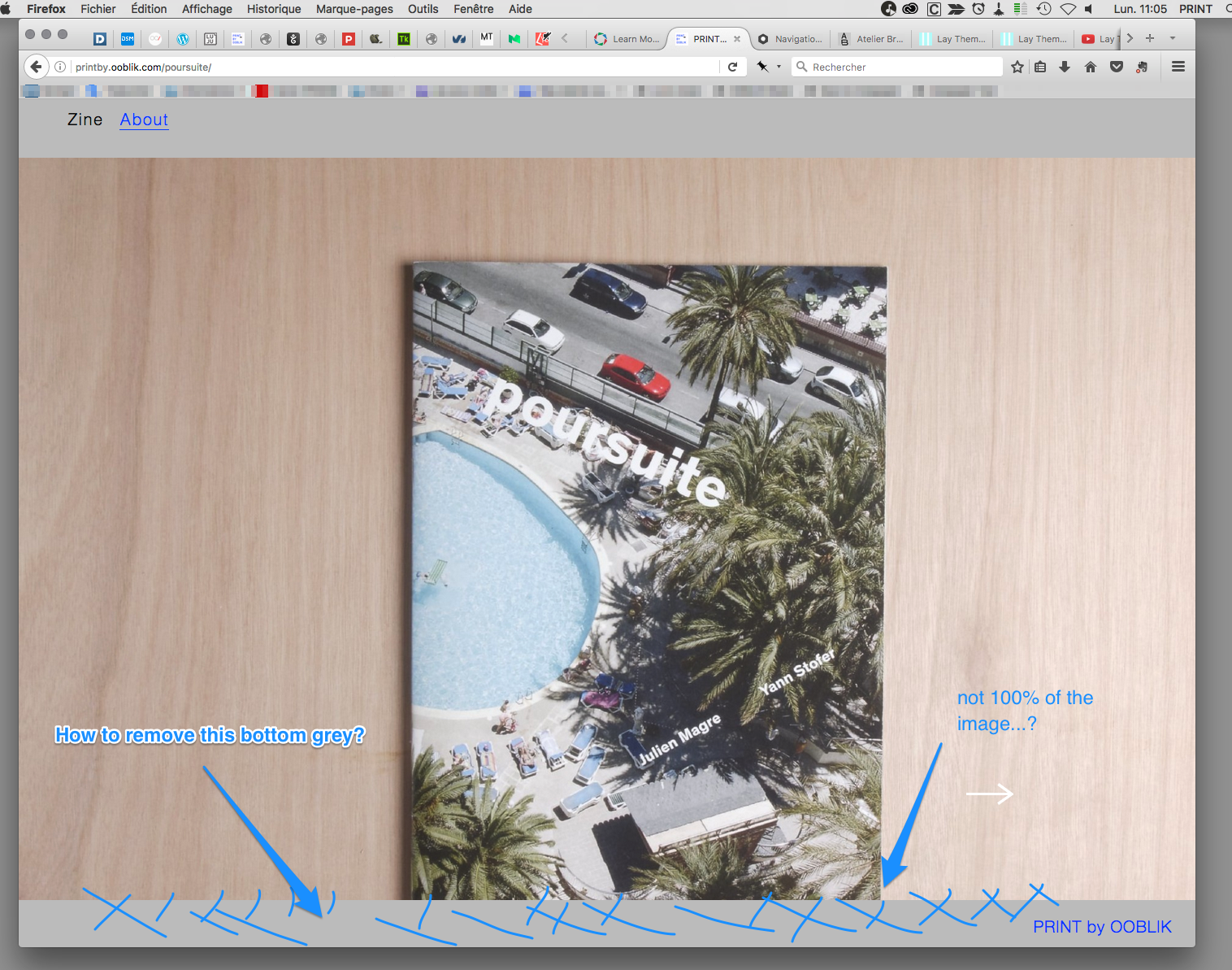
I use the Fullscreen Slider Addon to show pictures of our work, I use a Row Image Background with the Browser Height for Heigth option to "full" the page, but I don't figure ow to "remove" the bottom grey (see on the picture)...and my image is NOT at 100%, event if I make the option in the Fullscreen Slider at 100%.
How can I fix this ?
I saw on this (excellent!) site : http://rothsimon.de/art-demo-day-cologne/
that we can add a text "info", is it possible to mix with the Fullscreen Slider ?Thank's for your help!
my site : http://printby.ooblik.com/poursuite/
-
Hey!
You need to set "frame top" and "frame bottom" to 0 like here:
http://laytheme.com/documentation.html#use-browser-height-for-row-heightYes he just added an "info" textbutton in the gridder like you would normally do.
Then he used javascript to make it scroll down when you click on the button. Like here:
http://laythemeforum.com/topic/654/fullscreen-slider-scroll-to-bottom-button/6 -
-
I'm sorry, but I don't understand how to fixe the "textbutton" correctly...
here I try : http://printby.ooblik.com/rue-des-panoyaux-2
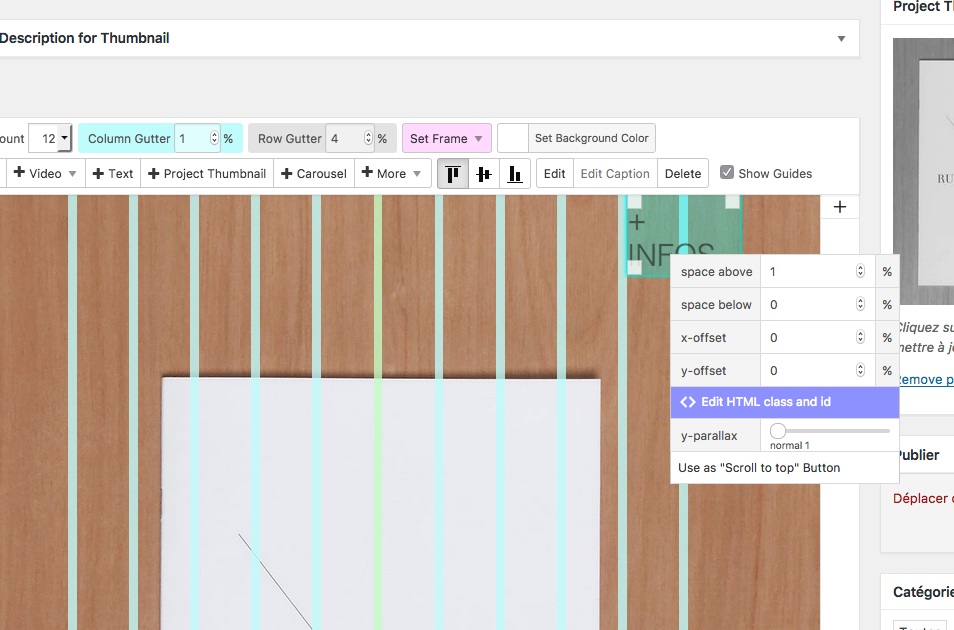
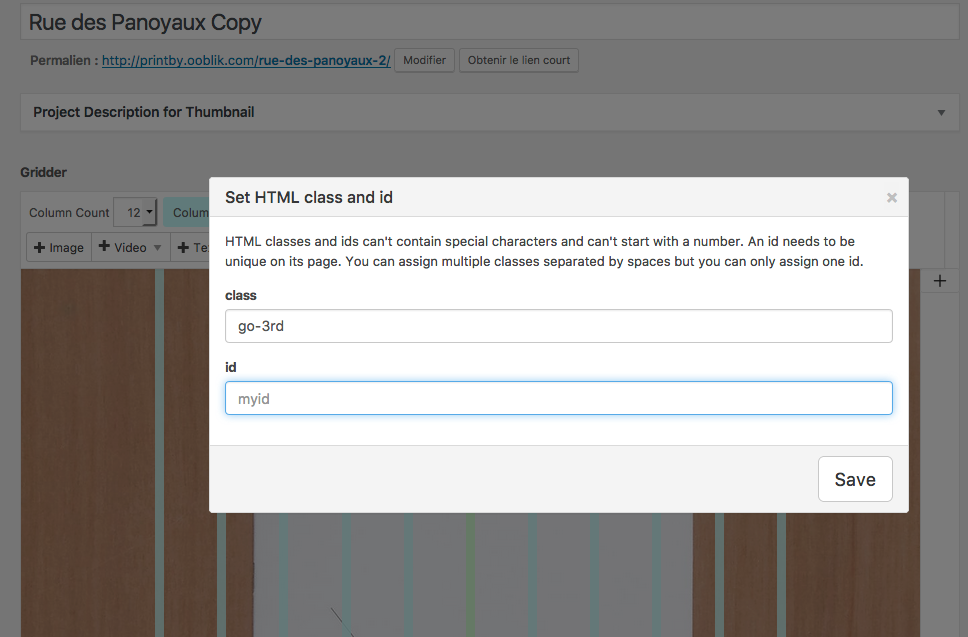
I add the code like you say in the custom head content"
<script>
jQuery(document).on("click", ".go-3rd", function(event) {
jQuery.fn.fullpage.moveTo(5);
});
</script>and add the class "go-3rd" to the +INFO textbutton (by the way as I want to point to the 5° slide I modify your code and change "3" with "5"...), but no effect and no going down to this 5° slide.
Where am I wrong?
-
ah u are using the vertical option.
so then it is:
<script>
jQuery(document).on("click", ".go-3rd", function(event) {
jQuery.fn.fullpage.moveTo(0,5);
});
</script>
docs: https://github.com/alvarotrigo/fullPage.js#movetosection-slide
-
-
ahw.
try:
<script>
jQuery(document).on("click", ".go-3rd", function(event) {
event.stopPropagation();
jQuery.fn.fullpage.moveTo(0,3);
});
</script>

Hello! It looks like you're interested in this conversation, but you don't have an account yet.
Getting fed up of having to scroll through the same posts each visit? When you register for an account, you'll always come back to exactly where you were before, and choose to be notified of new replies (either via email, or push notification). You'll also be able to save bookmarks and upvote posts to show your appreciation to other community members.
With your input, this post could be even better 💗
Register Login