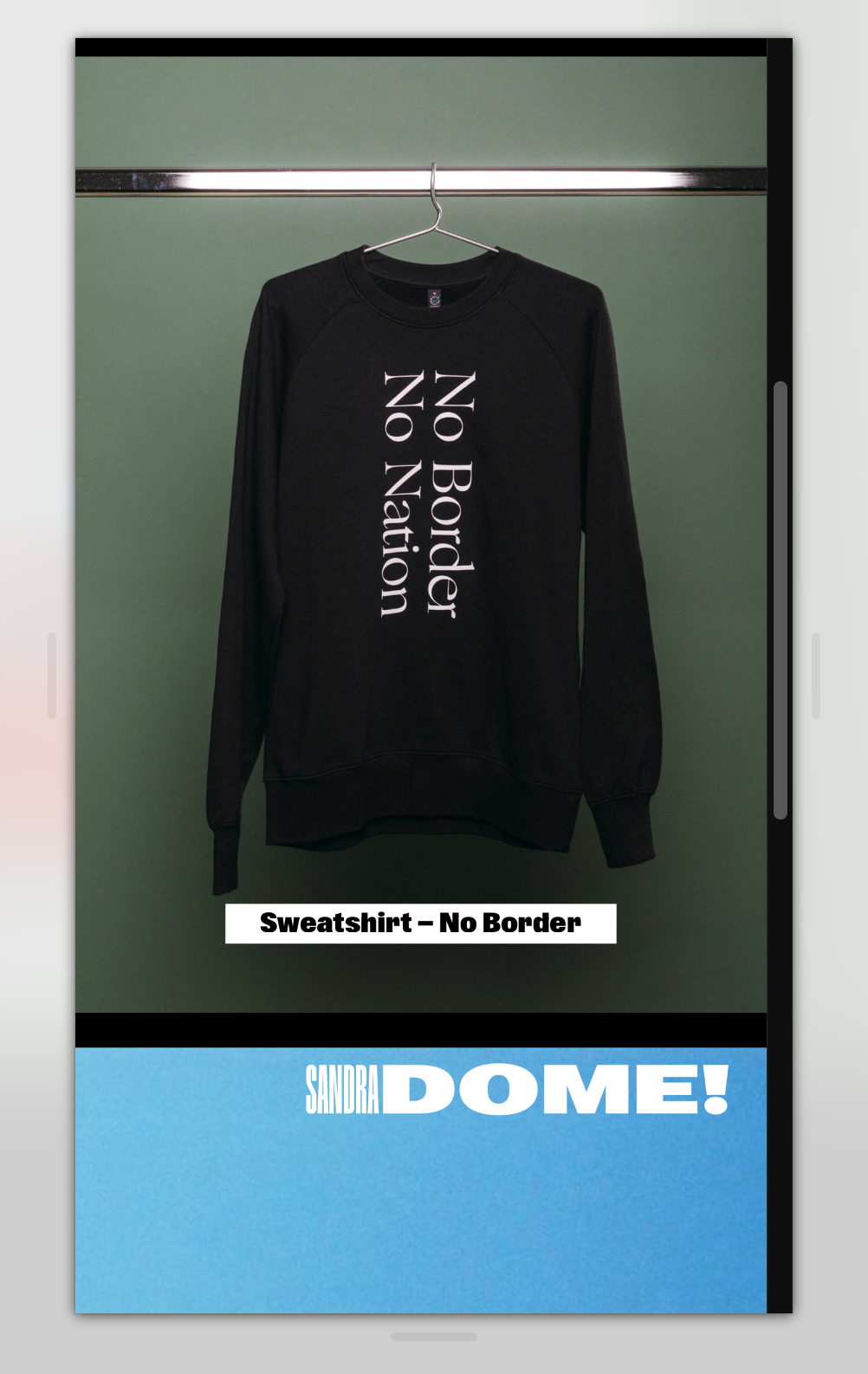
Buttons (in Carousel) are cut off
-
Hi there Forum!
I just updated the website of a client. I used the new Button feature in a carousel. For some reason the buttons get cut off in responsive sizes (mobile and tablet)
Mobile View:

Desktop View:

As usual: Thank you for any help šš
-
.single-caption-inner a{ display:inline-block; }nice website!
-
.single-caption-inner a{ display:inline-block; }nice website!
Thanks @arminunruh !
this totally escaped my attention. So here Iām back again with the same issue (still). I tried the code you provided ⦠but to no success.
Top and bottom of the button still is cut off in mobile views š¢
-
.single-caption-inner a{ display:inline-block; }nice website!
Sorry, too fast! the good old
!importantdid the trick! So the code would be as follows (for reference):single-caption-inner a{ display: inline-block !important; }

For paid 1-on-1 Lay Theme Coaching, contact Audrey (audrey@cyberslayers.work) or me (info@laytheme.com).
We also code custom websites or bespoke Lay features. Drop me a line at info@laytheme.com or check out my work at arminunruh.com.
Want to support my work? paypal.me/arminunruh
Before you post:
- When using a WordPress Cache plugin, disable it or clear your cache.
- Update Lay Theme and all Lay Theme Addons
- Disable all Plugins
- Go to Lay Options ā Custom CSS & HTML, click "Turn Off All Custom Code", click "Save Changes"
This often solves issues you might run into
When you post:
- Post a link to where the problem is
- Does the problem happen on Chrome, Firefox, Safari or iPhone or Android?
- If the problem is difficult to explain, post screenshots / link to a video to explain it