Issue on overlapping elements (Parallax)

-
Hello,
I have trouble on the front page after updating my Lay Theme. The front-page and all other pages are using a parallax on overlapping elements. In the front page the text is covered by an image/svg, what should be in the background. If I place it on the left boarder, the parallax works well. If I put it on the right corner, it covers the text elements. Any idea, how to get this fixed? The red star image needs to be in the background.
Thanks for help!
Philipp -
add a html class to the element like "bgelement"
then use css:
.bgelement{
z-index: -1;
}nice website!
-
Hello!
Thank you for the quick advise. I already tried to work with the z-index, but couldn't make it work. I tried it again after your advise. Still not working. I attached two screenshots, to make sure that everything is in the right position. Usually I would say, that this case is not a big deal, but this time …
Thanks for applause. :) I really like to work with LayTheme. To set up the website was great fun! Everything worked out pretty well! The tool is great!
Thank you for help!
Philipp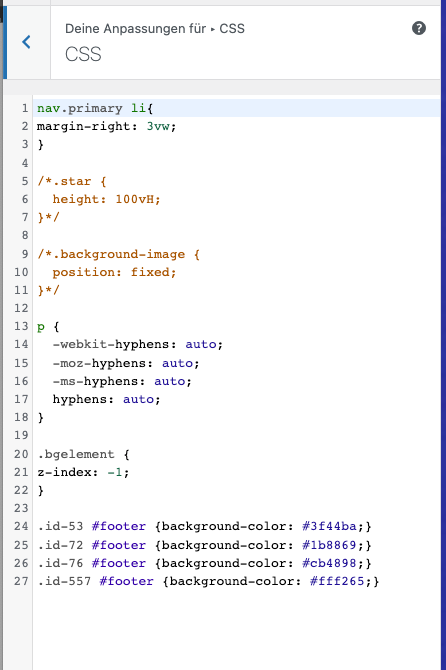
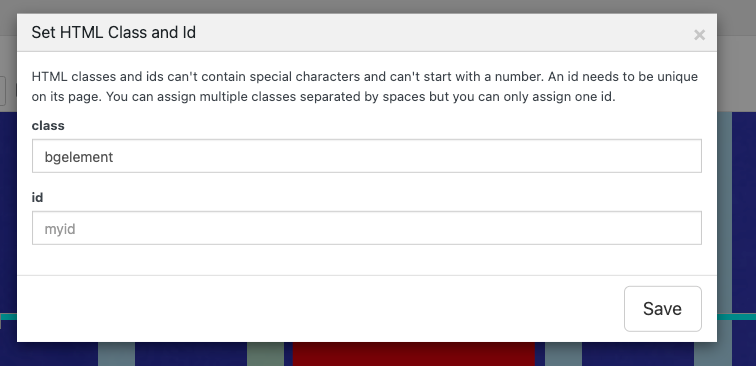
-
Hello again!
I just fixed the problem. I used an ID instead of a class, what make it work.
#bgelement
Thank you!.. and keep up the great work!
Philipp

Hello! It looks like you're interested in this conversation, but you don't have an account yet.
Getting fed up of having to scroll through the same posts each visit? When you register for an account, you'll always come back to exactly where you were before, and choose to be notified of new replies (either via email, or push notification). You'll also be able to save bookmarks and upvote posts to show your appreciation to other community members.
With your input, this post could be even better 💗
Register Login