CustOM order for project index
-
-
hey!
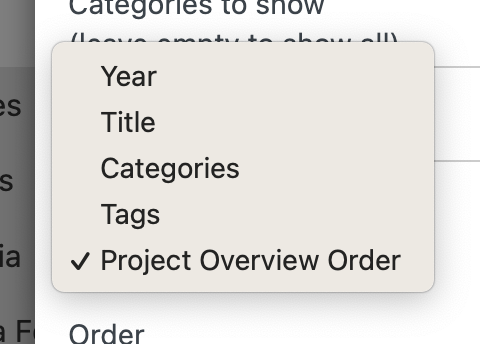
there will be this setting with the next update
then you can drag and drop your projects in your project overview and this will be the order of the projects in the projectindex
-
-
hi @arminunruh
is there any updates on this?Many Thanks
-
hey i have released the update that adds the new setting shown in the screenshot above
-
would you like to have an additional way of sorting?
-
Hi Armin,
I'm also struggling with ordering the project index module.
Dor order by "Project Overview" relate to the order appears in the draggable project list under the overall Projects tab?Also, the order that appears in the admin doesn't always corralate with what I see on the actual website... attaching some screenshot. Cache is disabled.
The page address:
https://lionsandquilts.com/category/articles/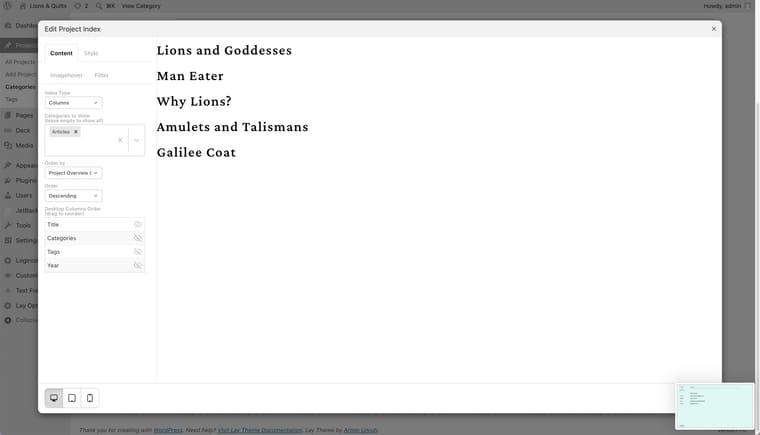

-
Dor order by "Project Overview" relate to the order appears in the draggable project list under the overall Projects tab?
Yes
hm ok thats weird
Sometimes WordPress gives back projects in a wrong order, so usually I was re-sorting them manually again to make sure they are in the right order.Seems like I didn't do that for Project Index.
I'm including this with the next update, and then you can check if the order looks right for you.
Another thing you can try is: Lay Theme has the layout cache setting, right? In Lay Options, you can enable or disable it.
But you may also have other caching plugins enabled. Maybe disable them too. I am not sure, but if you would disable all of them, maybe that would make a difference. You already said you don't have caching enabled, so you probably don't have this issue.One more thing you can try is in Lay Options in the section: Other settings

You could disable this setting: Show all projects on one page in admin.
And see if that makes any difference.
But other than that, please just wait for the next update. I will maybe release it today or tomorrow, and then we'll see if that fixed it.


Hello! It looks like you're interested in this conversation, but you don't have an account yet.
Getting fed up of having to scroll through the same posts each visit? When you register for an account, you'll always come back to exactly where you were before, and choose to be notified of new replies (either via email, or push notification). You'll also be able to save bookmarks and upvote posts to show your appreciation to other community members.
With your input, this post could be even better 💗
Register Login