Skip to content
  • Recent
  • Tags
  • Popular
  • Users
  • Search
Skins
  • Light
  • Brite
  • Cerulean
  • Cosmo
  • Flatly
  • Journal
  • Litera
  • Lumen
  • Lux
  • Materia
  • Minty
  • Morph
  • Pulse
  • Sandstone
  • Simplex
  • Sketchy
  • Spacelab
  • United
  • Yeti
  • Zephyr
  • Dark
  • Cyborg
  • Darkly
  • Quartz
  • Slate
  • Solar
  • Superhero
  • Vapor

  • Default (No Skin)
  • No Skin
Collapse

Lay Theme Forum

  1. Home
  2. Bug Reports
  3. Carousel Autoplay options not taking effect
Carousel Autoplay options not taking effect

Scheduled Pinned Locked Moved Bug Reports
18 Posts 2 Posters 1.2k Views 2 Watching
  • Oldest to Newest
  • Newest to Oldest
  • Most Votes
Reply
  • Reply as topic
Log in to reply
This topic has been deleted. Only users with topic management privileges can see it.
  • arminunruhA
    arminunruhA
    arminunruh
    Global Moderator
    wrote on last edited by
    #2

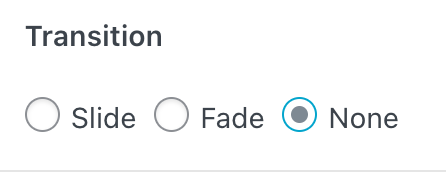
    Screenshot 2023-10-07 at 10.40.26.png

    do you use this transition type none?

    1 Reply Last reply
    0
    • arminunruhA
      arminunruhA
      arminunruh
      Global Moderator
      wrote on last edited by
      #3

      can you send your website address, /wp-admin/ username and password and a link to this topic to info@laytheme.com?

      1 Reply Last reply
      0
      • V
        V
        vakira
        wrote on last edited by
        #4

        Thanks for the quick reply, yes we are using "None"
        Email sent, subject is: #9404 carousel-autoplay-options-not-taking-effect

        1 Reply Last reply
        0
        • arminunruhA
          arminunruhA
          arminunruh
          Global Moderator
          wrote on last edited by
          #5

          i fixed it!

          1 Reply Last reply
          0
          • V
            V
            vakira
            wrote on last edited by
            #6

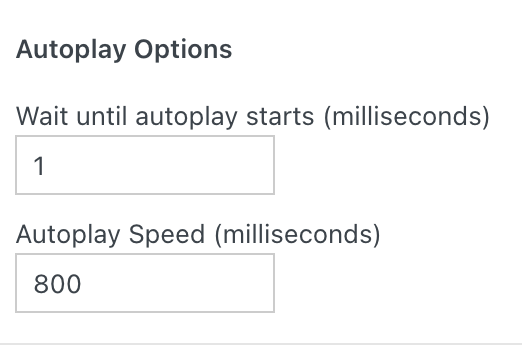
            I can't seem to view the fix. I'm trying these settings but it seems that it changes always at the same speed.

            See example:
            example.jpeg

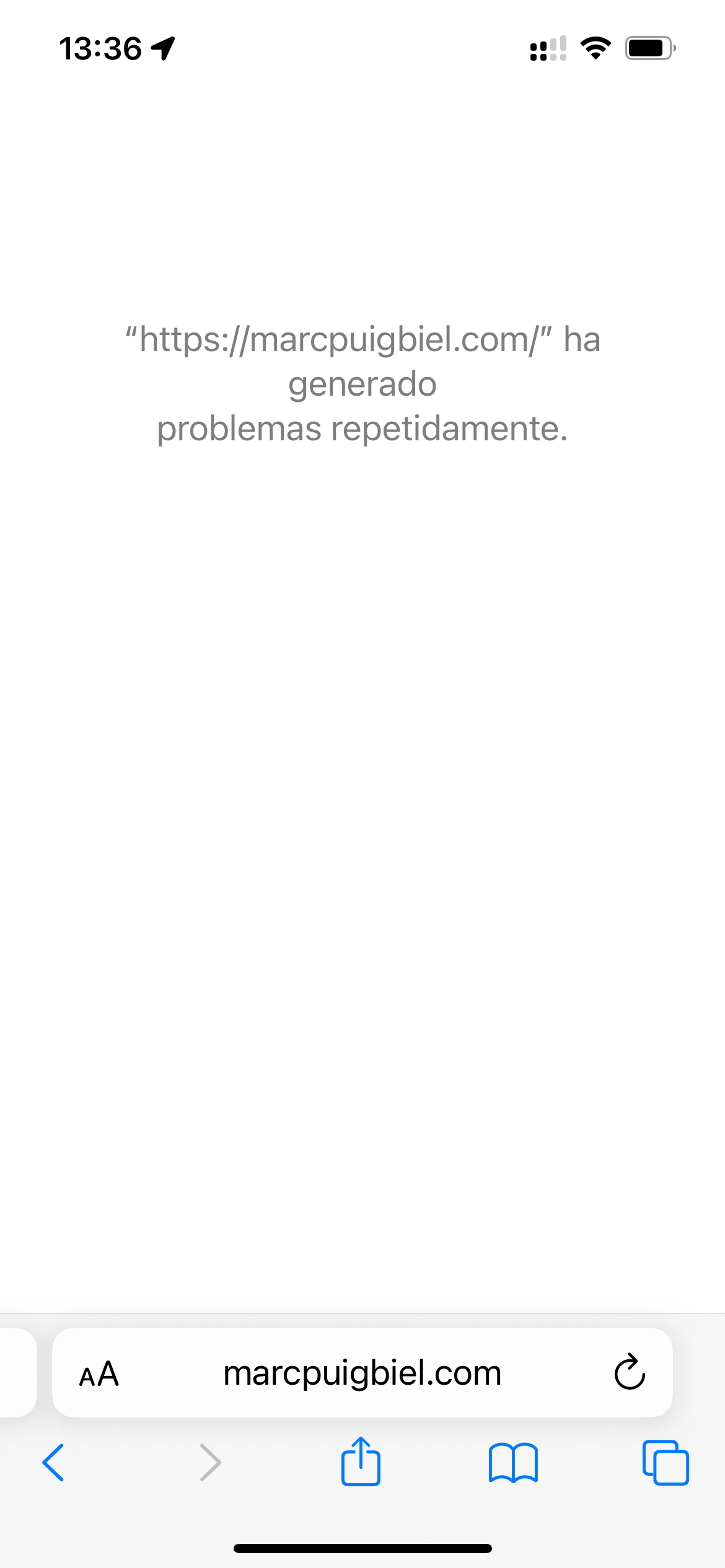
            Also Safari on mobile appears to not load the site: IMG_7548.PNG
            IMG_7548.PNG

            1 Reply Last reply
            0
            • V
              V
              vakira
              wrote on last edited by
              #7

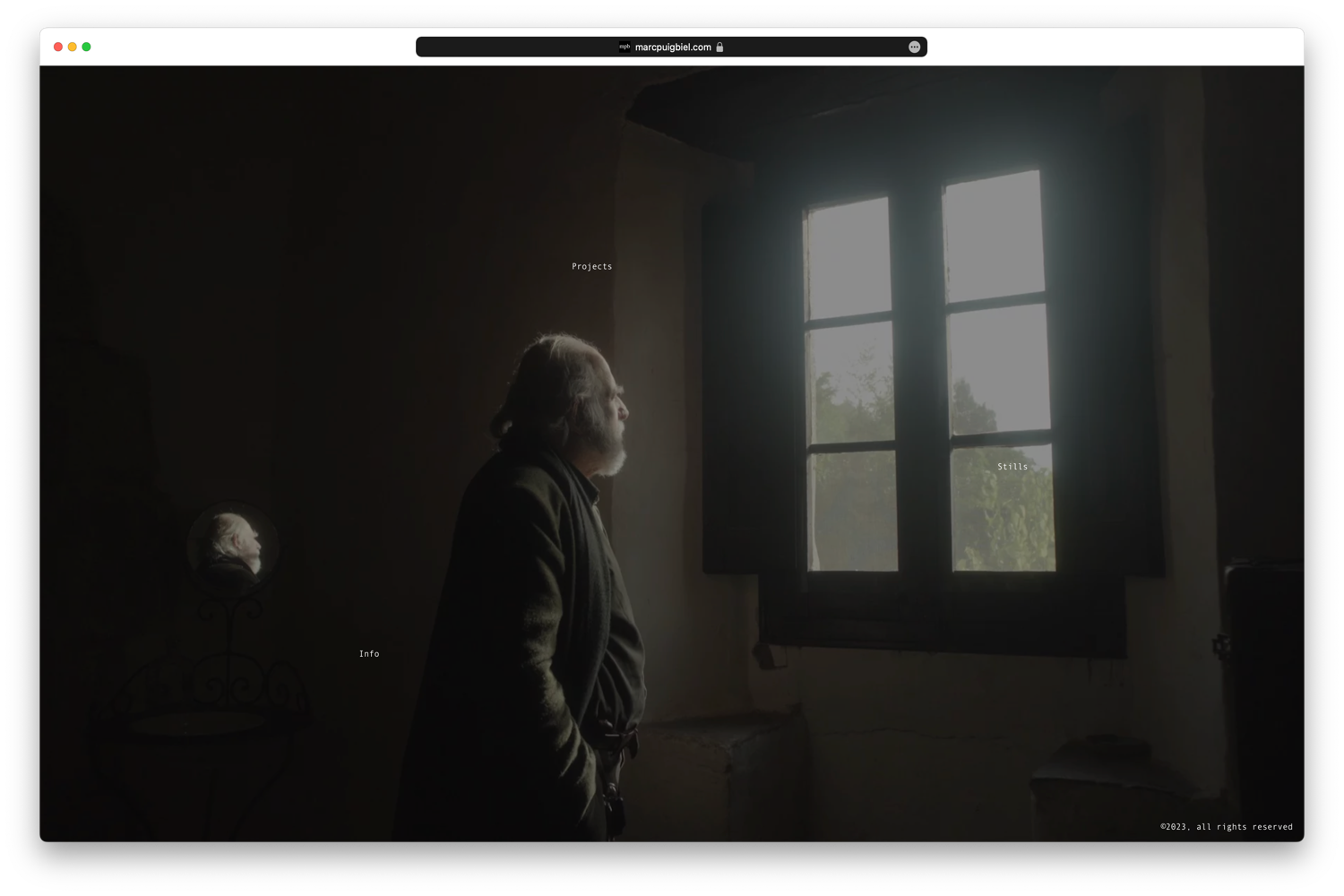
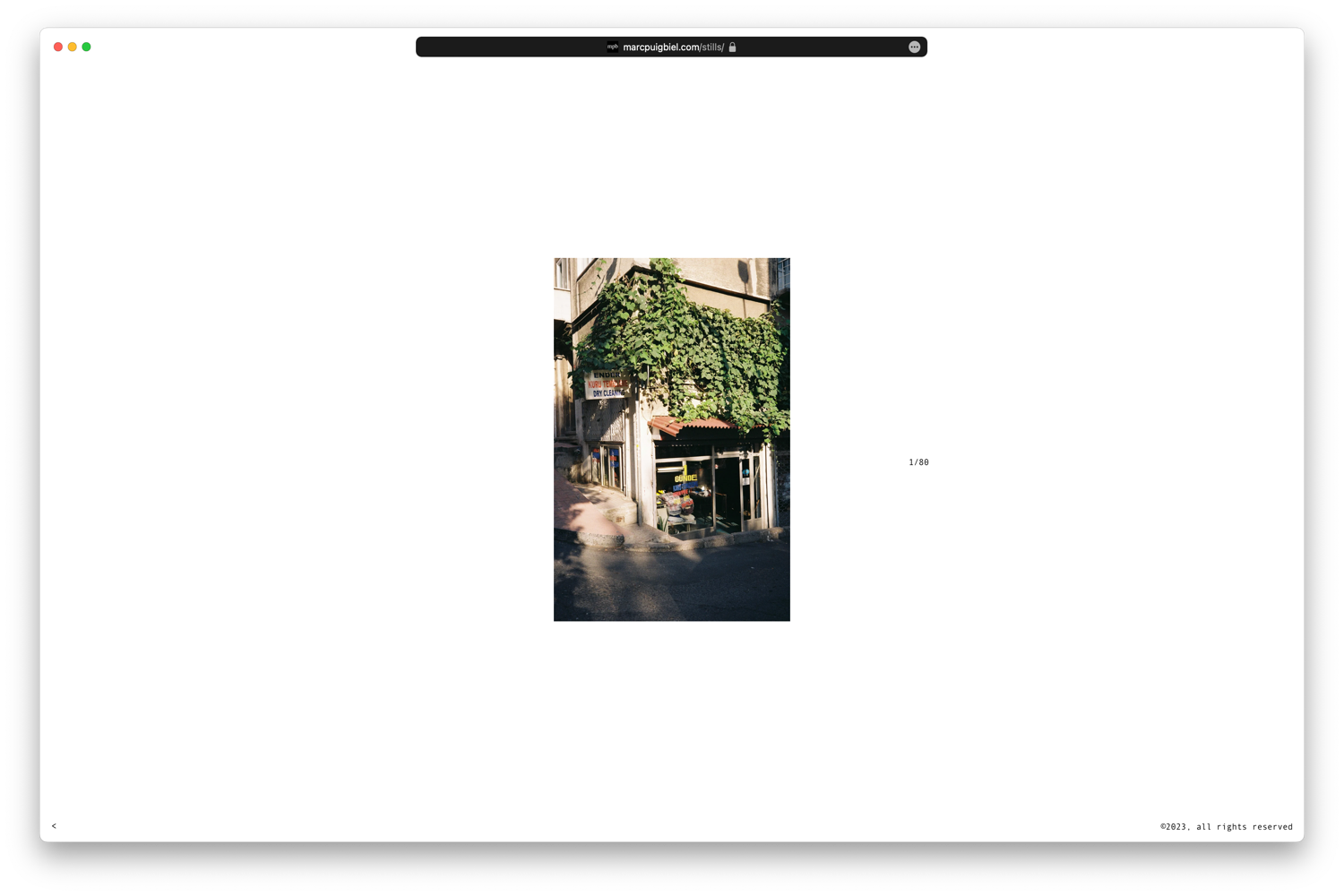
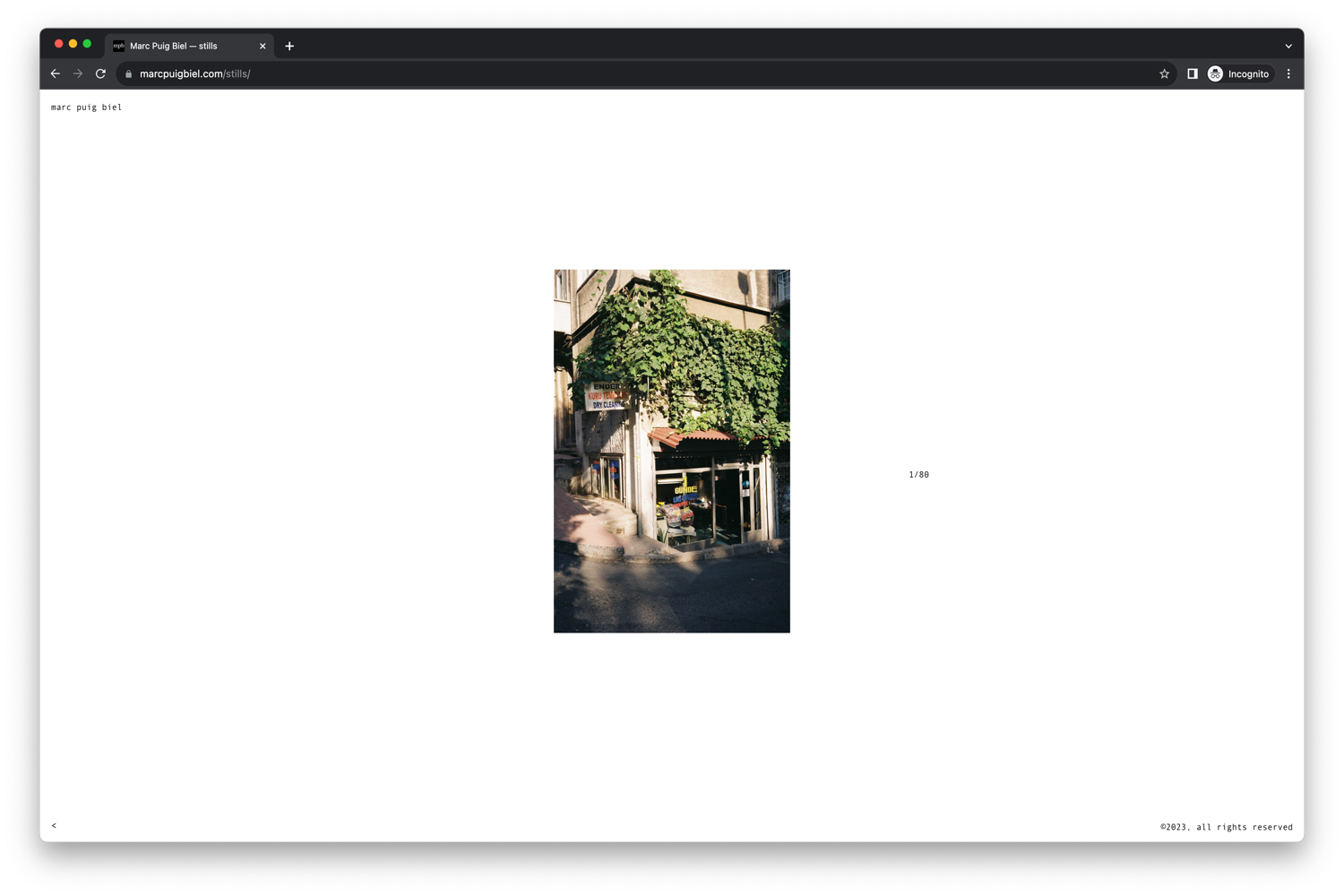
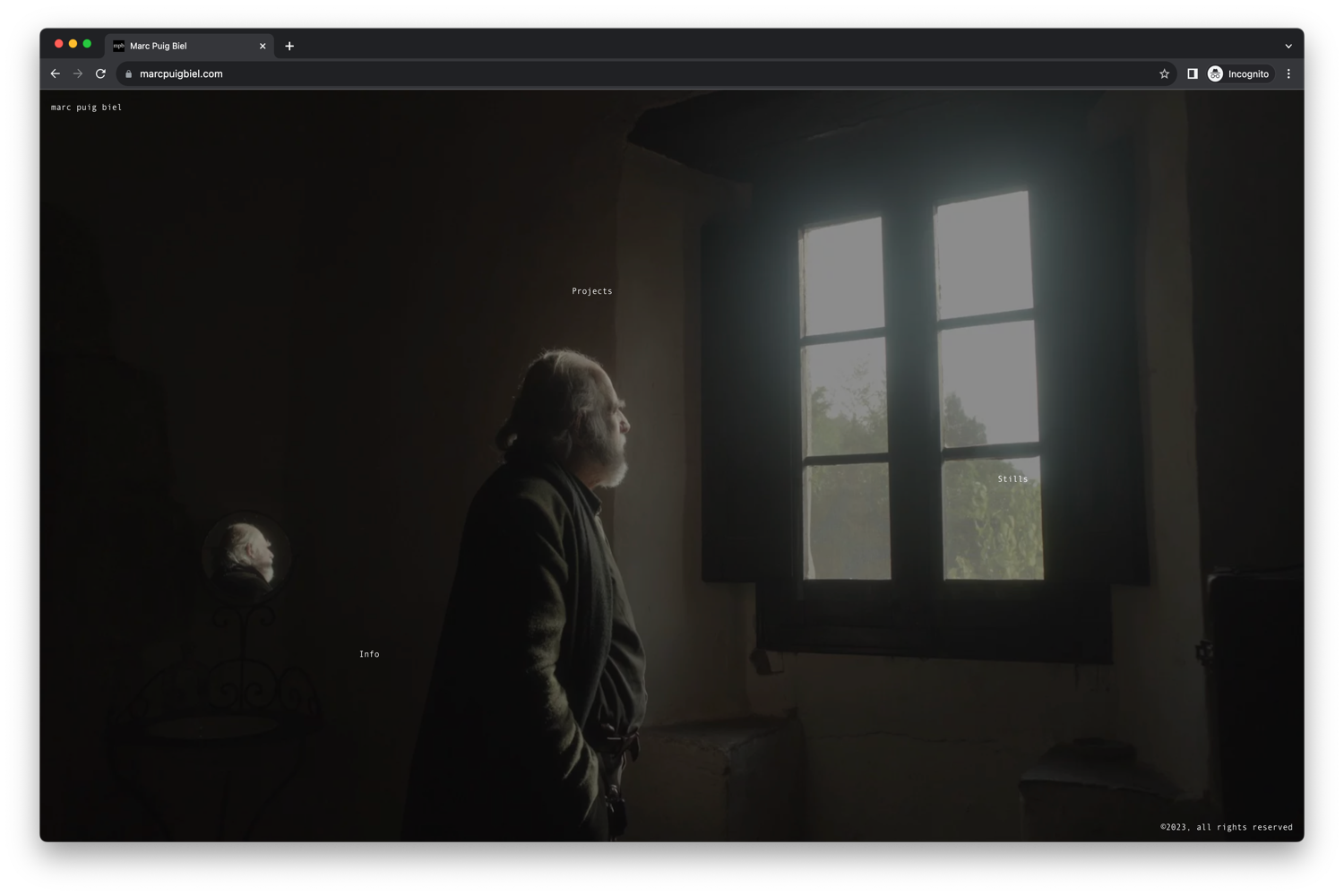
              Also, the title is missing from the top left in Safari on these pages:

              https://marcpuigbiel.com
              Screenshot 2023-10-11 at 13.47.04.png
              Screenshot 2023-10-11 at 13.47.04.png
              Screenshot 2023-10-11 at 13.49.29.png

              https://marcpuigbiel.com/stills/
              Screenshot 2023-10-11 at 13.47.12.png
              Screenshot 2023-10-11 at 13.47.12.png
              Screenshot 2023-10-11 at 13.48.05.png
              Screenshot 2023-10-11 at 13.48.05.png
              Screenshot 2023-10-11 at 13.49.29.png

              1 Reply Last reply
              0
              • arminunruhA
                arminunruhA
                arminunruh
                Global Moderator
                wrote on last edited by
                #8

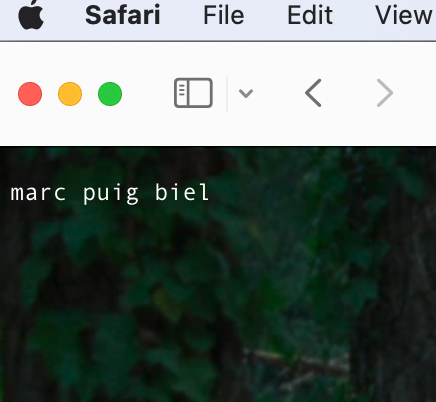
                oh yeah i think it was your caching plugin. i cleared the chache now try again!

                on safari,
                Screenshot 2023-10-12 at 06.24.11.png

                Screenshot 2023-10-12 at 06.24.41.png

                it shows up for me. can you check again now that i cleared the cache of your caching plugin?

                Also Safari on mobile appears to not load the site: IMG_7548.PNG

                Yes unfortunately this is a new issue that came up after an iOS update when using iOS safari and the carousel with transition none...
                Let me try and find a solution to this.

                Maybe try to use the fade transition or slide transition for now

                1 Reply Last reply
                0
                • arminunruhA
                  arminunruhA
                  arminunruh
                  Global Moderator
                  wrote on last edited by
                  #9

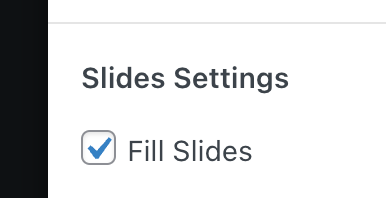
                  can you turn this off in the carousel just for a test:
                  Screenshot 2023-10-12 at 09.24.52.png

                  and lmk if it works then?
                  i think somehow this might break the carousel on ios safari at the moment

                  1 Reply Last reply
                  0
                  • arminunruhA
                    arminunruhA
                    arminunruh
                    Global Moderator
                    wrote on last edited by
                    #10

                    actually yes i tested it on your site and this seems to be the culprit, im looking into it more now

                    1 Reply Last reply
                    0
                    • arminunruhA
                      arminunruhA
                      arminunruh
                      Global Moderator
                      wrote on last edited by
                      #11

                      alright can you update the carousel addon now, delete your caching plugin's cache or disable the plugin

                      then it should work

                      1 Reply Last reply
                      0
                      • V
                        V
                        vakira
                        wrote on last edited by
                        #12

                        Thanks for checking arminunruh.

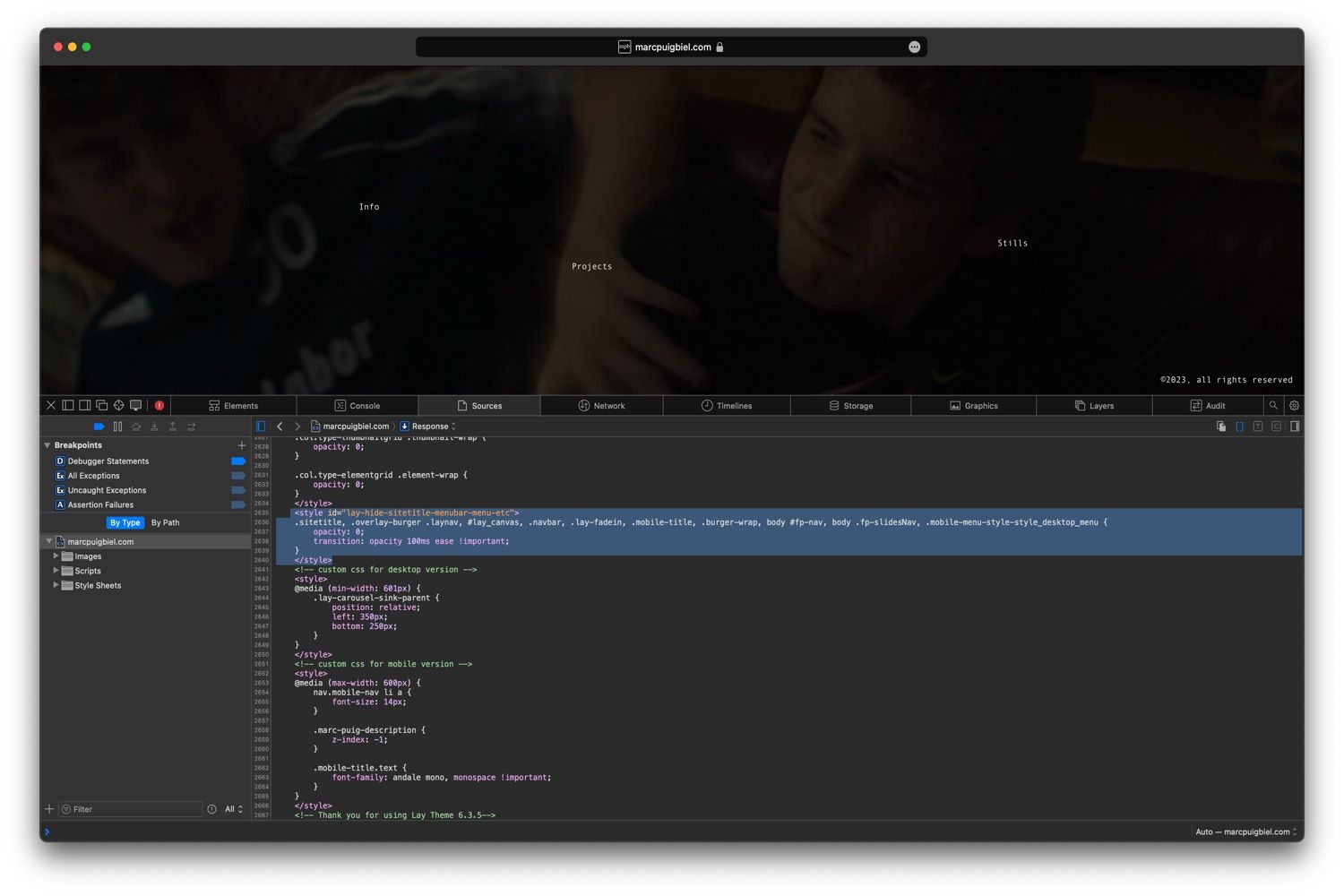
                        Title bug in Safari

                        • I can't still see the title. I have overcome this with a bit of CSS. Strange bug, it only happens on Safari (Version 17.0) at least. Here's a screenshot of what I think the problem is.
                          de761221-6be7-4865-99c8-3eef09198c64-Screenshot 2023-10-14 at 20.47.42-resized.jpg

                        Carousel

                        • Thanks, now the website loads on iOS.
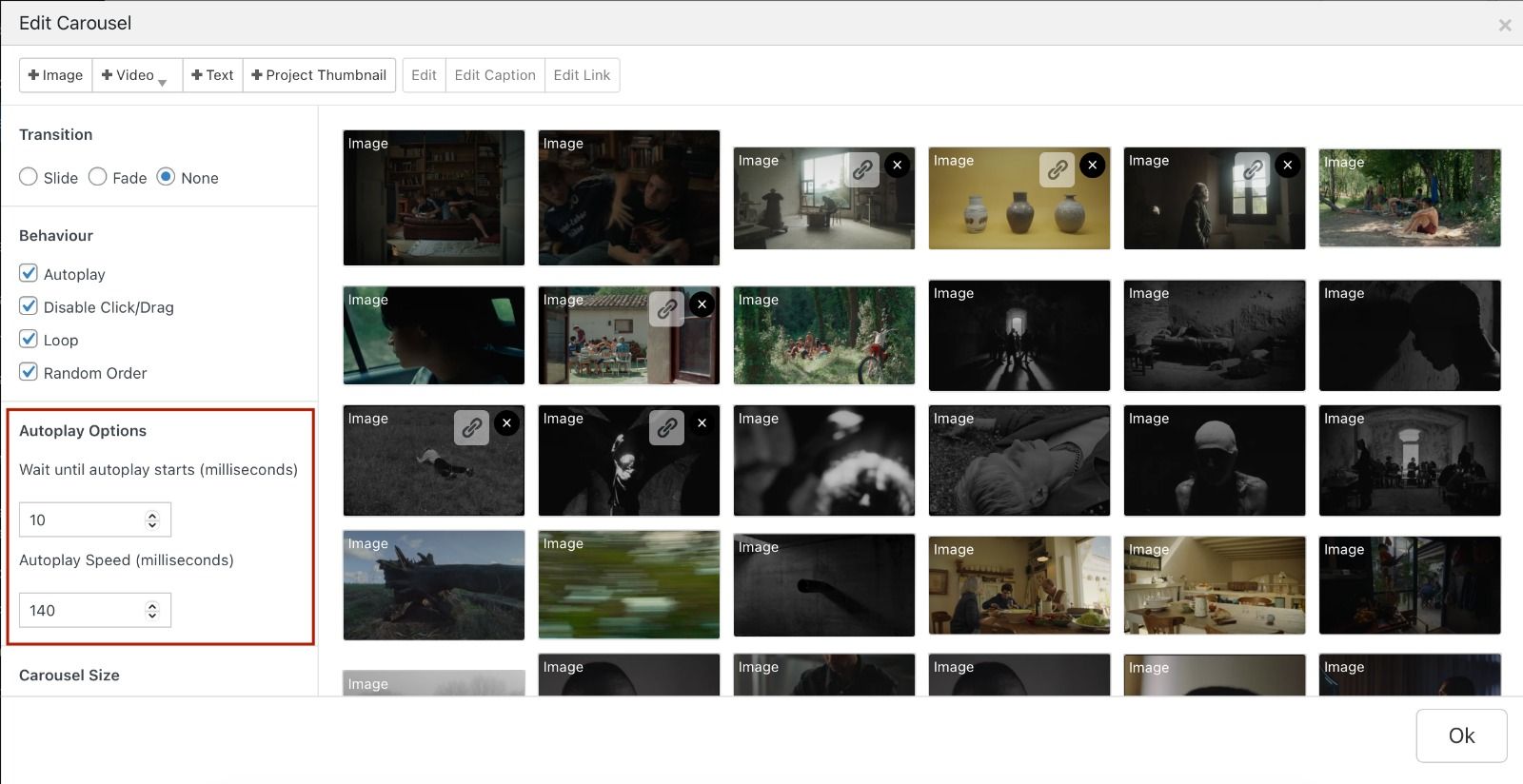
                        • I can't seem to be able to apply the right speed. It's slower than expected. These are the settings:
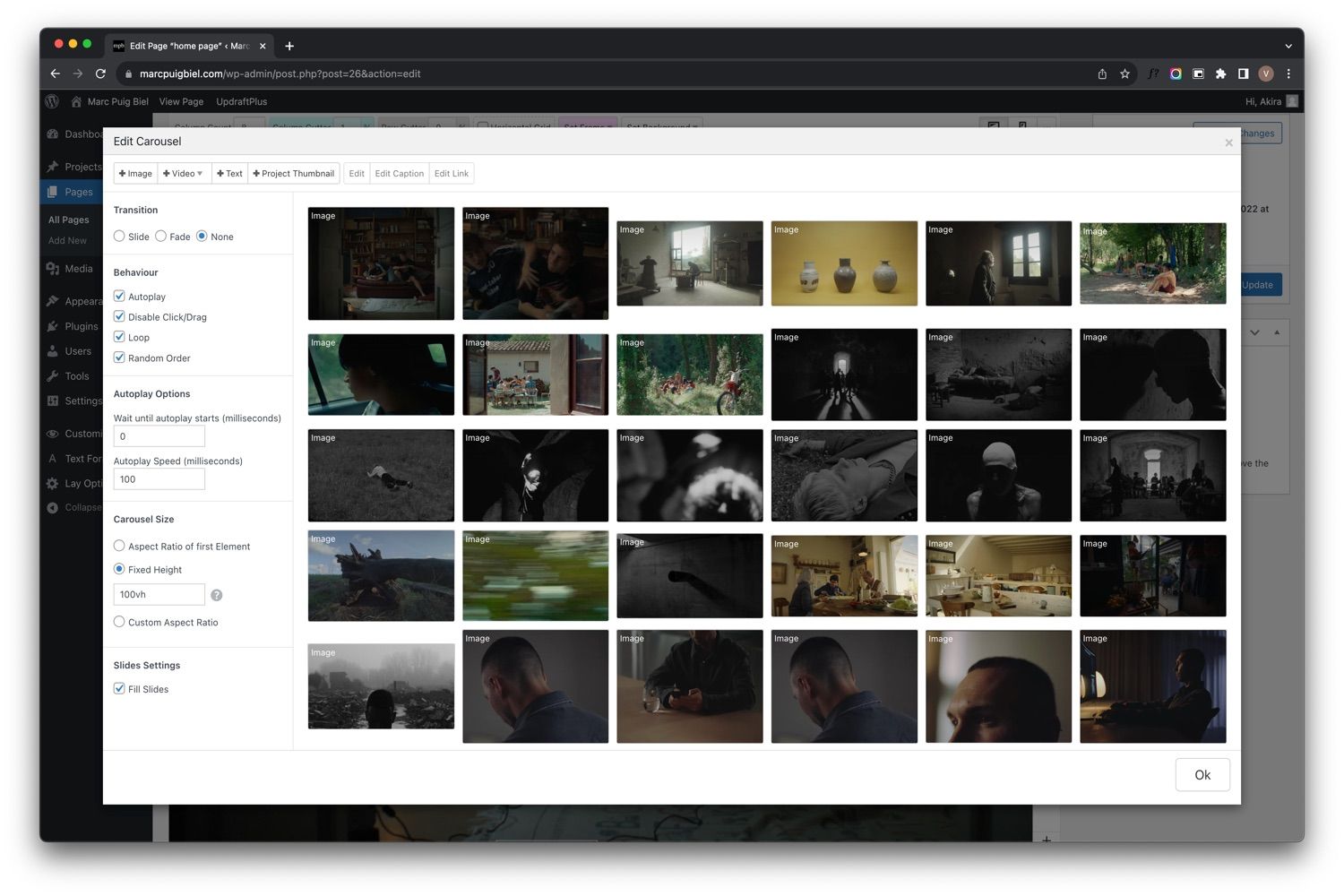
                          72a91e50-b104-46dc-82b6-0bc58934033f-Screenshot 2023-10-14 at 20.56.27-resized.jpg

                        here's an example of what is expected: https://we.tl/t-KDmmDCb7nt

                        1 Reply Last reply
                        0
                        • V
                          V
                          vakira
                          wrote on last edited by
                          #13

                          Title bug in safari
                          Seems to be fixed

                          Carousel
                          Bug seems to be solved by selecting the fade option

                          1 Reply Last reply
                          0
                          • arminunruhA
                            arminunruhA
                            arminunruh
                            Global Moderator
                            wrote on last edited by
                            #14

                            you're right. the fix didn't work!
                            i fixed it and released a new update for the carousel. i updated it on your website. i disabled your caching plugin. you can enable it again if you like.

                            1 Reply Last reply
                            0
                            • V
                              V
                              vakira
                              wrote on last edited by vakira
                              #15

                              Awesome thanks, the links on mobile are hard to tap though.

                              is there a work around to this?

                              1 Reply Last reply
                              0
                              • arminunruhA
                                arminunruhA
                                arminunruh
                                Global Moderator
                                wrote on last edited by
                                #16

                                which links exactly?

                                1 Reply Last reply
                                0
                                • V
                                  V
                                  vakira
                                  wrote on last edited by
                                  #17

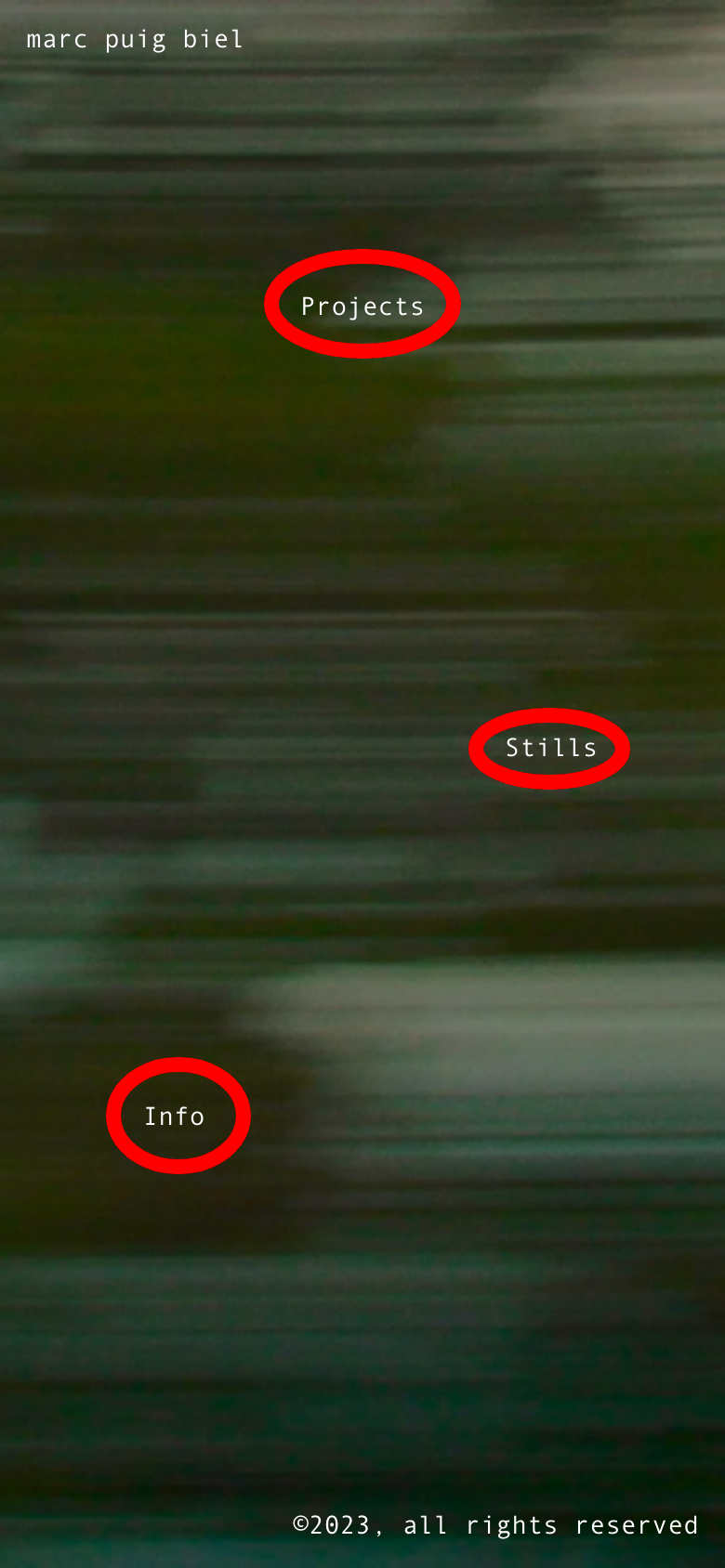
                                  These marked in red:

                                  image.png

                                  1 Reply Last reply
                                  0
                                  • arminunruhA
                                    arminunruhA
                                    arminunruh
                                    Global Moderator
                                    wrote on last edited by
                                    #18

                                    its probably because they are so small
                                    on desktop they are also a little hard to click
                                    try this:

                                    .home .lay-content a{
                                    padding: 15px;
                                    }
                                    

                                    this gives the links more clickable space around

                                    1 Reply Last reply
                                    0

                                    Hello! It looks like you're interested in this conversation, but you don't have an account yet.

                                    Getting fed up of having to scroll through the same posts each visit? When you register for an account, you'll always come back to exactly where you were before, and choose to be notified of new replies (either via email, or push notification). You'll also be able to save bookmarks and upvote posts to show your appreciation to other community members.

                                    With your input, this post could be even better 💗

                                    Register Login
                                    Reply
                                    • Reply as topic
                                    Log in to reply
                                    • Oldest to Newest
                                    • Newest to Oldest
                                    • Most Votes


                                    Online Users
                                    Forgot your key, lost your files, need a previous Lay Theme or Addon version? Go to www.laykeymanager.com
                                    laytheme.com
                                    • Login

                                    • Don't have an account? Register

                                    • Login or register to search.
                                    • First post
                                      Last post
                                    0
                                    • Recent
                                    • Tags
                                    • Popular
                                    • Users
                                    • Search