Sitetitle overlap on menu responsive
-
Hello 👋,
First, thank you a lot for your theme, i love to use it for me and my client project.
But today i've got an issu that i can't solve alone. I searched on the forum, find many topic but it still not working ! Sorry if i missed the answer somewhere.
When my browser width change (respoonsive), the menu is overlapping the site title. On a big screen it's ok, but on a small screen all the element are overlap. I have not find a solution to "block" the element menu.If you need the url website : https://soins-la-croisee-des-chemins.fr/
Thank a lot in advance !
-
thanks a lot!!
i see! mmh
try this
Enter the following in "lay options" -> "custom css & html" → "custom css":
@media (min-width: 751px) and (max-width: 1200px){ nav.primary ul{ flex-direction: column; gap: 10px; text-align: right; } } -
so your horizontal menu:
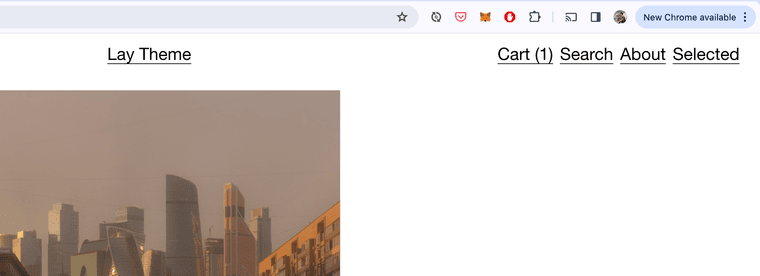
will become a stacked menu, when you make your browser smaller
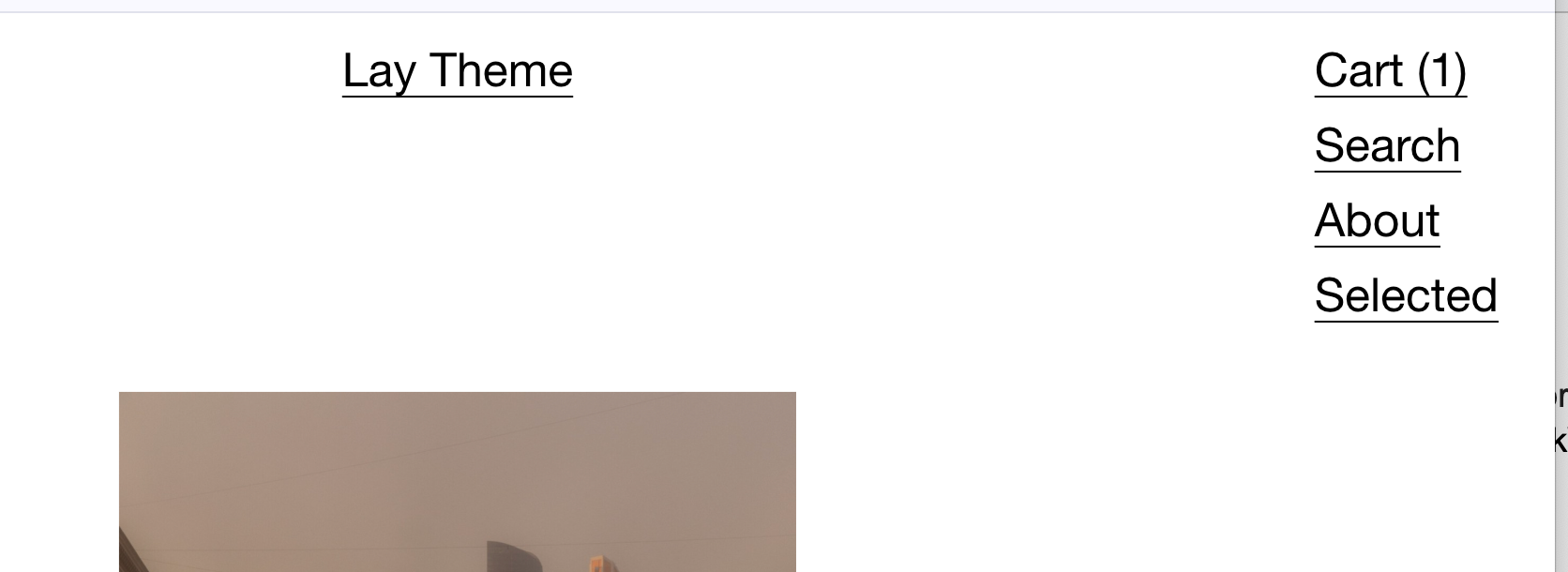
feel free to adjust the values 751px and 1200px
but the latter always needs to be bigger than the first number
-
text-align: right;
makes it align right
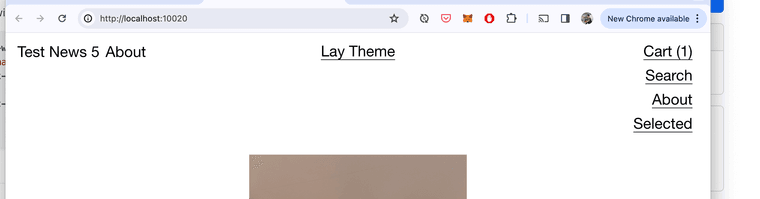
and for anyone else, this is just the css for the primary menu
instead of nav.primary
you can also try:nav.second_menu
or
nav.third_menu
or
nav.fourth_menu
if u use more menus:
https://laytheme.com/documentation/menus.html#multiple-menus -

Hello! It looks like you're interested in this conversation, but you don't have an account yet.
Getting fed up of having to scroll through the same posts each visit? When you register for an account, you'll always come back to exactly where you were before, and choose to be notified of new replies (either via email, or push notification). You'll also be able to save bookmarks and upvote posts to show your appreciation to other community members.
With your input, this post could be even better 💗
Register Login