Hello Armin,
Thank you for your reply!
I think I didn’t express myself clearly – I meant that I’ve removed the basic typewriter effect; it’s no longer available in the settings. Thank you for your help.
 A
A
Hello Armin,
Thank you for your reply!
I think I didn’t express myself clearly – I meant that I’ve removed the basic typewriter effect; it’s no longer available in the settings. Thank you for your help.
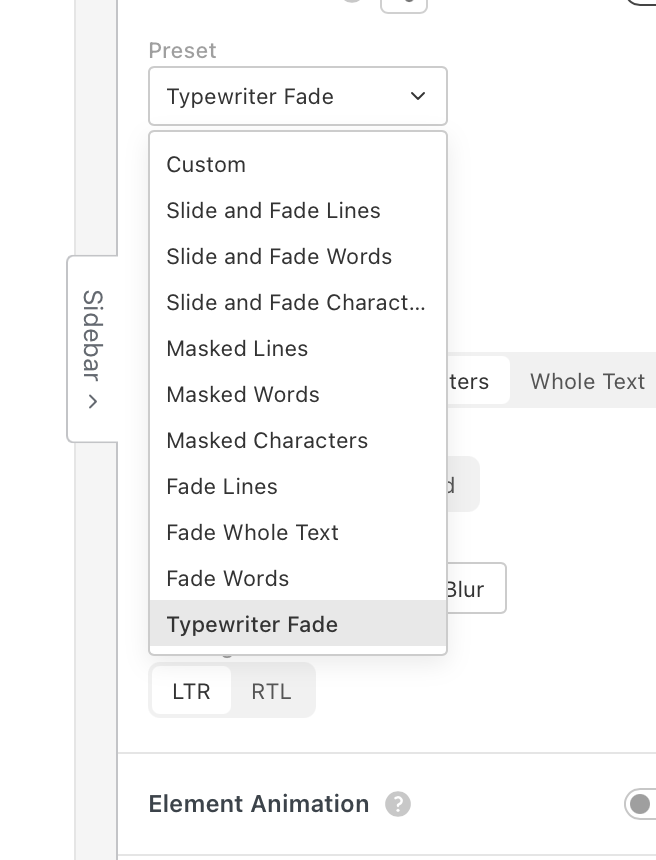
Hi Armin, I’ve installed the latest update and the text display effect is working perfectly. The problem is, I made a mistake and deleted the pre-saved ‘typewriters’ effect – is it possible to restore the default settings? Many thanks. Antoine
Super ! Merci beaucoup Armin !
Hi Armin,
Great, thanks for your feedback.
I’ve copied the page with the effect so you can see it: https://selah.fr/en/home-copy/
Hi Armin,
thank you for your quick reply.
OK, I see – I hadn’t thought of that solution with the text style; thank you.
I’ve carried out all the settings and steps you told me to, as well as the latest update.
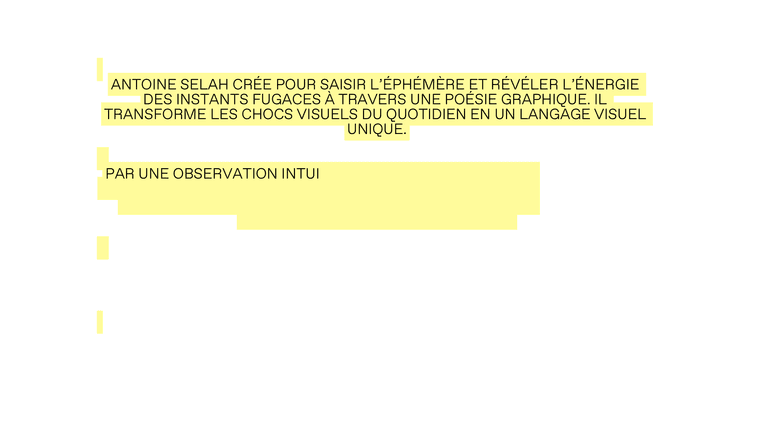
Unfortunately, I’m still having two problems: I can’t centre my text with a background font (the text style doesn’t seem to support it), and the text animation with the background isn’t working properly. I’ve included a link to my test here so you can see for yourself.
Thanks for your help!
Antoine
Hello Armin,
First of all, thank you for the new features in Layhtheme: they’re brilliant.
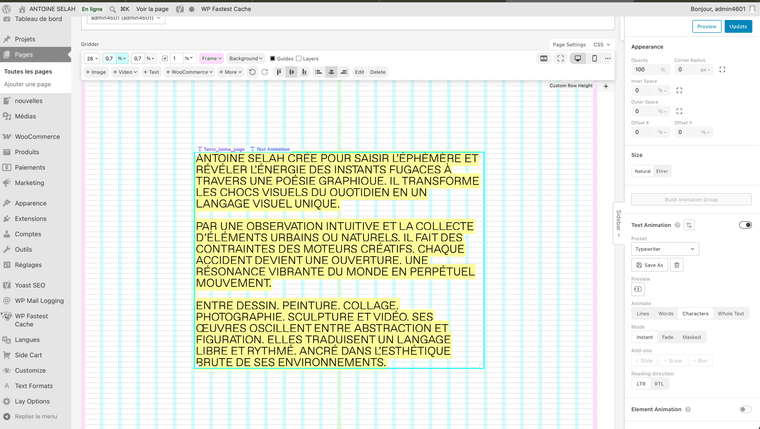
My question today concerns the coloured lines animation that appears behind the ‘typewriter’ animation applied to the text on my homepage.
My problem is this: I’d like to place a video or a photo behind the text on my homepage whilst applying the typewriter animation to the text, but the issue is that the text wouldn’t be very legible. That’s why I’d like to add a coloured background to the typewriter animation, with lines appearing behind the letters of the text at the same time as the letters themselves.
I’ve tried modifying the CSS code to add this to the animation module, but it isn’t working properly.
How can I go about doing this?
I’ve attached a few example images to illustrate what I mean, as well as a link to my homepage with the animated text.

Thanks in advance,
Have a nice day,
Antoine
Hello Armin,
Thank you very much for your reply and your help.
Okay, I'll look into it and install Yoast SEO to see if that improves things.
Have a nice day.
Hello Armin,
Do you have any advice on techniques or plugins that could help me improve the search engine optimisation (SEO) of my Laytheme website?
Thank you for your help!
Thanks Armin, the Lay theme is really functional, I'll be improving the site as I go along.
Hi Armin, thank you for your reply and for following up. Thanks to that I managed to solve all the display problems on the e-shop! Thanks a lot!
Hello Armin,
I'm experiencing a number of minor problems with my laytheme shop using woocomerce. I can't make these changes even trying with the CSS code, or maybe my level is too low. My site is www.selah.fr / Thank you !
1- I can't display my footer set up on my other pages on the product page (problem in desktop and mobile format)
2- I can't manage to remove the carousel with the little circles below the product images. I'd like my product images to be displayed just one below the other and not have this carousel option. (problem in mobile format)
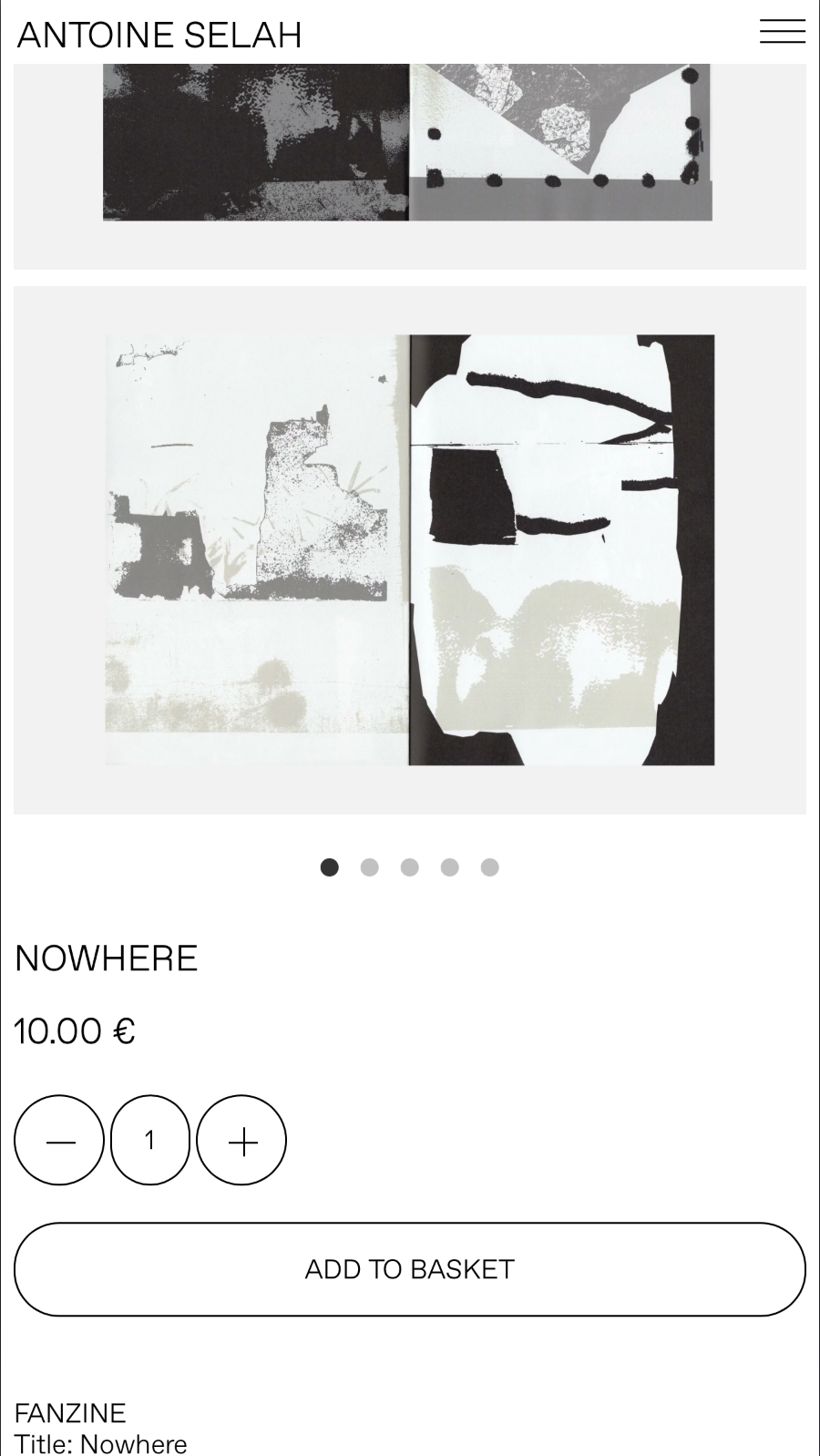
3- I'd like to move the product quantity field up below the add to basket button. (problem in mobile format)
Hello,
Since the last Lay theme update I've been having a problem loading projects.
For example, when I click on a project on this page, the project is not displayed and the page does not load to enter the project.
Lien page : https://antoinelaurent.fr/projets/
I have the same problem on my Index page when I click on a project it doesn't open anymore or sometimes but a long time later.
Lien page : https://antoinelaurent.fr/index/
Thank you very much.
Antoine
Hello,
Ok great thanks for your help!
I'm going to go for a free solution, maybe Mail chip at first. Watch some tutorials and see how I can integrate a subscription tab on my laytheme site www.selah.fr.
Thanks, have a great day!
Antoine
Hello Armin,
Is it possible to set up a newsletter on a Lay Theme site? If so, how do you go about it?
Thank you very much.
Have a nice day.
Antoine
Hello Armin,
Is it possible to pre-order a product on Laytheme shop with woocomerce. I'm asking this for a book for example.
Thank you very much.
Have a nice day.
Antoine
Hi Armin,
Thank you very much for your quick feedback and your help!
I've read all the links and information. I understand now.
What do you advise me to use as a payment platform for woocomerce for example?
I found this Mollie module that seems pretty good.
https://fr.wordpress.org/plugins/mollie-payments-for-woocommerce/#installation
Thanks a lot.
Antoine
Hi Armin,
Super thanks for your message.
I've sent you all the information on your email info@laytheme.com.
Have a nice day.
Antoine
Hi Armin,
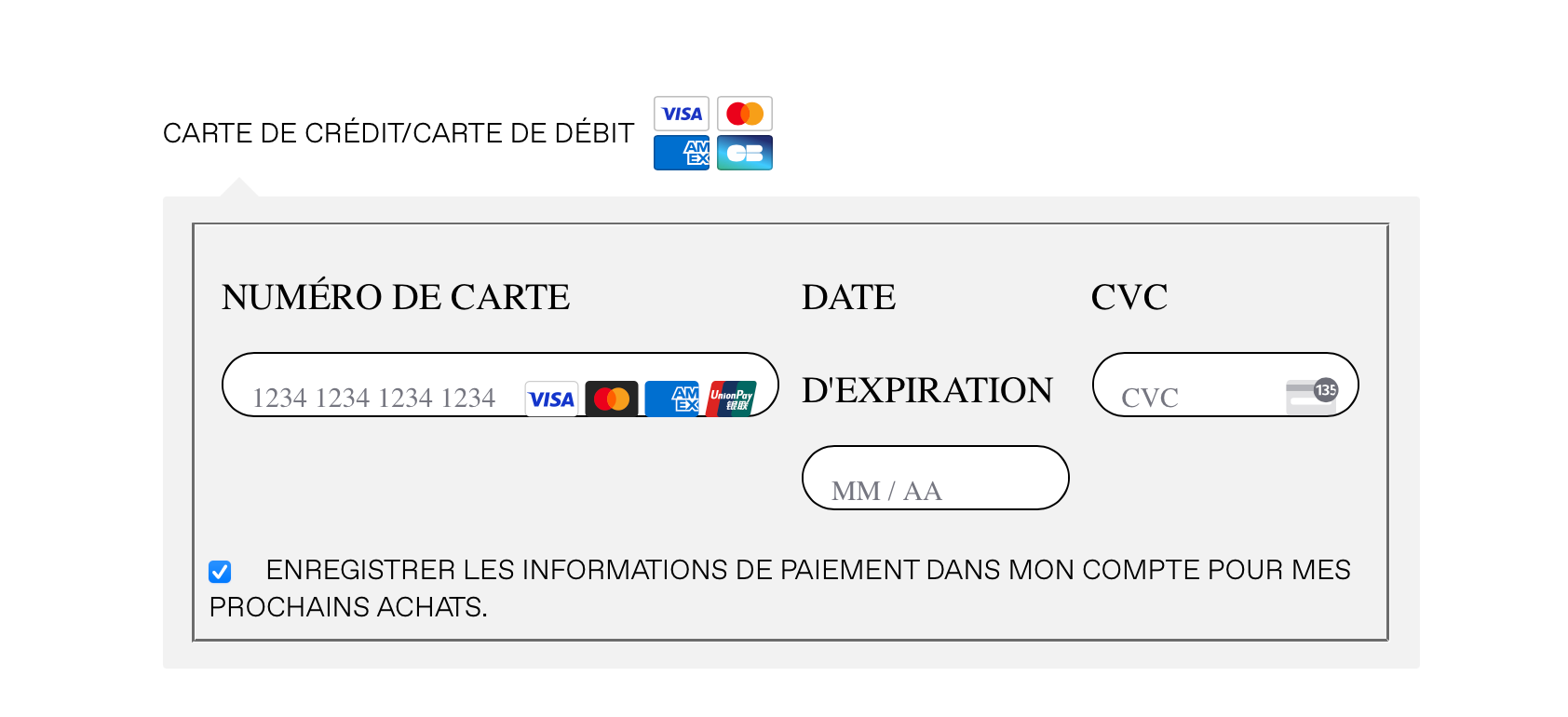
I have an integration concerning the payment module of woocomerce with Lay Theme, since some time the design is a bit chaotic and looks like this on the payment page of the shop.
Do you know if it is possible to reduce the size of the typography and make all the card number information blocks align correctly?
Thank you very much.
Antoine
Hi Armin, thanks a lot for your message!
Yes I used https://github.com/qtranslate/qtranslate-xt but I encountered a problem during the installation and I had to restore my website with a backup from the OVH server after that. Finally I changed strategy and I translate the site with Polylang, it's longer but easier for me.
Thanks for your encouragement, I really like using Laytheme and I try to improve the site every time I use it! I'm hosted by OVH yes, I export my photoshop images in 50% quality and I've installed on wordpress the Converter for Media extension and WP Fastest Cache. It's the best solution I've found so far to keep the site running smoothly.
Antoine