Skip to content
  • Recent
  • Tags
  • Popular
  • Users
  • Search
Skins
  • Light
  • Brite
  • Cerulean
  • Cosmo
  • Flatly
  • Journal
  • Litera
  • Lumen
  • Lux
  • Materia
  • Minty
  • Morph
  • Pulse
  • Sandstone
  • Simplex
  • Sketchy
  • Spacelab
  • United
  • Yeti
  • Zephyr
  • Dark
  • Cyborg
  • Darkly
  • Quartz
  • Slate
  • Solar
  • Superhero
  • Vapor

  • Default (No Skin)
  • No Skin
Collapse

Lay Theme Forum

N

Ness

@Ness
Unfollow Follow
About
Posts
4
Topics
2
Shares
0
Groups
0
Followers
0
Following
0

Posts

Recent Best Controversial

  • Modifying Menu Elements on Hover
    N Ness
    General Discussion

    Hey Armin,

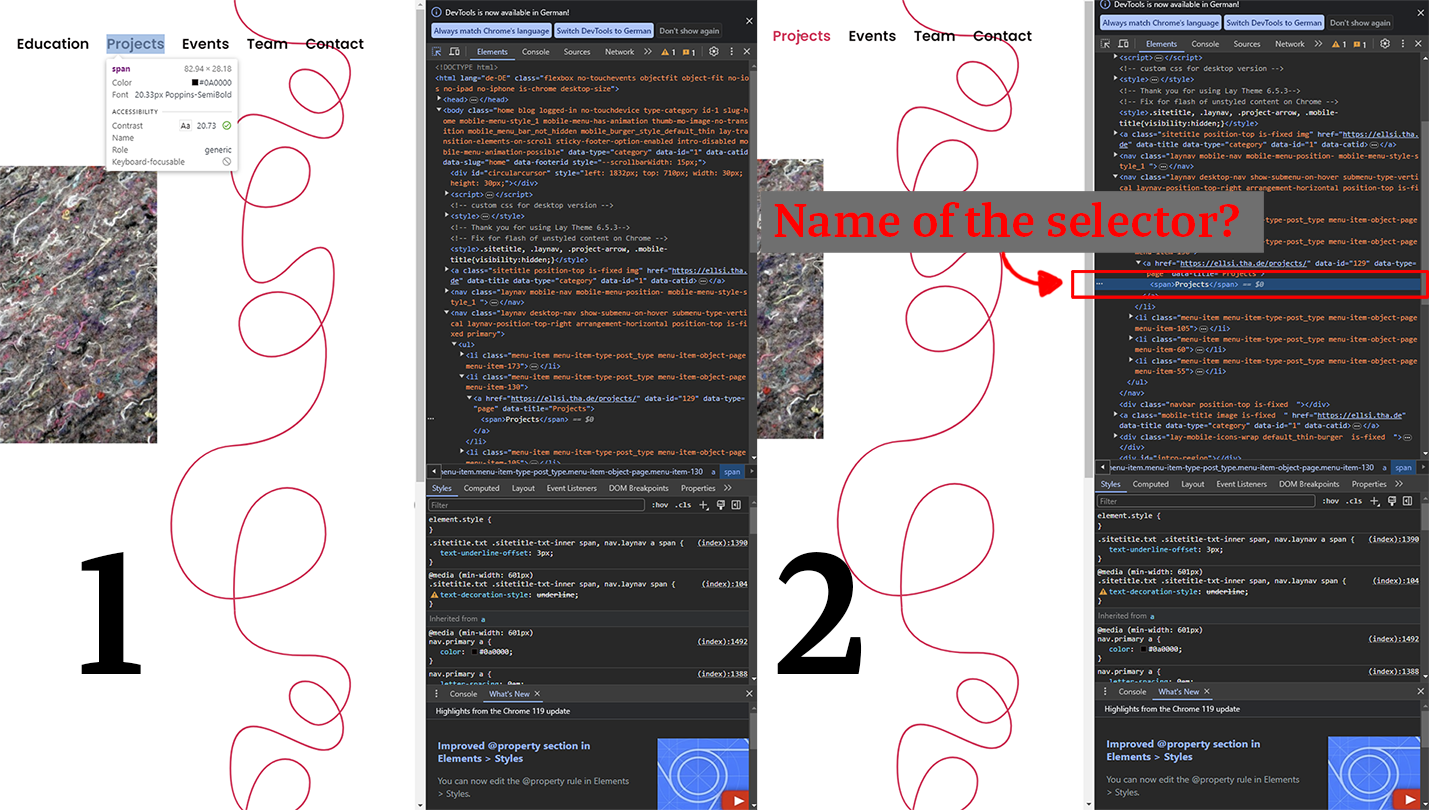
    thanks for your feedback. After going through my question again, I realize I might have not expressed it clearly. What I'm actually looking to find out is the specific selector for my element, so I can access its style through CSS. Specifically, I'm referring to the selector for the "Projects" tab.

    The code snippet I've already used was meant to show the selector I used:

    .menu-item Projects span:hover
    

    I've checked the Custom CSS Styling Guide as well, but I couldn't locate the right selector for this particular tab following its guidance. Here are two screenshots to further illustrate what I mean.
    get_selector.png


  • Modifying Menu Elements on Hover
    N Ness
    General Discussion

    Hey, I would like to achieve that the individual elements of my menu bar (Projects, Events, Team & Contact) change when hovered over with the mouse. Specifically, I want the 'Projects' tab to change to 'See Projects' upon hovering.

    What would be the CSS code required for this?

    I've already tried

    .menu-item Projects span:hover
    

    without success. The link to the website is https://ellsi.tha.de/

    I appreciate any help :)


  • Issues with 'Use as Scroll to Top Button' in project pages
    N Ness
    General Discussion

    Got it! Just disabled the lightbox in the settings for projects, and now it's working :-) Thanks a lot!


  • Issues with 'Use as Scroll to Top Button' in project pages
    N Ness
    General Discussion

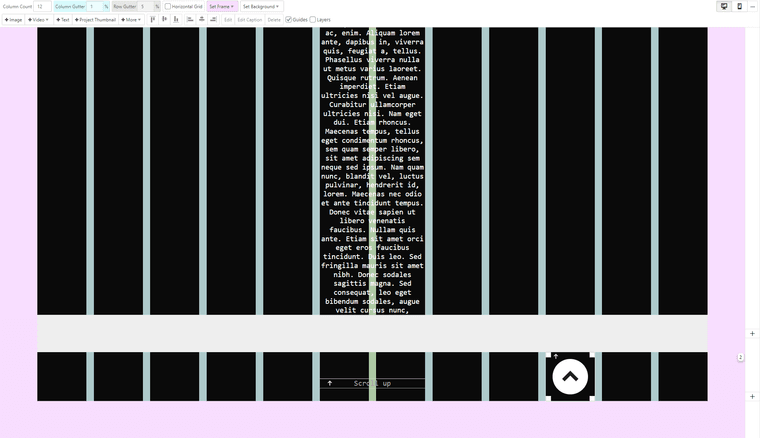
    Hey, I'd like to use an image for scrolling up on my website. It works fine on all subpages (categories, sides), but not on the 'project page'. However, when I use text, it works without any issues. Is this a known problem and is there a solution for it?

    Here's a link for testing and a screenshot.

    Screenshot 2023-11-24 010024.png

    I appreciate any help :)

  • Login

  • Don't have an account? Register

  • Login or register to search.
  • First post
    Last post
0
  • Recent
  • Tags
  • Popular
  • Users
  • Search