Dear Armin
When I shrink the browser window, the page with content automatically moves up. How can I prevent this? The content should have the same height everywhere, depending on the width of the browser.
Example : Text to close to the Logo :
Dear Armin
When I shrink the browser window, the page with content automatically moves up. How can I prevent this? The content should have the same height everywhere, depending on the width of the browser.
Example : Text to close to the Logo :
GREAT THANKS ARMIN
hi Armin
I would like to have the close box like this :

How can I prevent the box from sticking to the top and right edges? Instead, I want it to have some space at the top and bottom.
Now:
https://coachandorganize.ch
Thamks Julian
Thanks, sent you an email
Hi Armin
Since today I could no longer save an imagehover in a list with text... when I want to save the window disappears and the changes are lost..., ((everything is updated))
https://passant.ch/houseofsounds/
Thanks Julian
Thanks !!!!
Hi Armin
How i can change the link of the Sitetitle ?
Thank you
Julian
@arminunruh
Thankyou Armin !
@alasdair17 Thanks !!
Hey Armin
Soryy but of some reason it does not show the boarder o the buttons.
In customizer preview yes, but on the website not.
I try with custom Css but something is wrong:
My Page: https://gatogatogato.com
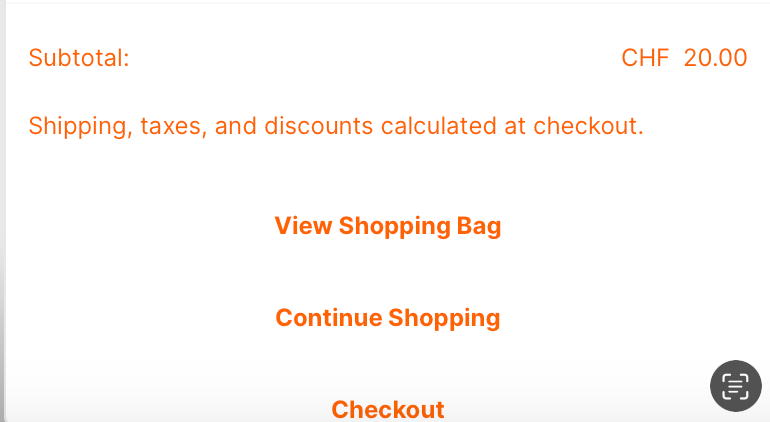
My CSS:
.xoo-wsc-container .xoo-wsc-ft-buttons-cont .xoo-wsc-ft-btn{ color:#ff6200; }.xoo-wsc-container .xoo-wsc-ft-buttons-cont .xoo-wsc-ft-btn:hover{ color:#ffffff; }.xoo-wsc-container .xoo-wsc-ft-buttons-cont .xoo-wsc-ft-btn{ padding-top:16px; padding-bottom:16px; }.xoo-wsc-container .xoo-wsc-ft-buttons-cont .xoo-wsc-ft-btn{border-radius: 0px;}
.xoo-wsc-container .xoo-wsc-ft-buttons-cont .xoo-wsc-ft-btn{
background-color: #ffffff;
/* border-bottom:1px; !important; /
/ border:1px; !important; */
}
Hi Armin
Is it possible to have the description of the single product under the picture in the product thumnail grid? And is it possible to change the positon of the description?
(now it only show price and the Title of the Product)
I just want the full description of the single product also in the description of the Products in the Products Thumnail Grid. Is that possible?
Thank you
hi , now it works , thanks
Hi
Any Ideas why my custom Cursor is pixelated ? I have 128px x 128px. And i try Png and SVG
Thank you
Hi Armin
https://visch.space/projekte/
All this Images should have the Title of the Project Thumnail... When Mouseover > White Space... Thank You !
Hi Armin
Can you help me with some CSS Code for a Project Title?
Till now i got this:
body.slug-projekte .thumb .ph{
background-color: white!important;
}
body.slug-projekte .thumb:hover img{
opacity: 0!important; }
It works , that the Hover is white, but now i need to see the Project title. What is the Code for that?
Thank you, Julian
Hi
is it possible when you click on an image that a text appears without reloading the page?
Thanks
Julian