Sub Menu Background
-
Hi,
first of all: there is a very nice ton of tips in this forum to help with a lot things - great!
One thing I did not find when trying to style a submenu: how can I expand the white background to the left so that the text of the submenu stays in line with the top-menu item, but has some padding? Every CSS change I tried moves the text, but not the background.
I have been using the 'latest version' from this discussion: http://laythemeforum.com/topic/913/drop-down-menu/
Thanks!
-
-
-
Dear @rbnbm
if you post a link if could help you better. Until now I cán only say: Dive into the CSS. Use the !important tag. And apply a width: 100vwHope that helps!
Best!
Marius
-
Hey,
Sorry, forgot that – here is the link:
http://ah-fotografie.de.w019239e.kasserver.com/siteProblem is that I cannot find the selector for the background.
Thanks a lot! -
-
-
Dear @rbnbm
for me it did. It extended the background of the navigation to the right border of the screen.Best!
Marius
-
Hi @mariusjopen ,
Sorry, you are right! I failed to explain – there is white space on the right side, but I would like to have some space on the LEFT side of the items (letters) in the submenu. Possible?
-
Dear @rbnbm
have a look here:.sub-menu { padding-left: 15px !important; }And here. You can use the :hover in the Chrome Inspector:
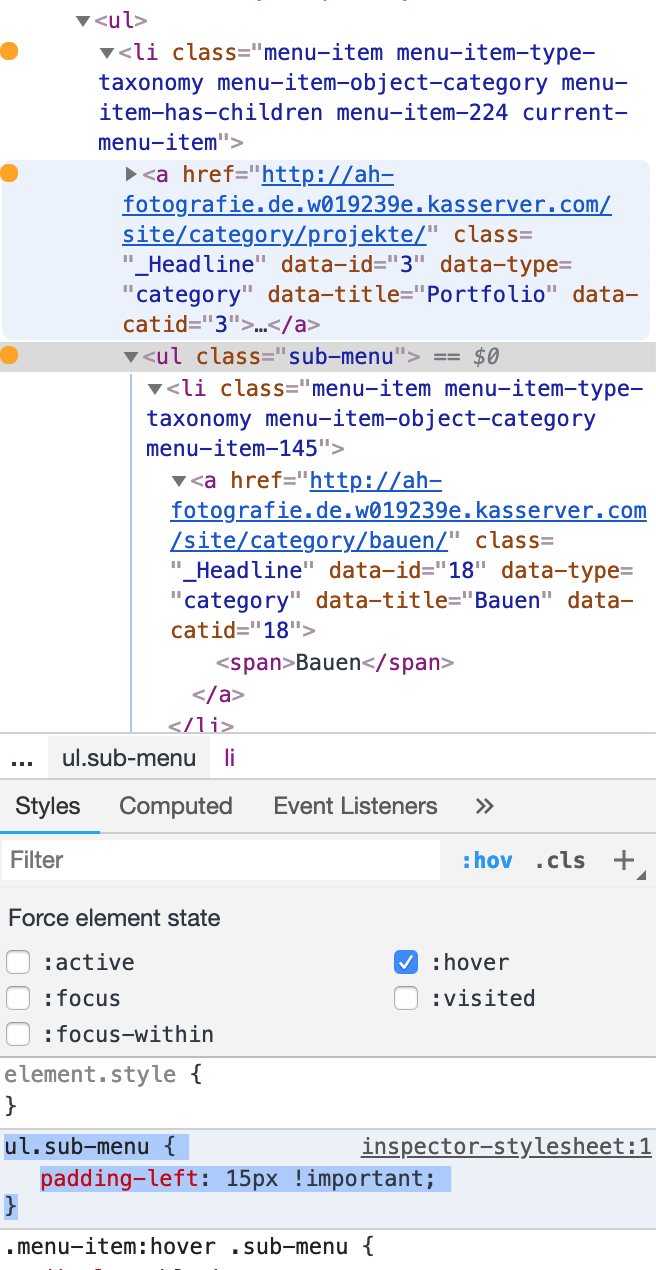
Best!
Marius
-
Dear @mariusjopen ,
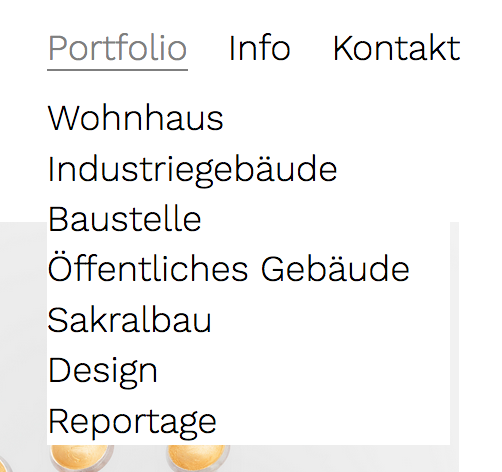
Thanks, but I already got that to work, I am looking for a code so that it looks like this:
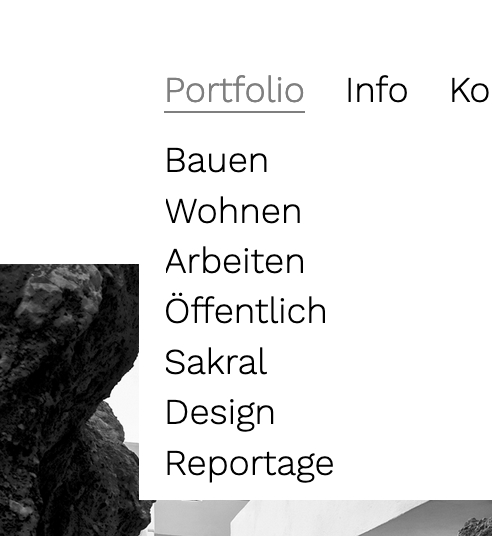
Possible? Thanks again!
-
Dear @rbnbm
but that was the solution I provided, no?
You can also play around with the code I gave you.Best!
Marius
-
Dear @mariusjopen ,
Sorry, but your code delivers the following:
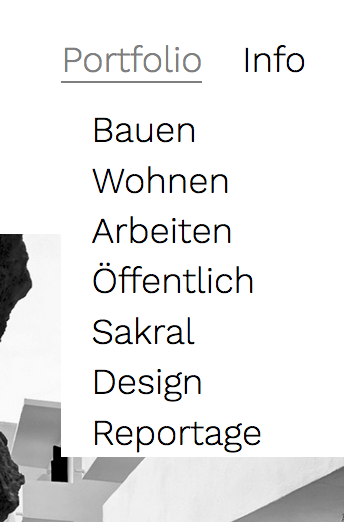
The text is indented, not aligned with the item of the menu. Minor, I know, but still... I already tried different things but couldn't make it work. If it's not possble - okay. (I send you the login data via chat regarding the other matter, if you want to take a look....)
Thanks again, your help is much appreciated!!!
-
Dear @rbnbm
try this one:.primary .sub-menu { display: none; position: absolute; background-color: white; border: 0px solid grey; padding-top: 10px; padding-left: 20px; margin-left: -20px !important; padding-bottom: 20px; }Best!
Marius
-
Hi @mariusjopen ,
Sorry, does not work, now all Sub Items are in line:
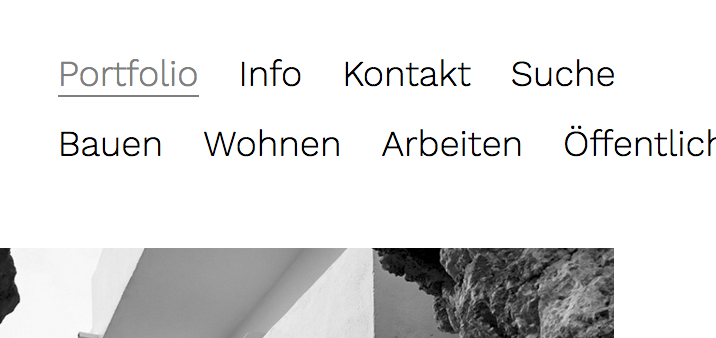
Nevermind, let's leave it at that. I'll file this under "not possible".
Any news on why the search does not work (my chat message)? Did you get my login data?
Thanks
rbnbm -
Dear @rbnbm
try this then. I think this is what you want:.primary .sub-menu { display: none; position: absolute; background-color: white; border: 0px solid grey; padding: 10px 0px 10px 10px; width: 100vw; }I wrote Armin about the search and he will reply soon I assume.
Best!
Marius
-
dear @mariusjopen ,
Thanks, but it does not work ; -)
Text is indented again.
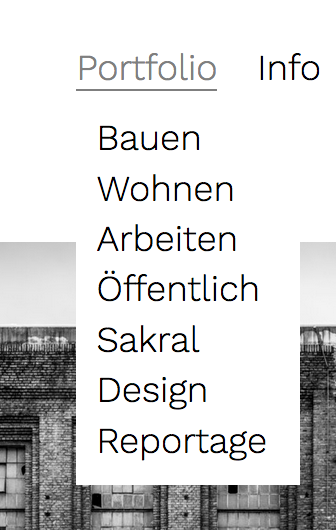
As I see it, the padding indents the text to the right. A negative value puts it back in place, but then there is no white space to the left.
As I said, not perfect, but also not a big deal. I'm just wondering whether it is possible at all (I also tried different negative values, to no effect).
Just to make sure, here is all of the code I am using right now for the menu:
.primary .sub-menu {
display: none;
position: absolute;
background-color: white;
border: 0px solid grey;
padding: 10px 0px 10px 10px;
}
.primary .sub-menu li {
display: block;
}
.menu-item:hover .sub-menu{
display: block;
}Looking forward to the search thing...
Best,
RBNBM

Hello! It looks like you're interested in this conversation, but you don't have an account yet.
Getting fed up of having to scroll through the same posts each visit? When you register for an account, you'll always come back to exactly where you were before, and choose to be notified of new replies (either via email, or push notification). You'll also be able to save bookmarks and upvote posts to show your appreciation to other community members.
With your input, this post could be even better 💗
Register Login