Can I display project titles below the carousel instead of on it ?
-
Hello !
I'm considering purchasing LayTheme and the Carousel Addon. I have a question about caption positioning.
I want to display the project title BELOW the carousel image (like https://weberruss.com/en), not overlaid on top of the image (like https://andreaguccini.com/).
Does the Carousel Addon's "below Carousel" setting place the caption :
- Outside/below the image (vertically separated from the carousel) (what I want)
- OR just at the bottom but still overlaid on the image?
Is this possible with the Carousel Addon?
Thanks for your help !
Bastien -
hey!
yes you can do that. actually thats the default way captions are placed.
-
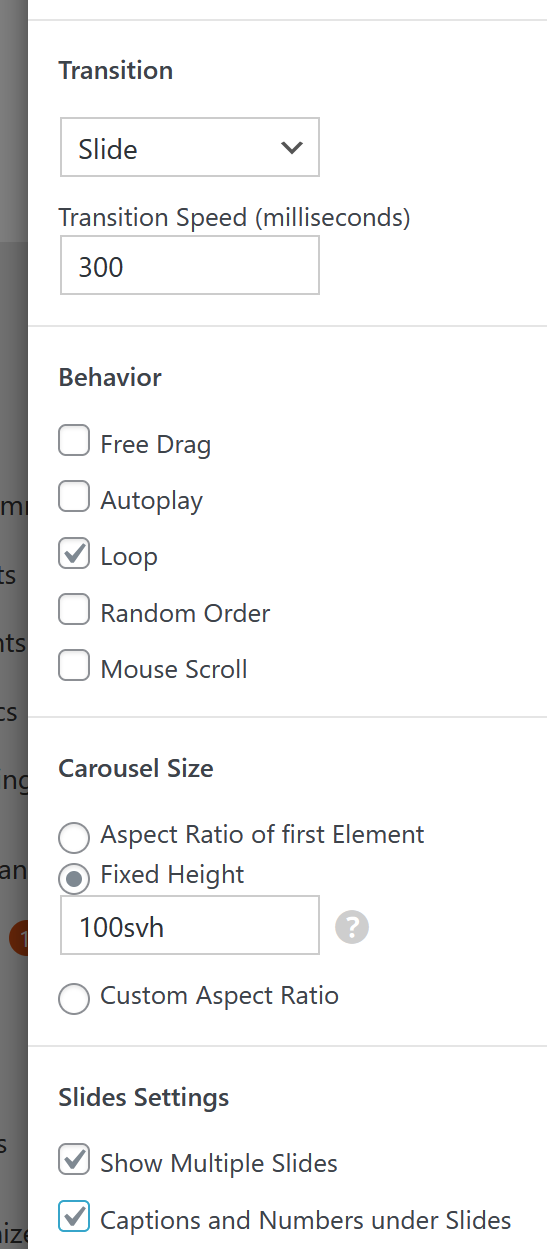
when u use these settings in a carousel, the captions can even be under each slide: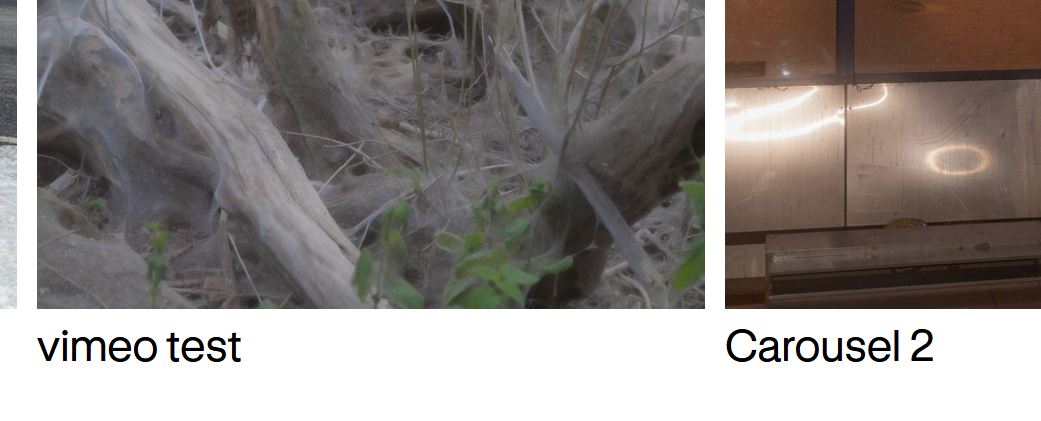
the placement of the captions is done in:
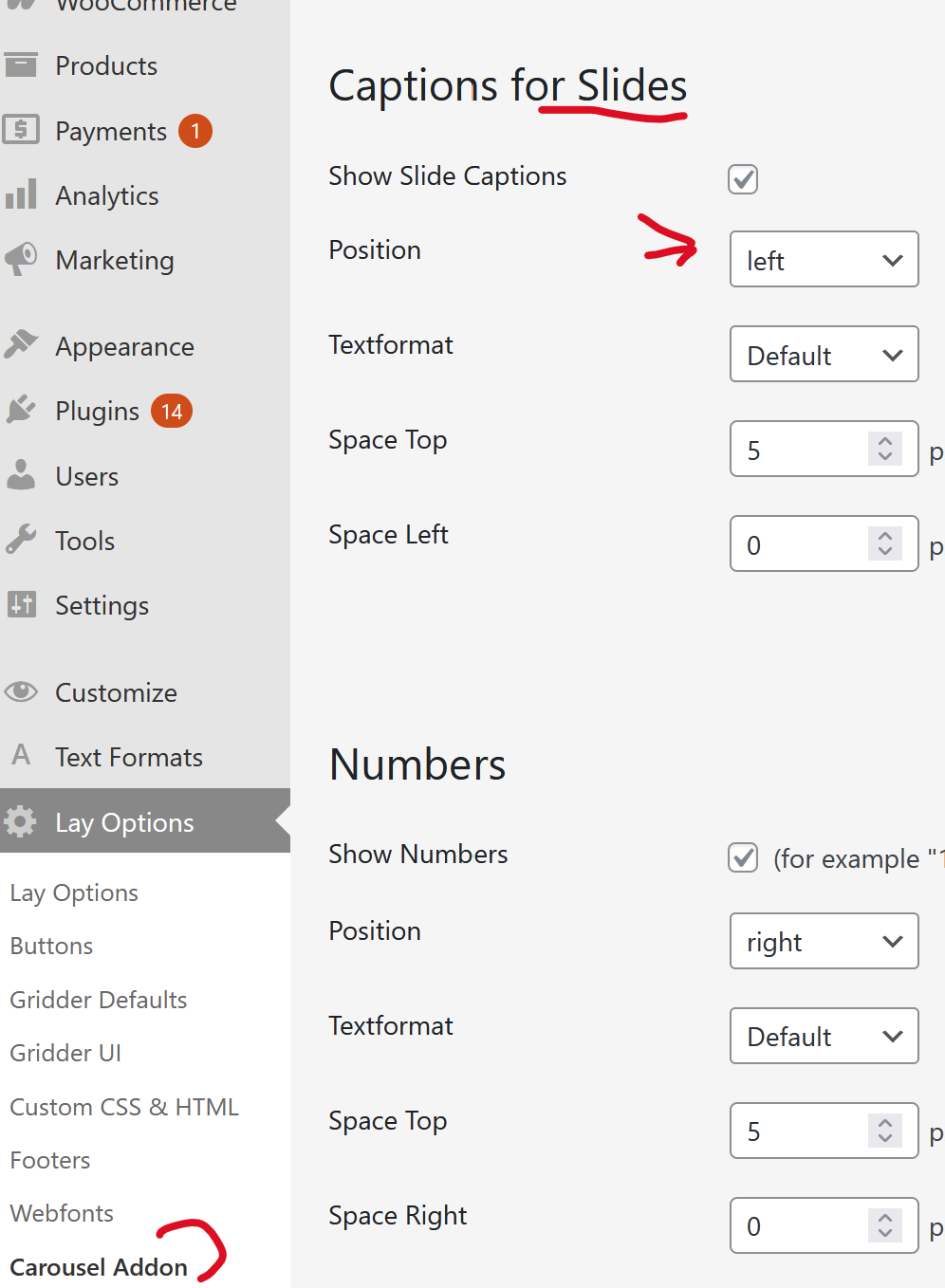
-
and with the default settings enabled, the caption is just under a slide like so:
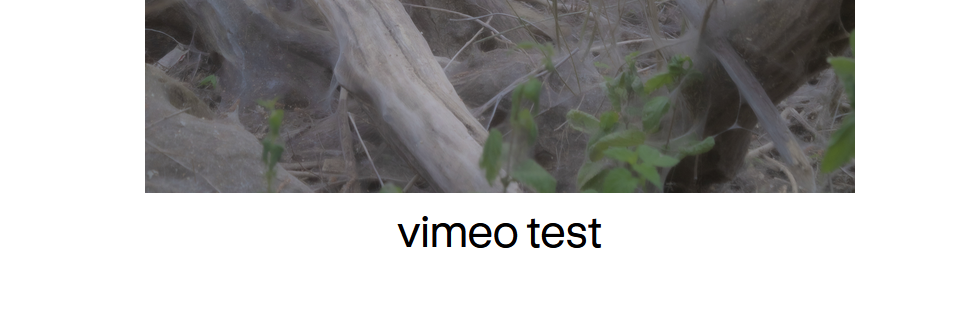
-
Perfect, thank you for confirming !
One more question: when the caption is positioned below the carousel, are both the image AND the caption/title clickable to open the project ?
Or is only the image clickable ?
Thanks again ! -
by default, only the image is clickable.
however, when u edit the carousel, you can click on the image:
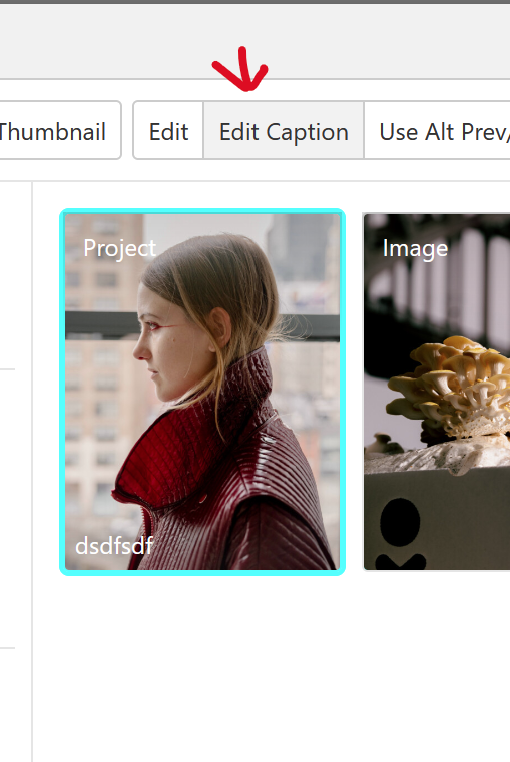
then click "edit caption"
and in here, you can link the text using the link button when u select the text
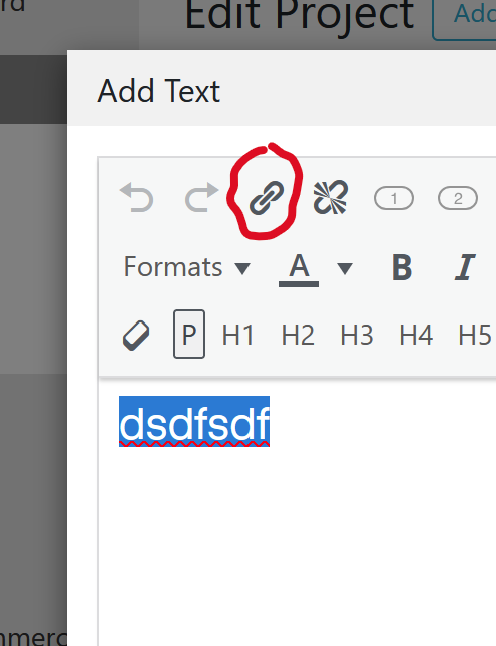
-
Thanks! That's perfect :)
I have juste another question about the carousel setup
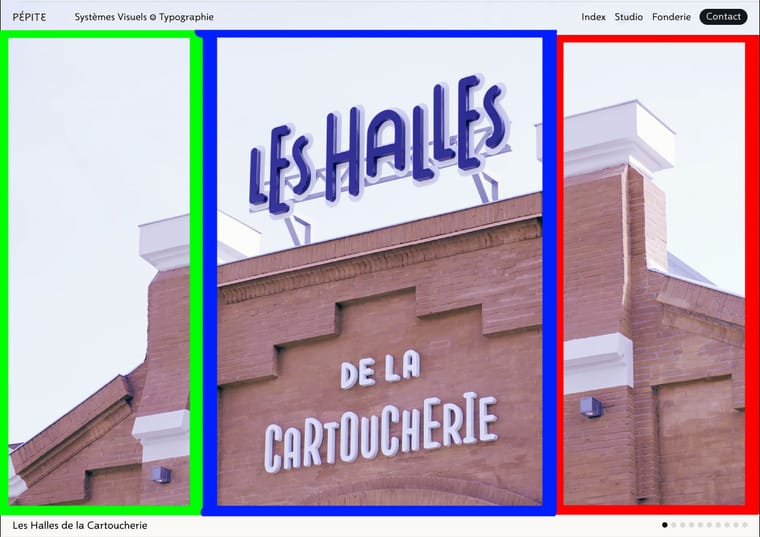
I would like three click zones : (see attached images)-
Center zone (blue): Click on the carousel center OR on the title below → opens the project
-
Left zone (green): Click → show previous slide
-
Right zone (red): Click → show next slide
Cursor: Use mouse cursor as navigation arrows (previous/next)
Is this possible with the Carousel Addon settings? Can I define custom click zones like this, or would I need custom CSS/JavaScript?
If this isn't possible, I'll use the navigation buttons instead.
Thanks again for your help!
-
-
looking at your design, lets first talk about the sizing and placement of the carousel.
i would suggest you set the page's frame top space to 0: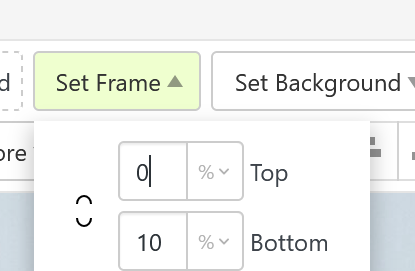
this way you have no space between the top of the browser and the carousel.
when creating the carousel use a fixed height setting like this:
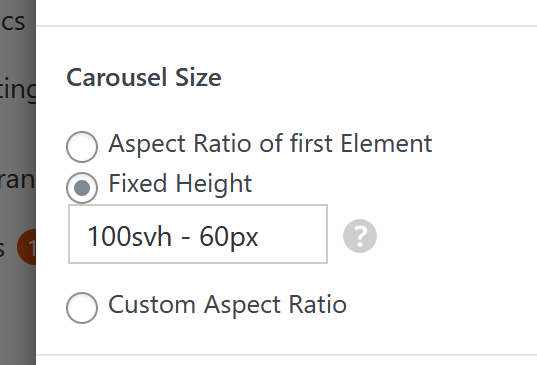
it will make sure your carousel is browser height (100svh) minus a pixel value.
this pixel value will be the white bar at the bottom where your caption is (under the image)then u might also want to choose "fill slides"
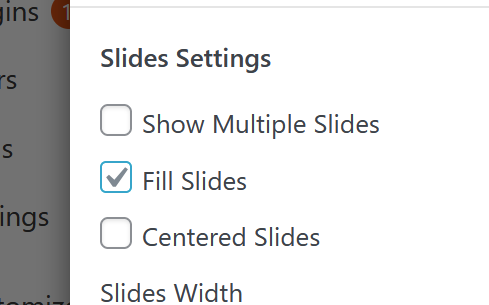
-
ok now about your click zones and mouse cursor.
mouse cursor:
in lay options -> carousel addonyou can set the mouse cursor:
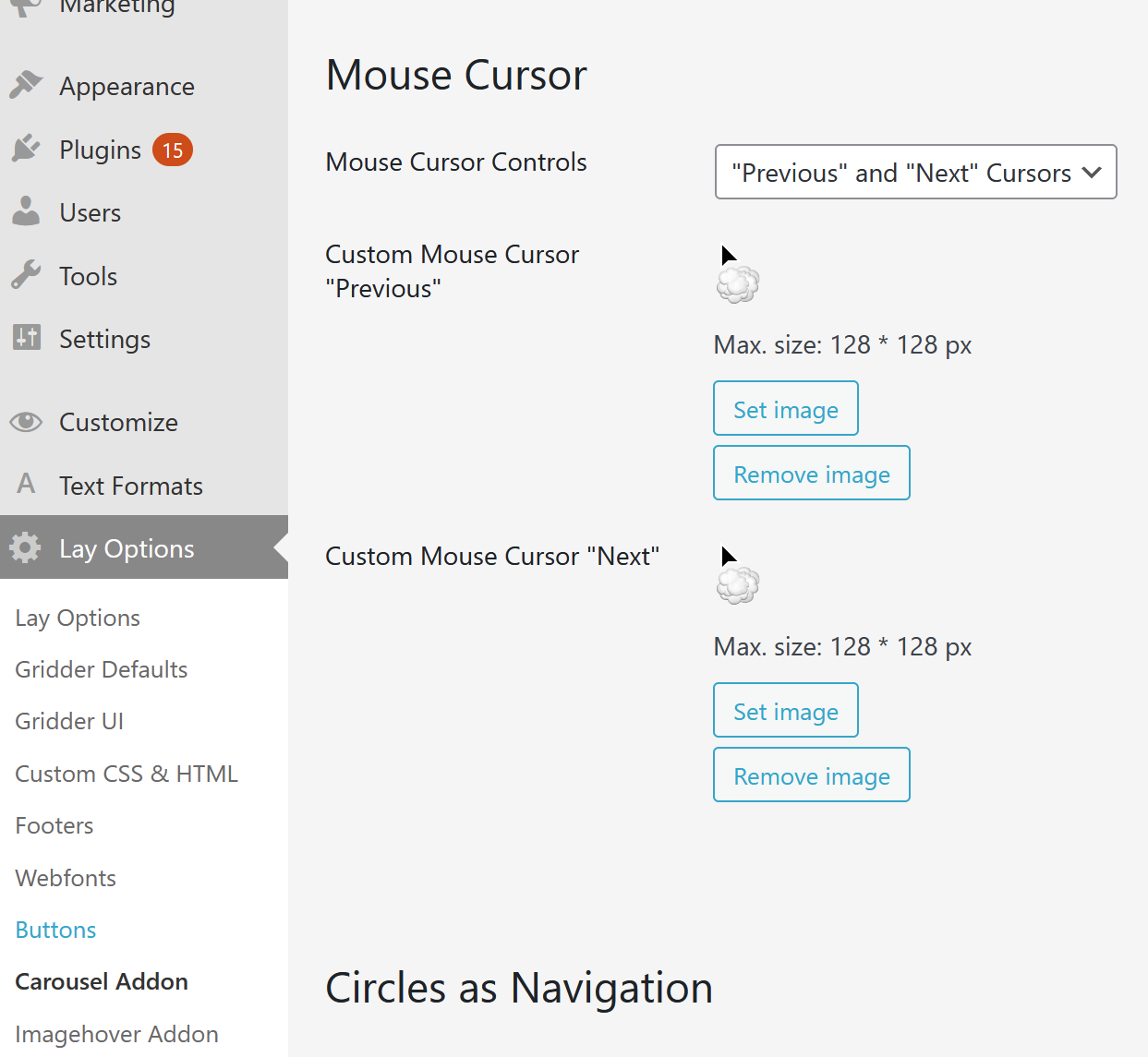
-
click zones: theres no such thing, but we have buttons:
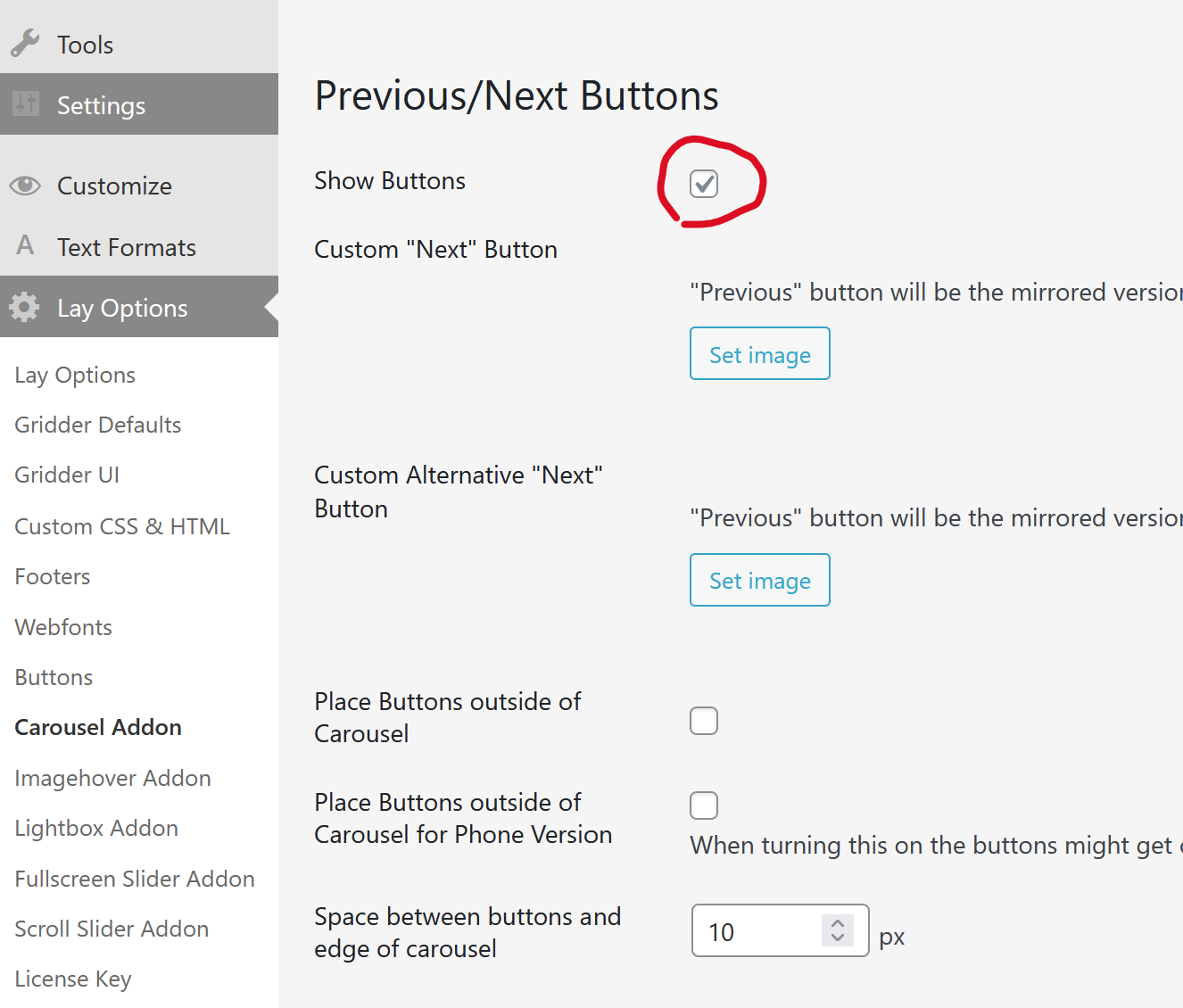
and then use css like
.flickity-prev-next-button.next{
height: 100%;
width: 20%;
right: 0!important;
cursor: e-resize!important;
}
.flickity-prev-next-button.next svg{
display: none;
}

.flickity-prev-next-button.previous{
height: 100%;
width: 20%;
left: 0!important;
cursor: w-resize!important;
}
.flickity-prev-next-button.previous svg{
display: none;
}
in add this in:
lay options -> custom css & html -> custom cssi added the cursor css, cause when i think about it, this mouse cursor setting
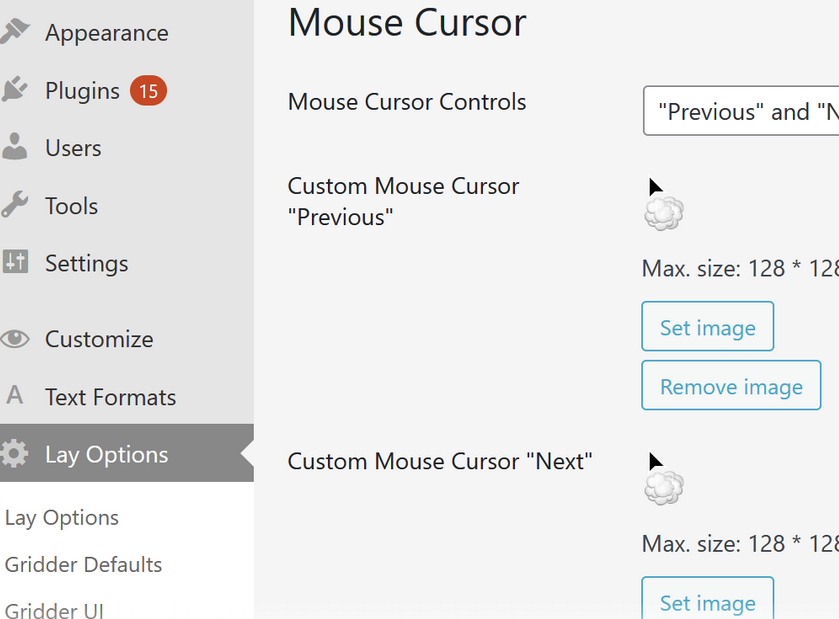
wont do anything cause when you have images that are links to a project, it wont show those mouse cursors but just a pointer instead, indicating that it is a clickable link
but with my css above, at least the prev / next areas will have cursors

Hello! It looks like you're interested in this conversation, but you don't have an account yet.
Getting fed up of having to scroll through the same posts each visit? When you register for an account, you'll always come back to exactly where you were before, and choose to be notified of new replies (either via email, or push notification). You'll also be able to save bookmarks and upvote posts to show your appreciation to other community members.
With your input, this post could be even better 💗
Register Login