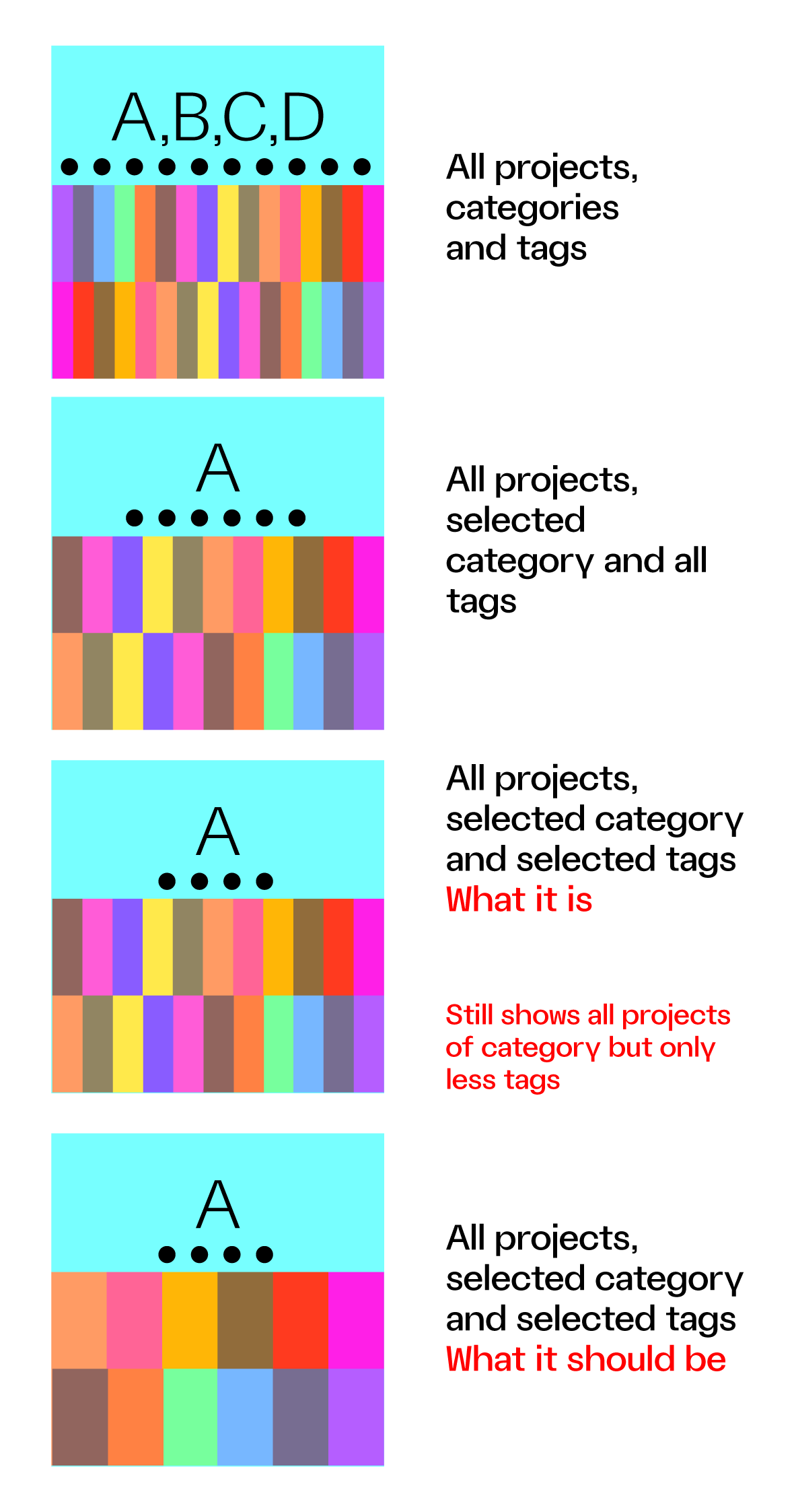
Thumbnail grid + tags
-
Oh, ok thanks for the heads up, I'll check it out now.
-
Okay, I think I know why this happens. For me, it works correctly, but based on my experience with things like this, I probably know the fix.
I will release an update later today, and then you can let me know if that made it work properly.
-
Okay, if you update Lay Theme now, this should work again.
-
Okay, if you update Lay Theme now, this should work again.
@arminunruh no – still not solved. "Show Tag Filter" ticked makes the "Show projects of category" off.
-
Same here. The thumbnail grid is behaving unpredictably and no longer keeps the manually defined order.
When I activate “tags,” the previous ordering stops working. When I deactivate “tags” in the thumbnail grid, the order works again fine.
This started happening after the latest update.
For the moment I downgraded to "version 10.0.2 download (November 13, 2025)", here its fine.
-
hey i was able to reproduce this finally
i released another update now 10.0.8 that fixes this
sorry !
-
can i have the link to your site @Markus ?
can you configure the grid so it shows the problem occuring?sorry about this happening
-
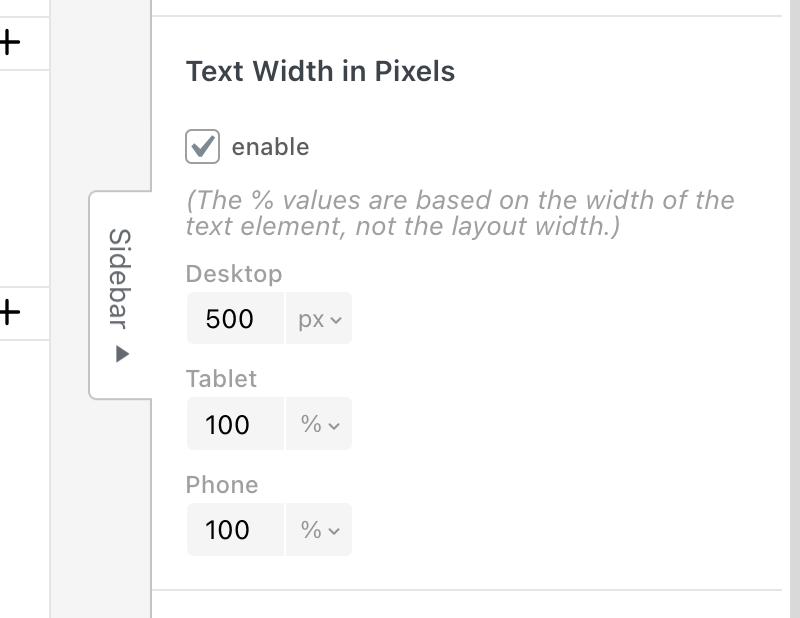
you can set it in the sidebar.
when you select a text, click here:
yea seems like the context button does nothing, i will fix that
-
Hello, I have a question regarding the Thumbnail Grid logic.
I select a Thumbnail Grid and "Show Projects of Category"
for example Paintings (among other projects categories like printmaking, posters). Then I add Filter, Show Tag Filter and pick just two – portraits and self-portraits.
What it does is present all paintings (a selected category) and display tag filters above, but the initially it is showing the full category and not projects of selected category and filter.
Should this be solved with using a different category, not filters?
Displaying a category like Paintings > People with Tags Self-portraits, People portraits instead?Best regards!
-
hey!
there is no setting for the default tag that is active by default.
only for a default filter that is active by default.i think your idea with just putting everything you want shown first into one category, and selecting this as the default category is good
if i understood correctly
-
hey!
there is no setting for the default tag that is active by default.
only for a default filter that is active by default.i think your idea with just putting everything you want shown first into one category, and selecting this as the default category is good
if i understood correctly
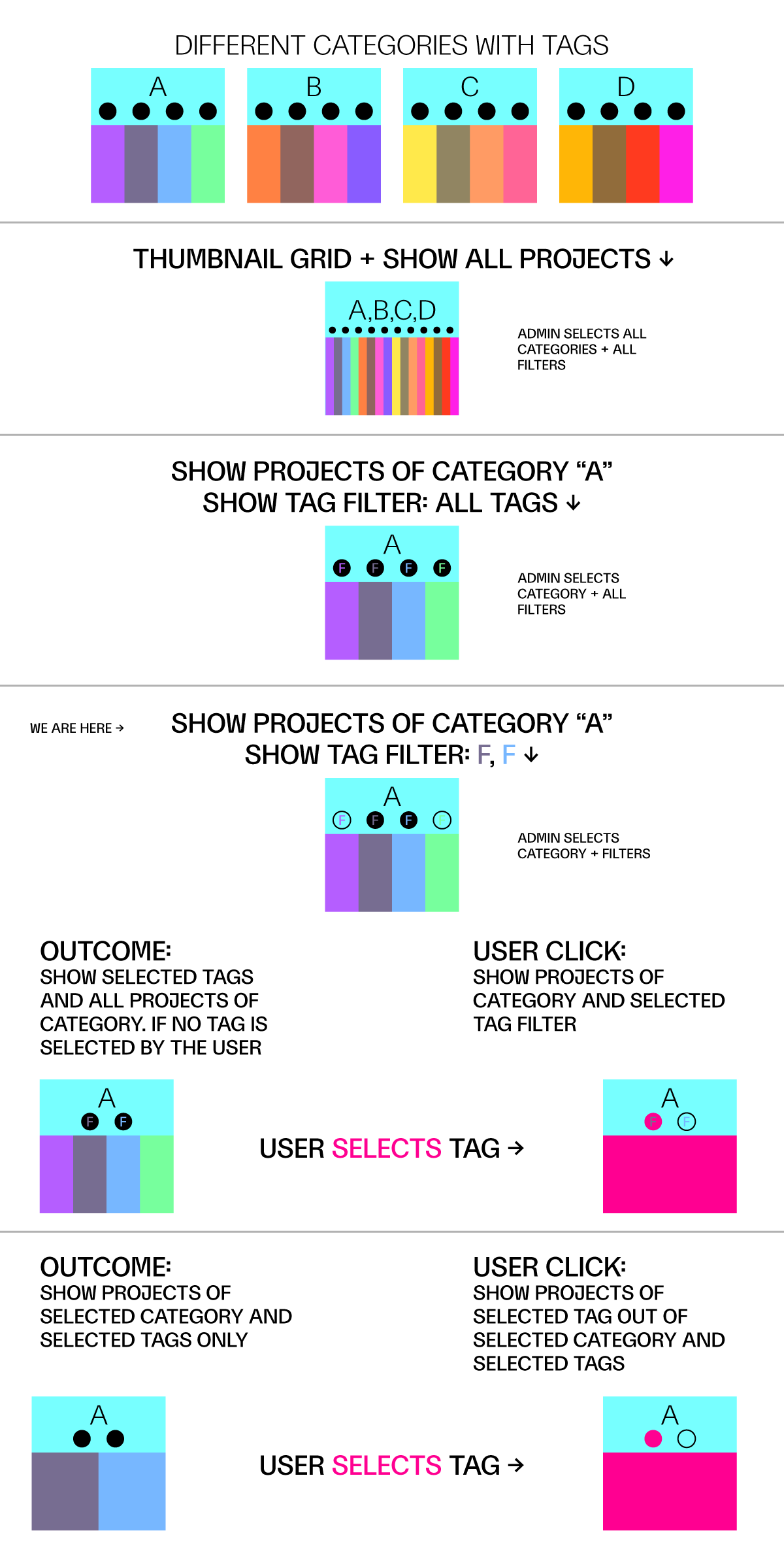
What I would expect from a select category + select tags (as admin) is to see all projects of selected category but only within the selected tags and not all projects of category + selected TAG BUBBLES.
Maybe this can show what I mean
-
thanks a lot for creating the explaining graphics!
you can show and hide tags here:
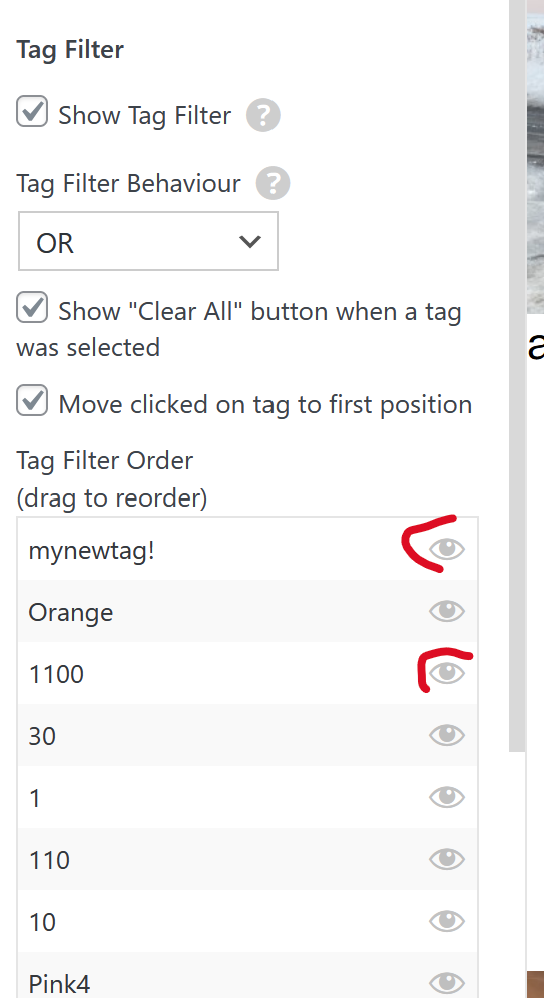
and when you hide a tag bubble here, then you want the projects of this tag to also not show. is that right?
i think it would be best to have a call about this so I can understand the issue better, i sent you an email
-
thanks a lot for creating the explaining graphics!
you can show and hide tags here:
and when you hide a tag bubble here, then you want the projects of this tag to also not show. is that right?
i think it would be best to have a call about this so I can understand the issue better, i sent you an email
@arminunruh said in Thumbnail grid + tags:
then you want the projects of this tag to also not show. is that right?
yes, that is what I expected it will case – so that it is not only show or hide bubble tags, but also projects that are assigned to it – e-mailed you back!