splitt screen / scroll position
-
Re: How to return to the exact same scroll position when going back to homepage
Hello,
I've got the same problem with my split screen website (built using the following tutorial: https://laytheme.com/tutorials/create-a-splitscreen-website.html). Is it possible to save the scroll position, or does this conflict with something else? Does anyone have the same problem? Thanks for the help! -
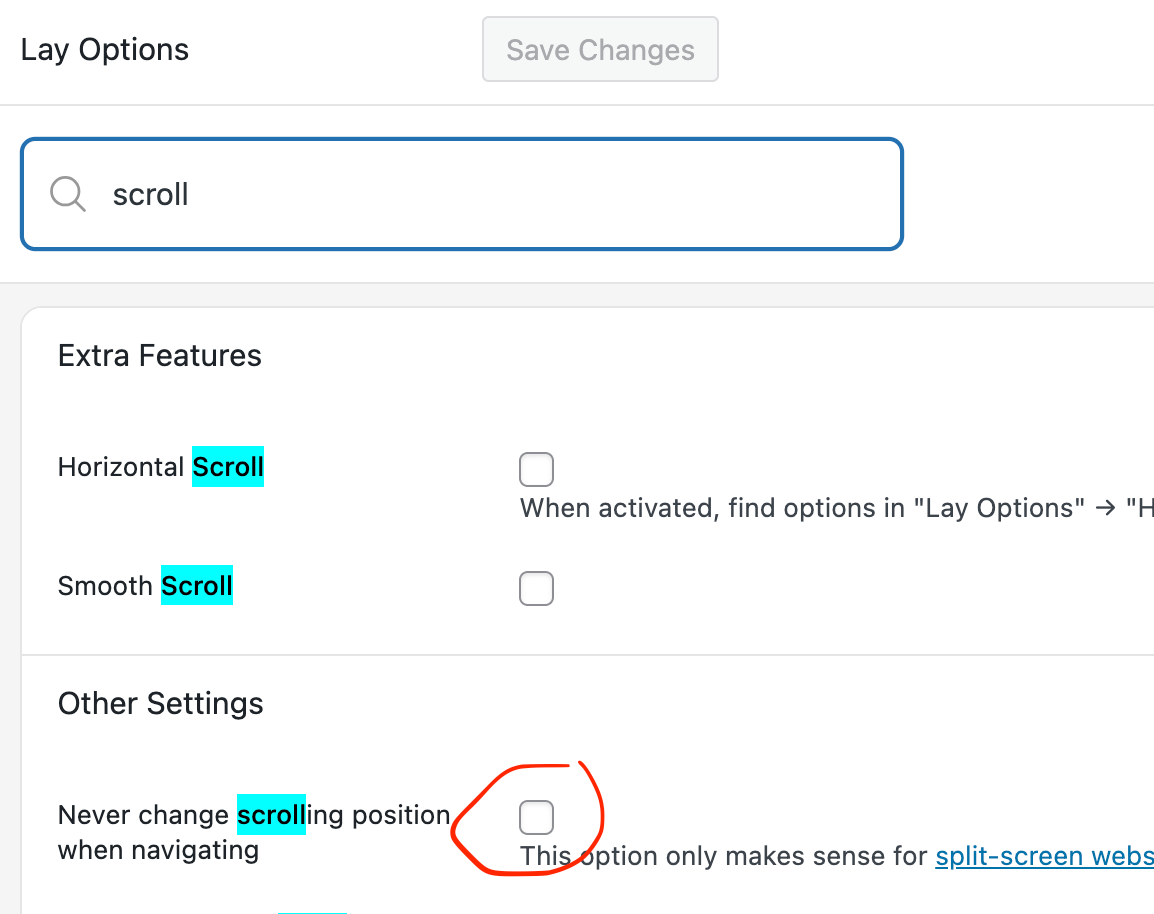
did you enable this setting? please enable it.
do you have a link?
-
Hello Armin, thank you very much for your response.
Yes, I did enable this setting.
I don't have a link because I'm running the site on a local server (MAMP).
I think it has something to do with the custom codes; when I turn them off, it works. (Of course, the website is no longer split-screen.)
Here is the code I used: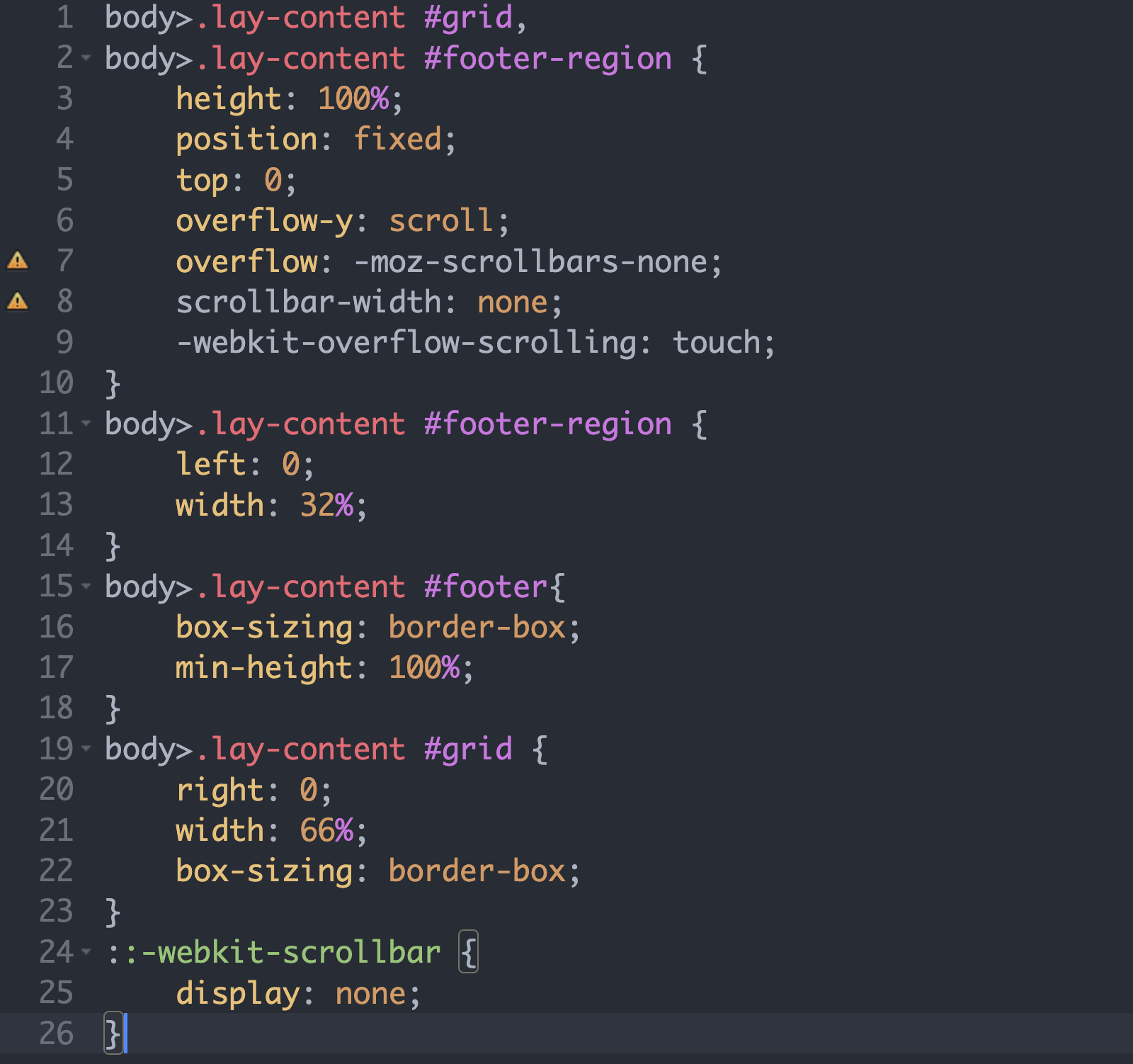
My web research gave the following result: it may not be possible to create a split with a footer.
- Grid and footer regions are recreated each time a page is loaded.
- The browser only stores the window scroll position, not the scroll position of custom scroll containers.
What do you think?
-
hey its hard to help with this if i cant see it on a example page
:(
maybe a screen recording so i can see exactly what u mean?
-
Hello Armin, thank you.
Yes, I thought it would be difficult to solve with them.
Here is a screen recording of my site under construction.https://drive.google.com/file/d/1KG5kXlfL2cRGBWeKtBMLeABHtAqjcdnc/view?usp=drive_link
When I scroll down on my overview page and click on a project thumbnail, and then return to the overview page, it jumps to the top (the page reloads).
The second problem is that my accordion collapses every time I return (I made it with row expand/collapse because I like placing images there), but that's another issue.
Thank you very much for your time!
-
hello, i cannot access the video
-
but i clicked this button to request access now
-
ah interesting
so you're using different content on the left side (footer)
on every pageon the left side:
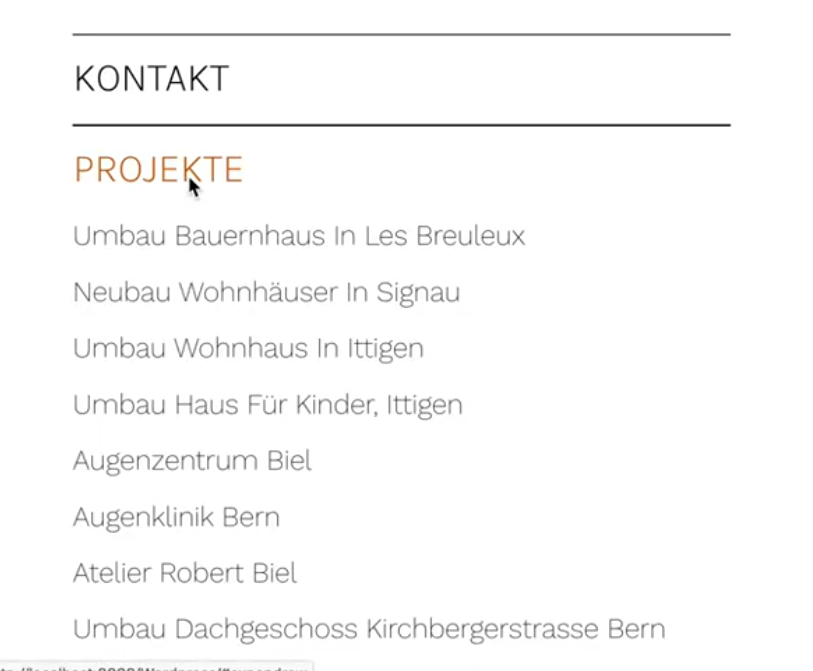
is this an accordion element?
or is this done with expand/collapse rows?Can you try this:
in Lay Options -> Footersmake sure, the footer you choose here is the same for every page, the one that displays your menu:
in this example you see we set the project footer and the page footer to the same footer page "Footer".
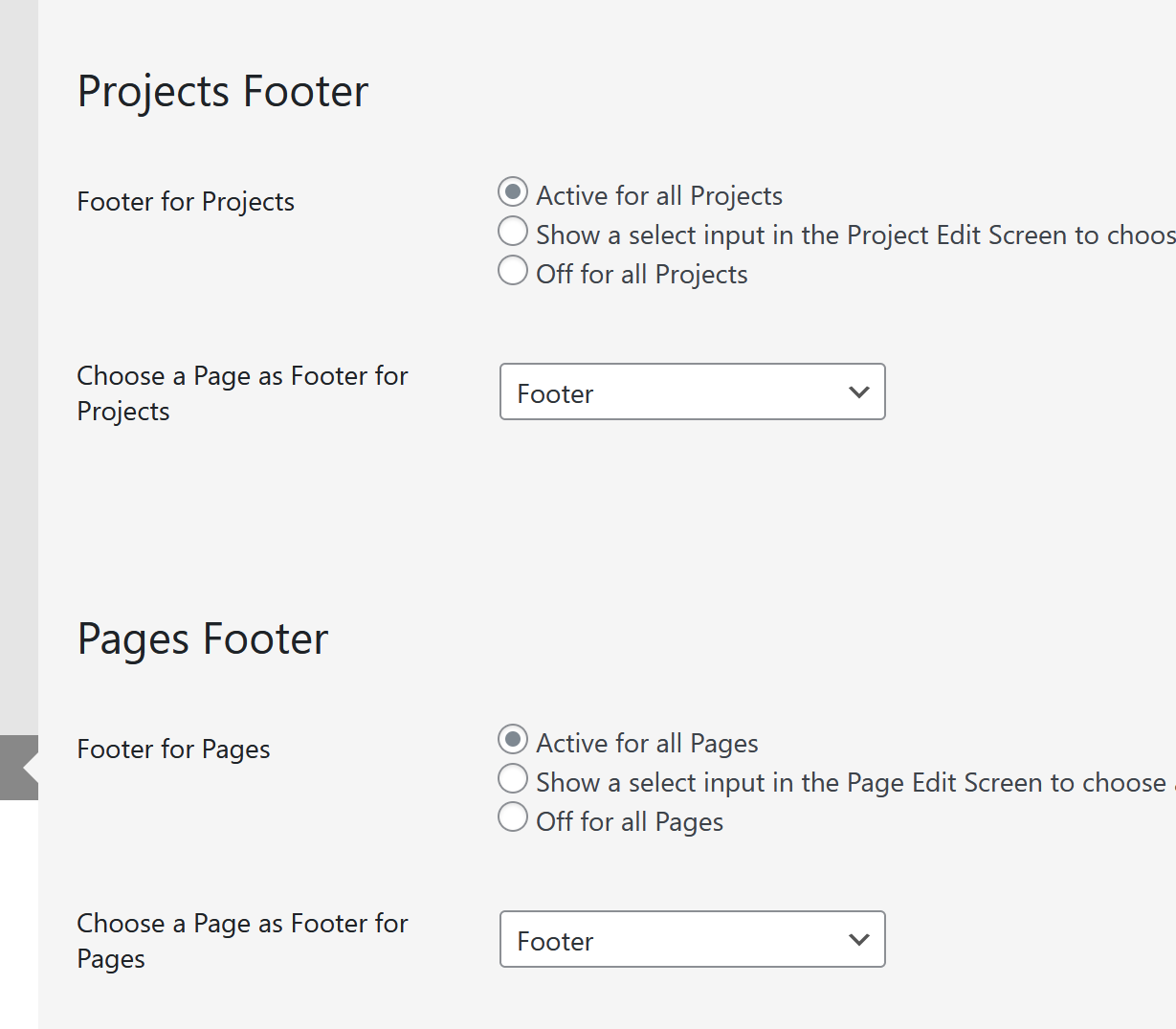
your menu page should be the footer you set above for all page types:

Now, when you click on a project, on the left side, the menu should stay the same
A different approach:
Instead of using the splitscreen tutorial,
you could simply create page that overlaps all other pages:
In Lay Options -> Extra features,
enable Fixed Header.
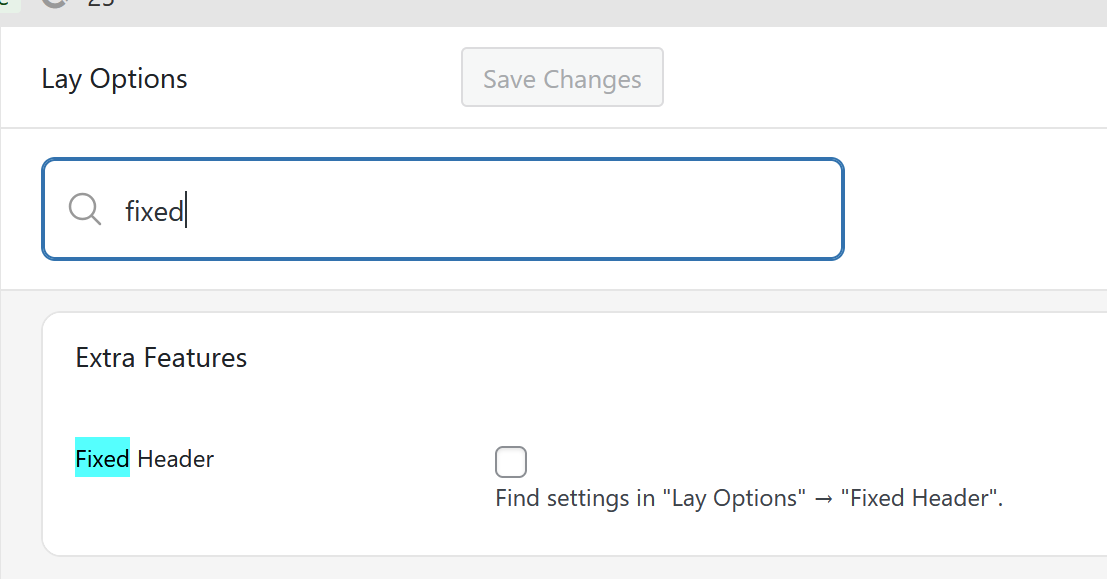
A new menupoint will show up:
Lay Options -> Fixed Headerhere you can choose a page to overlay all other content of your website.
This page can then include your menu with the accordion and more.A second different approach: (the one i would suggest)
Instead of using the splitscreen approach, simply create a menu with submenus.
In the customizer you can find submenu settings!
here is some info about submenus:
https://laytheme.com/documentation/menus.html#submenus
