footer – misbehaviour sites vs projects
-
Hi Armin, me again :)
The footer links behave correctly on all sites (Seiten), but NOT on the project (Projekt) pages.
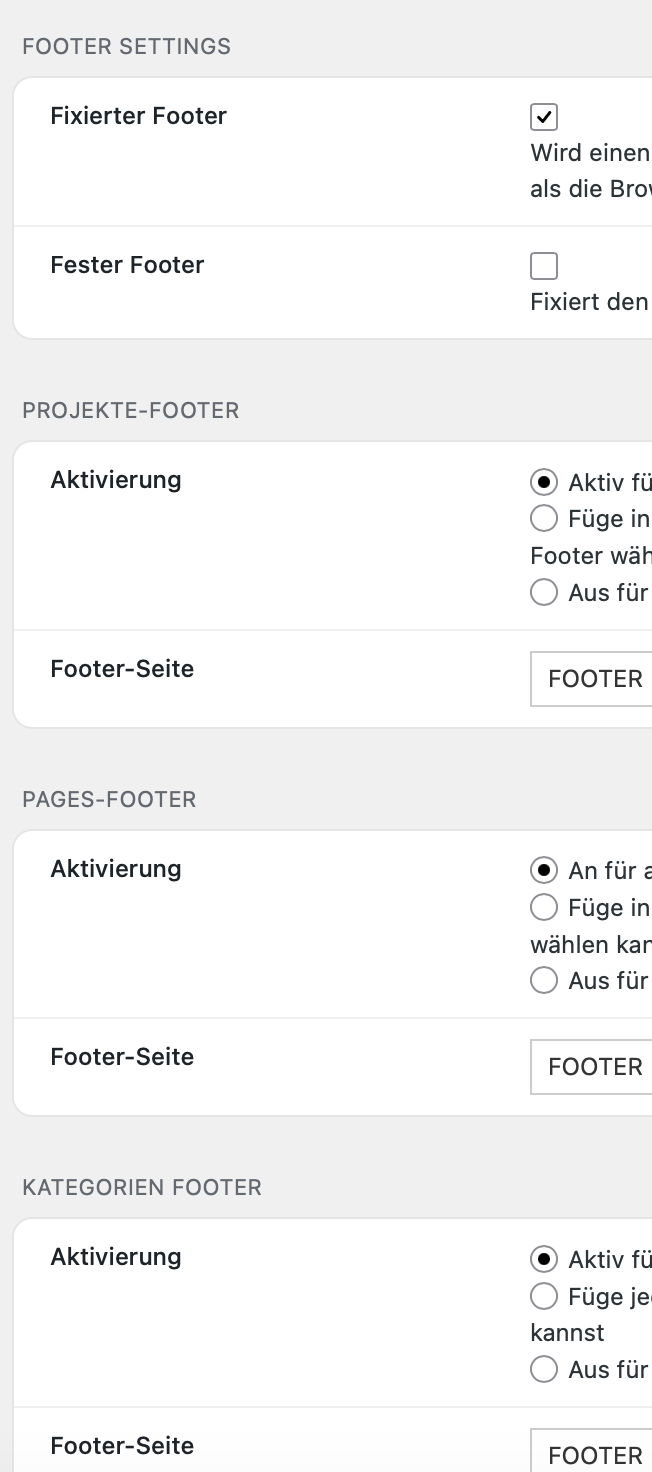
Same behavior for desktop/tablet/mobile & every browser.These are my footer settings:
Footer desktop/tablet looks the same.
Footer mobile has just a different background.Same footer links for all devices:
The buttons are linked to a calendar and my email and work fine on the sites like HOME, ABOUT, WORK, test here: https://www.annette-fischer.comBUT
when I am on a project detail page, the links behave differently
test here: https://www.annette-fischer.com/swiss-glioma-foundation/WHY? :-)
thanks
-
-
the “book fit call” button still has an old “previous project” link setting attached to it, so lay theme replaces the calendar link whenever you opened a project.
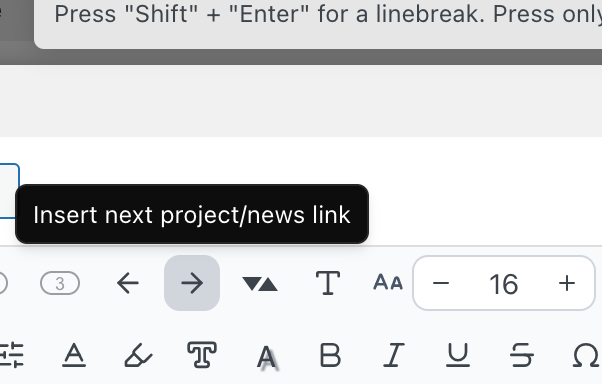
at one point you may have clicked this button here to make this link a next project link
-
in the next update, I will make it so if you create a link, then behavior like this will be automatically removed from the link. The fix right now for you would be to just delete this link and recreate it again without clicking on "Insert next project link".
Just updating Lay Theme won't fix this. You will need to recreate the link to make it work.
-

Hello! It looks like you're interested in this conversation, but you don't have an account yet.
Getting fed up of having to scroll through the same posts each visit? When you register for an account, you'll always come back to exactly where you were before, and choose to be notified of new replies (either via email, or push notification). You'll also be able to save bookmarks and upvote posts to show your appreciation to other community members.
With your input, this post could be even better 💗
Register Login