Lost my Custom CSS
-
where did you enter the custom css?
in lay options -> custom css & html? -
If you go to Lay Options -> Custom CSS / HTML, is the custom css still visible there?
Or do you mean your custom css simply does not work anymore? -
if you changed the theme files themselves to insert custom css, this gets lost when updating the theme. not sure if that was the case
-
Apologies for the delayed response. The CSS I added under Lay Options -> Custom CSS / HTML is still there and working fine, as is the CSS on my individual project pages. The issue is specifically with the CSS in the 'Gridder / Edit Category' tab of my homepage. I added the code to either the 'Edit CSS' or 'Edit Desktop CSS' section; I am fairly certain the 'Edit Phone CSS' section was already empty.
-
-
ah you mean here right
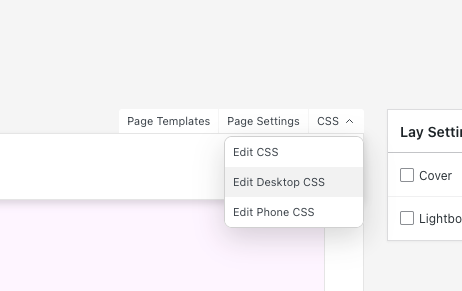
in your category edit screen like
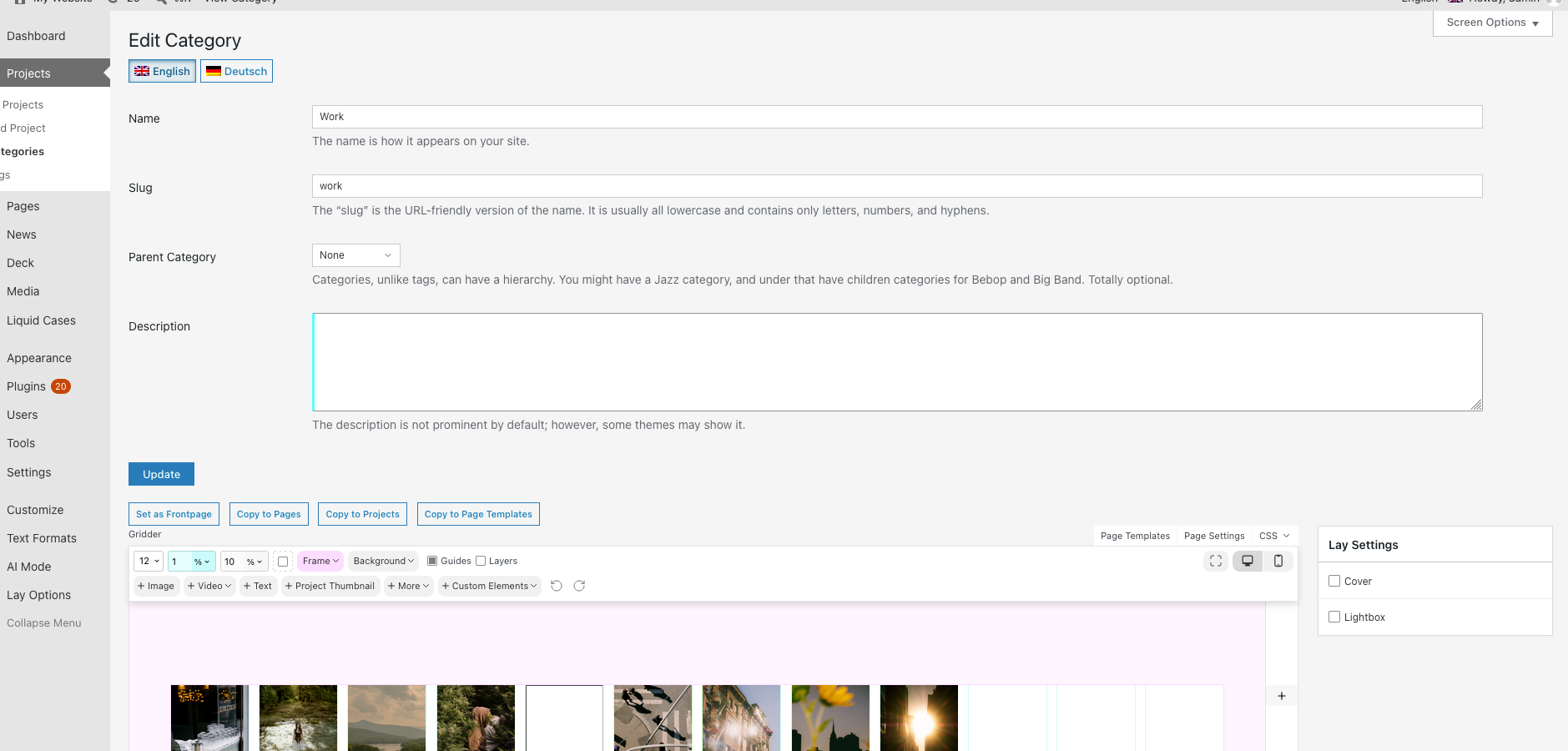
-
could you update your laytheme and check if you see the css again?
if not, can you send me a backup of your database (.sql) file to info@laytheme.com and i will check and see if i find the missing CSS in there
-
-
great thank you! i will check it out now
-
hm i havent received an email
-
it should be sent? i sent it with a.liman@outlook.com -
ok it was in spam.
alright i checked it and there was no more css findable in any category css :/ -
Ah, that’s very unfortunate.. The main thing I lost in the CSS was that it added more breakpoints for some of the textformats, so they would get smaller when the browser reached a certain width. The titles were breaking the layout of the main page at different screen sizes, so I wanted more control over when they would scale down. Not sure if that’s actually a smart way to solve the problem though.
-
hey!
textformats can have tablet breakpoints.
you can enable them here: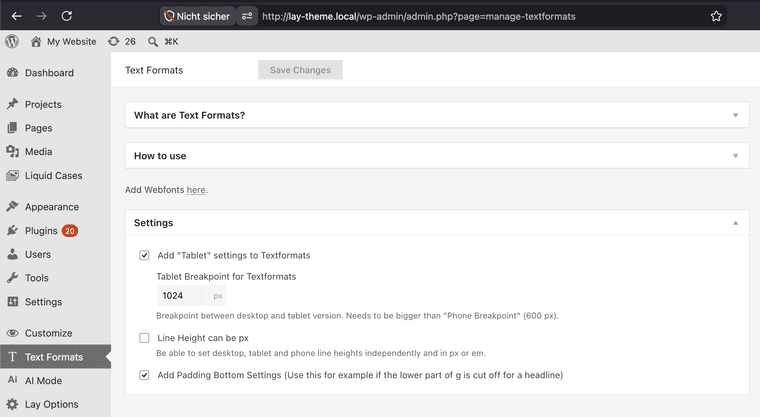
Checkbox: "Add Tablet settings to Textformats"
in Settings boxalso, when setting a textformat fontsize, you can click the px measuring unit, then it switches to %/vw (percentage / browser width based fontsize ) and this even gives max and min px inputs below:
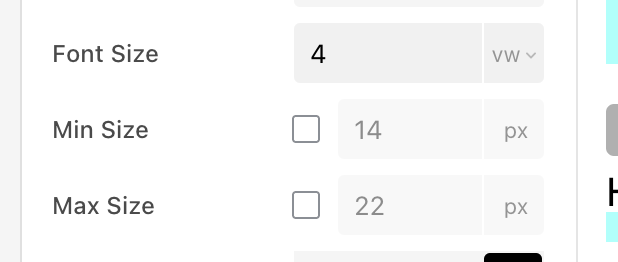
that may help! <3

Hello! It looks like you're interested in this conversation, but you don't have an account yet.
Getting fed up of having to scroll through the same posts each visit? When you register for an account, you'll always come back to exactly where you were before, and choose to be notified of new replies (either via email, or push notification). You'll also be able to save bookmarks and upvote posts to show your appreciation to other community members.
With your input, this post could be even better 💗
Register Login