Skip to content
  • Recent
  • Tags
  • Popular
  • Users
  • Search
Skins
  • Light
  • Brite
  • Cerulean
  • Cosmo
  • Flatly
  • Journal
  • Litera
  • Lumen
  • Lux
  • Materia
  • Minty
  • Morph
  • Pulse
  • Sandstone
  • Simplex
  • Sketchy
  • Spacelab
  • United
  • Yeti
  • Zephyr
  • Dark
  • Cyborg
  • Darkly
  • Quartz
  • Slate
  • Solar
  • Superhero
  • Vapor

  • Default (No Skin)
  • No Skin
Collapse

Lay Theme Forum

  1. Home
  2. General Discussion
  3. Delete unused media

Delete unused media

Scheduled Pinned Locked Moved General Discussion
14 Posts 4 Posters 886 Views 2 Watching
  • Oldest to Newest
  • Newest to Oldest
  • Most Votes
Reply
  • Reply as topic
Log in to reply
This topic has been deleted. Only users with topic management privileges can see it.
  • LLLLLLLLLL Offline
    LLLLLLLLLL Offline
    LLLLLLLLL
    wrote on last edited by
    #5

    I have so many unused images on my site :)

    1 Reply Last reply
    0
    • arminunruhA Offline
      arminunruhA Offline
      arminunruh
      Global Moderator
      wrote on last edited by
      #6

      grafik.png

      grafik.png

      cd4aec21-b6c1-44e5-95b1-c1da1a10e065-grafik.png

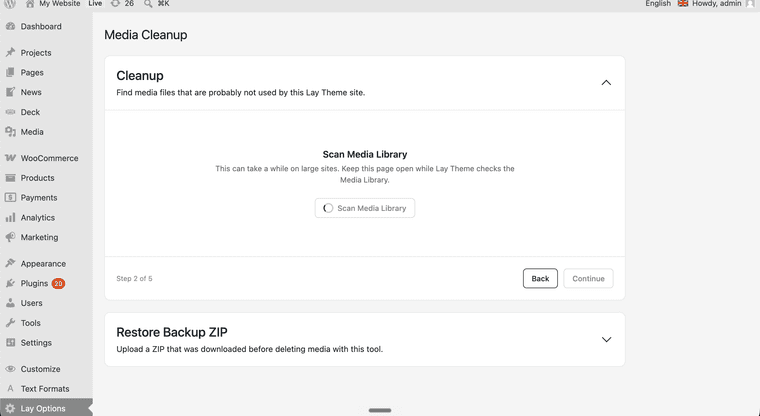
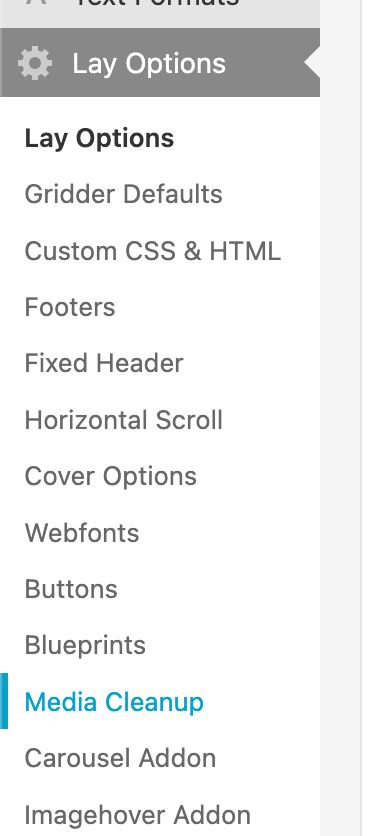
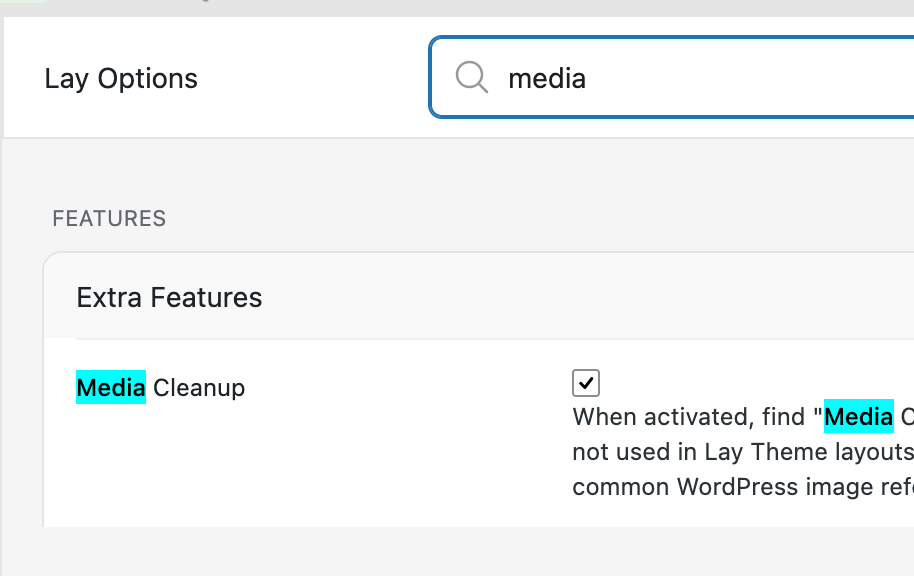
      With the next update, there will be a way to scan your media library and remove unused images, but you will have to enable this feature first in Lay Options, and then you will find the page for it in Lay Options - Media Clean Up.

      1 Reply Last reply
      0
      • U Offline
        U Offline
        ujarak
        wrote on last edited by
        #7

        That looks amazing, I have no words for your good work and fast pace implementing features. Thank you!!!

        1 Reply Last reply
        0
        • LLLLLLLLLL Offline
          LLLLLLLLLL Offline
          LLLLLLLLL
          wrote on last edited by
          #8

          That's great!
          Thanks so much :))

          1 Reply Last reply
          0
          • arminunruhA Offline
            arminunruhA Offline
            arminunruh
            Global Moderator
            wrote on last edited by
            #9

            aha thanks a lot! im just praying its not gonna delete anything wrong :DD

            1 Reply Last reply
            0
            • LLLLLLLLLL Offline
              LLLLLLLLLL Offline
              LLLLLLLLL
              wrote on last edited by
              #10

              I'll make sure I have a good back up just in case

              1 Reply Last reply
              0
              • arminunruhA Offline
                arminunruhA Offline
                arminunruh
                Global Moderator
                wrote on last edited by
                #11

                yes. the media cleanup process creates an update too. i also tested it and for me it worked! in the media cleanup page, you can import the backup, it only backs up deleted media and it simply re-adds it into the media library, so its a much smaller backup than a site-wide backup

                but of course its better to to a site wide backup to be super sure.

                1 Reply Last reply
                0
                • LLLLLLLLLL Offline
                  LLLLLLLLLL Offline
                  LLLLLLLLL
                  wrote on last edited by
                  #12

                  I’ll try it next week and let you know how it goes.
                  Thanks!

                  1 Reply Last reply
                  0
                  • arminunruhA Offline
                    arminunruhA Offline
                    arminunruh
                    Global Moderator
                    wrote last edited by arminunruh
                    #13

                    alright so i made it more robust with yesterdays update and now it worked for me on bigger websites too

                    hmm seems like the scanning works fine on huge websites, but the deletion not yet -.-

                    1 Reply Last reply
                    0
                    • arminunruhA Offline
                      arminunruhA Offline
                      arminunruh
                      Global Moderator
                      wrote last edited by
                      #14
                      This post is deleted!
                      1 Reply Last reply
                      0
                      Reply
                      • Reply as topic
                      Log in to reply
                      • Oldest to Newest
                      • Newest to Oldest
                      • Most Votes


                      We also code custom websites or bespoke Lay features. Drop me a line at info@laytheme.com or check out my work at arminunruh.com.

                      Want to support my work? paypal.me/arminunruh

                      Before you post:
                      1. When using a WordPress Cache plugin, disable it or clear your cache.
                      2. Update Lay Theme and all Lay Theme Addons
                      3. Disable all Plugins
                      4. Go to Lay Options → Custom CSS & HTML, click "Turn Off All Custom Code", click "Save Changes"

                      This often solves issues you might run into

                      When you post:
                      1. Post a link to where the problem is
                      2. Does the problem happen on Chrome, Firefox, Safari or iPhone or Android?
                      3. If the problem is difficult to explain, post screenshots / link to a video to explain it
                      Online Users
                      Forgot your key, lost your files, need a previous Lay Theme or Addon version? Go to www.laykeymanager.com
                      laytheme.com
                      • Login

                      • Don't have an account? Register

                      • Login or register to search.
                      • First post
                        Last post
                      0
                      • Recent
                      • Tags
                      • Popular
                      • Users
                      • Search