Did anyone else noticed that the edit-sidebar is missing - after the update?
Or do I need to enable it?!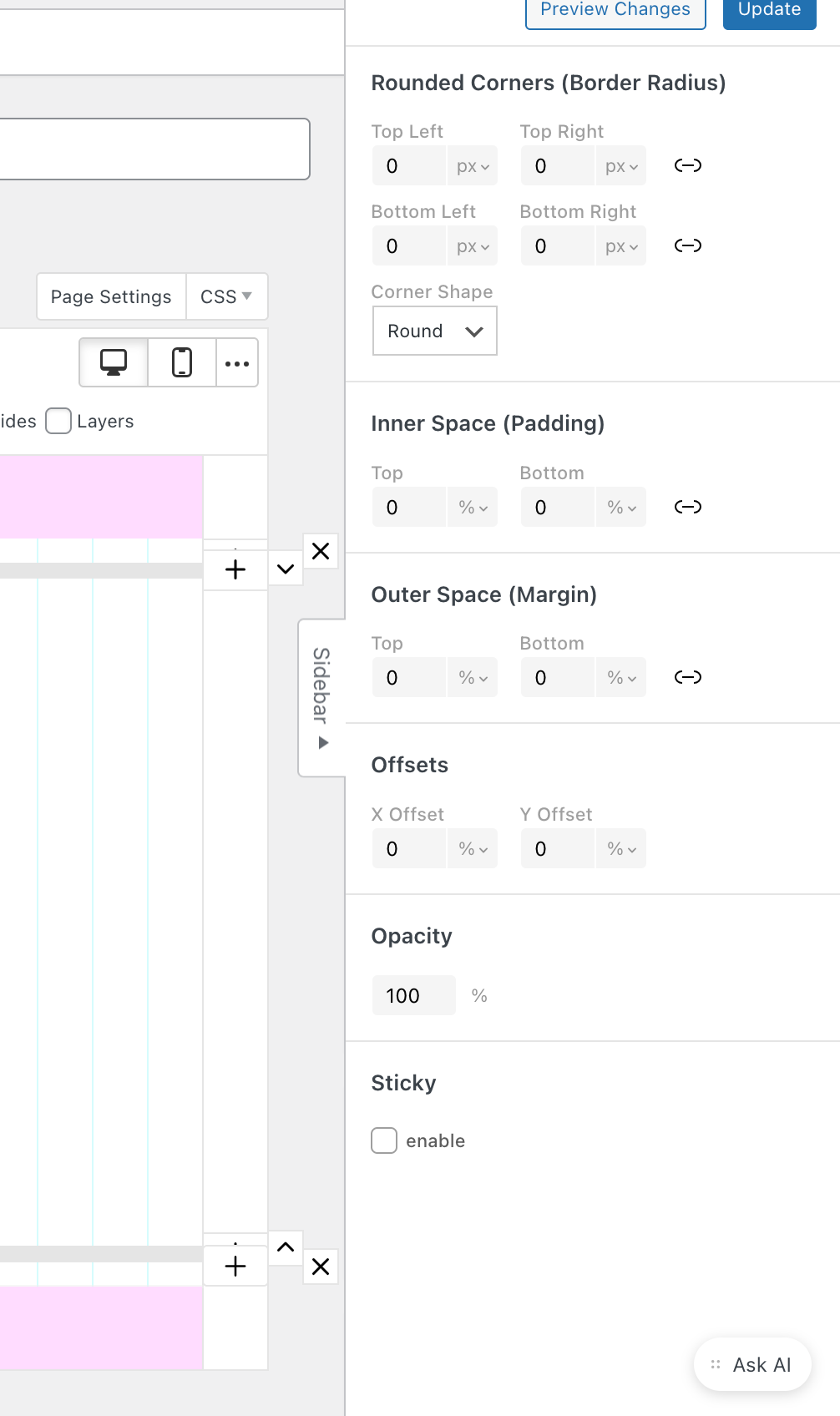
Thanks!
Did anyone else noticed that the edit-sidebar is missing - after the update?
Or do I need to enable it?!
Thanks!
all sent.
done. sorry thought i disabled the maintenance mode..
Hi
thank you so much for replying!
Here the link
https://www.kalinka-gieseler.de/home/
(not finished yet but you will get the idea)
Thank you!
Hi there
I am currently using the horizontal scroll for a portfolio page.
The ABOUT page is set up as an overlay (without horizontal scroll).
The horizontal scroll works fine - until I close it to go back to the portfolio page.
The content is shown then in rows, with a vertical scroll. Only when I manually reload the page, the horizontal scroll works again.
Does anyone experience the same?
I found a temporary workaround that reloads the page automatically but thats not really a solution..
Best
Anett
@arminunruh THANK YOU!
any updates? Much apprechiated!
'I noticed while switching pages via the menu only the data-id will change accordingly, however the page-id will stay wherever I started / refreshed the page from.
e.g. starting on id 30 and changing to data-id 31 the page-id will only also change to 31 if i manually reload the page. From there it will be stuck on page-id 31 no matter what.
already on the latest version, disabled custom css and plugins.
tested on Brave and Safari on Mac OS,
IOS Chrome, Safari
I noticed while switching pages via the menu only the data-id will change accordingly, however the page-id will stay wherever I started / refreshed the page from.
e.g. starting on id 30 and changing to data-id 31 the page-id will only also change to 31 if i manually reload the page. From there it will be stuck on page-id 31 no matter what.
already on the latest version, disabled custom css and plugins.
tested on Brave and Safari on Mac OS,
IOS Chrome, Safari
Hey,
added link to an image marquee shows on hover - but does not work when I click it.
Inspecting the sourcecode of the page:
<a href="mywebsite.com/home" data-catid="[undefined]" data-title="home">
It throws uncaught syntax error and doesnt work: Unexpected token 'u', "[undefinded]" is not valid JSON
unless I set the link to open in new Tab (which Is not my intended link target)
Also image/video set as a background does not seem to work :(
Help? Thanks!
Safari / Chrome Browser
@Richard Thanks for the reply!
Hi
does anyone knows: are COMMENT function possible with Lay Theme? It just does not show one the left main WP menu bar..
Thanks!
Anett
Hey Armin,
thanks for the fix. Unfortunately the Sample Text is still showing up on my current Laytheme Version 3.7.9. With latest WordPress 5.7.1.
However my ChildTheme Version is 3.5.5.1606259725 if that has anything to do with it.
The temp. CSS Fix is also hiding the product page content - so thats no option for me.
Any Ideas?
Thanks.
Anett
Hi,
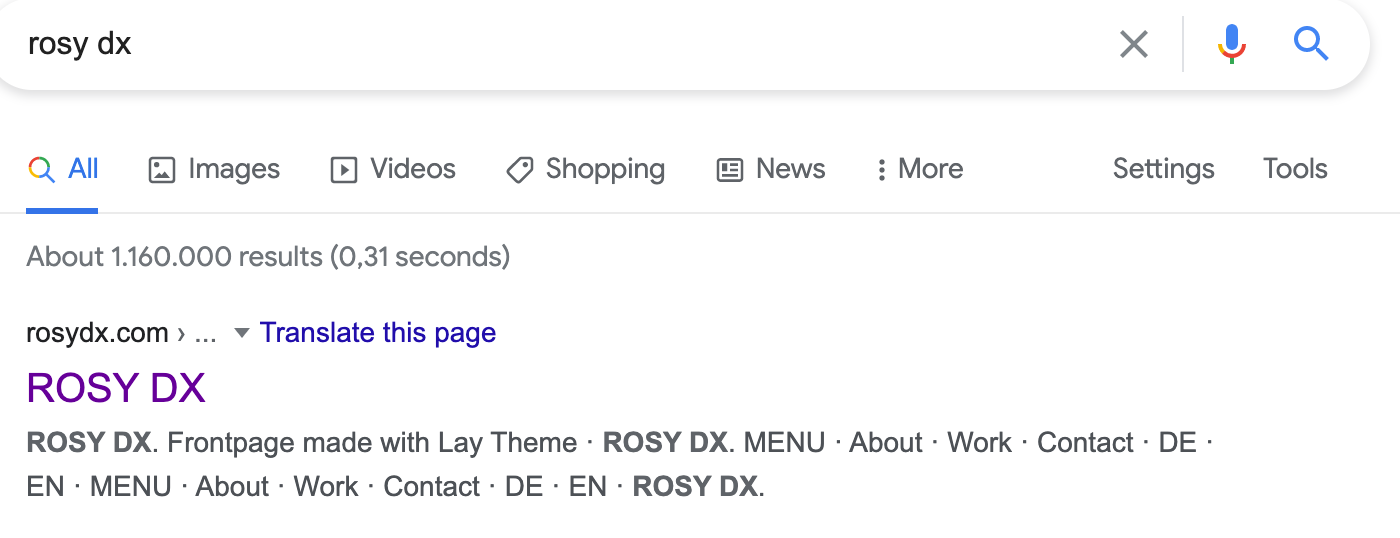
when I google the website I am working on it will sometimes show the tag "Frontpage made with Lay Theme".
How do I change this?
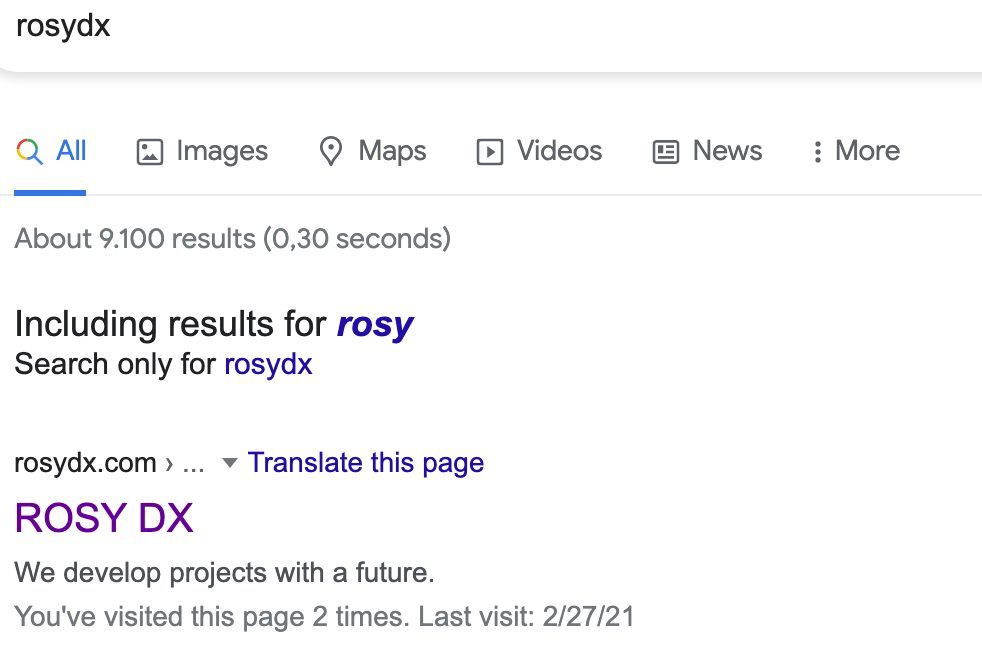
If I google rosydx is showes up sorrectly but if I use rosy dx it does not. So strange.
Any thoughts? Thanks!
It seems like the gridder.app.min.js got deleted (is empty). Overwriting this file with local overwrite from previous install might fix it for now.
After the new update it seemed to work! Wooho.
Thanks again..
anett
Hi there,
I have been using the Child Theme Configurator by Lilaea for years to create a child of Lay Theme.
Just this time it shows me an error (see below) and I am not sure if I can use this plugin anymore..
Anyone knows? Thank you!
Anett
Notice: Trying to access array offset on value of type bool in /var/www/ud02_133/html/christianenaumann/wp-content/themes/lay/frontend/frontend.php on line 649
Notice: Trying to access array offset on value of type bool in /var/www/ud02_133/html/christianenaumann/wp-content/themes/lay/frontend/frontend.php on line 650
Notice: Trying to access array offset on value of type bool in /var/www/ud02_133/html/christianenaumann/wp-content/themes/lay/frontend/frontend.php on line 651
Notice: Trying to access array offset on value of type bool in /var/www/ud02_133/html/christianenaumann/wp-content/themes/lay/frontend/frontend.php on line 652
Notice: Trying to access array offset on value of type bool in /var/www/ud02_133/html/christianenaumann/wp-content/themes/lay/frontend/frontend.php on line 653
Notice: Trying to access array offset on value of type bool in /var/www/ud02_133/html/christianenaumann/wp-content/themes/lay/frontend/frontend.php on line 654
Notice: Trying to access array offset on value of type bool in /var/www/ud02_133/html/christianenaumann/wp-content/themes/lay/frontend/frontend.php on line 655
Notice: Trying to access array offset on value of type bool in /var/www/ud02_133/html/christianenaumann/wp-content/themes/lay/frontend/frontend.php on line 656
Notice: Trying to access array offset on value of type bool in /var/www/ud02_133/html/christianenaumann/wp-content/themes/lay/frontend/frontend.php on line 657
Notice: Trying to access array offset on value of type bool in /var/www/ud02_133/html/christianenaumann/wp-content/themes/lay/frontend/frontend.php on line 658
Notice: Trying to access array offset on value of type bool in /var/www/ud02_133/html/christianenaumann/wp-content/themes/lay/frontend/frontend.php on line 659
Notice: Trying to access array offset on value of type bool in /var/www/ud02_133/html/christianenaumann/wp-content/themes/lay/frontend/frontend.php on line 649
Notice: Trying to access array offset on value of type bool in /var/www/ud02_133/html/christianenaumann/wp-content/themes/lay/frontend/frontend.php on line 650
Notice: Trying to access array offset on value of type bool in /var/www/ud02_133/html/christianenaumann/wp-content/themes/lay/frontend/frontend.php on line 651
Notice: Trying to access array offset on value of type bool in /var/www/ud02_133/html/christianenaumann/wp-content/themes/lay/frontend/frontend.php on line 652
Notice: Trying to access array offset on value of type bool in /var/www/ud02_133/html/christianenaumann/wp-content/themes/lay/frontend/frontend.php on line 653
Notice: Trying to access array offset on value of type bool in /var/www/ud02_133/html/christianenaumann/wp-content/themes/lay/frontend/frontend.php on line 654
Notice: Trying to access array offset on value of type bool in /var/www/ud02_133/html/christianenaumann/wp-content/themes/lay/frontend/frontend.php on line 655
Notice: Trying to access array offset on value of type bool in /var/www/ud02_133/html/christianenaumann/wp-content/themes/lay/frontend/frontend.php on line 656
Notice: Trying to access array offset on value of type bool in /var/www/ud02_133/html/christianenaumann/wp-content/themes/lay/frontend/frontend.php on line 657
Notice: Trying to access array offset on value of type bool in /var/www/ud02_133/html/christianenaumann/wp-content/themes/lay/frontend/frontend.php on line 658
Notice: Trying to access array offset on value of type bool in /var/www/ud02_133/html/christianenaumann/wp-content/themes/lay/frontend/frontend.php on line 659
Hi there,
been using LAY for this site
https://familyfolklondon.com/
All good so far but since the weekend there is this huge search magnifier at the button of each page. How?
I used LAY for some website now but this never happened and I dont remember activating the search function.. It does not show using Safari but Chrome.
I did update the Theme and WP recently..
Any ideas?
Thank you, Anett
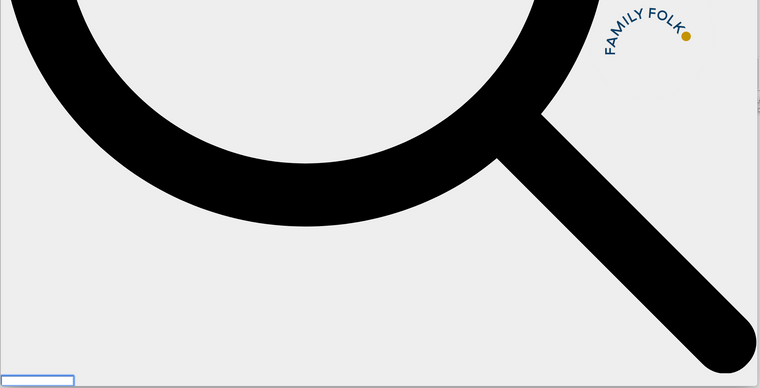
Oh my you are right. The row hight was set to browser hight..
Thanks a lot,
Anett