Ok apparently it just took a bit longer to update :D now it also works on the thumbnail grid ... all issues solved. THANKS A TON !
 F
F
ffinger
@ffinger
Posts
-
Issue with scroll animations and site transitions (settings don't apply) -
Issue with scroll animations and site transitions (settings don't apply)Hey @arminunruh ,
oh yes this worked thanks! Yep I followed the links and found the easings there, but I didn't know that you can only use the penner Functions.
For the scroll animations:
I now use a cubic-bezier ease that scales from 1.1 down to 1.0. This works for images on project sites, but not for the thumbnail grid – on thumbnail grid there it still scales up when scrolling the projects and also the animation duration settings don't seem to have any effect on the thumbnail grid. Is there a separate way to control the scroll animations for thumbnail grids?Best,
Felix -
Issue with scroll animations and site transitions (settings don't apply)Hey :)
I have an issue with changing the settings for scroll animations and animations when navigating.
Somehow some settings don't apply.Scroll animations:
I changed the animation duration to 10 sec and the easing to something weird like "steps(3, jump-start)" to see if it has some effect.
Result --> animations still run very fast and with easeAnimations while navigating (transitions):
I can change the animation duration, but not the easing. I changed the easing to "easeInElastic"
Result --> animations still run "linear"I deactivated all plugins and custom code...
here's a screenshot of my settings
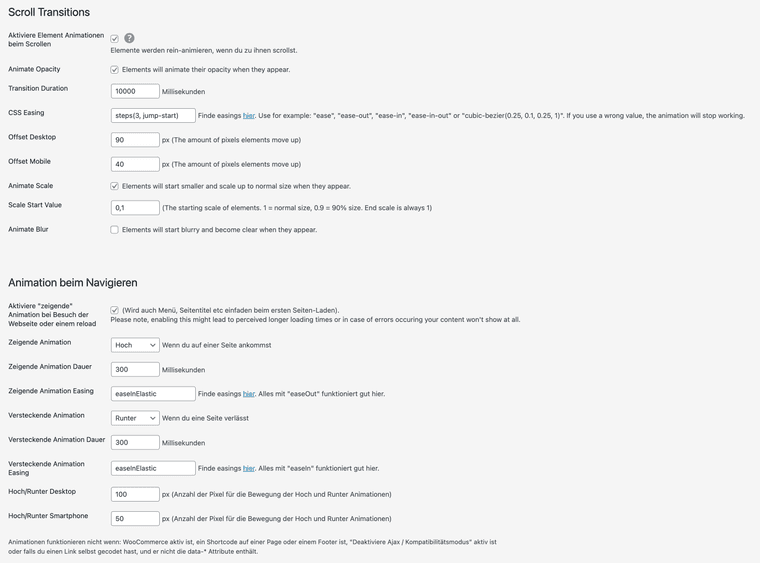
here's a link to the regarding site (settings from screenshot still applied.
www.felixfinger.deAny idea what I am doing wrong?
Best,
Felix -
Overlay feature not showing the bottom of the pageHey!
I guess because your regular page is not longer than the screen and your scrolling on the overlay page doesn't trigger the scrolling on the regular page, the adress bar won't dissappear. Maybe try to untick the box "Disable scrolling of website when overlay is opened (recommended)" on the page with the overlay function. It's located under the "Other" tab in the overlay settings for the according page.
Maybe this helps.
PS nice site! -
chuppy transitions since last update@arminunruh do you figure how it is affected by the update? In the new laytheme version I can't get the bezier easing function running anymore :( before it worked so well.
-
chuppy transitions since last update@arminunruh I feel like slow frame rate and slower than before. As if the animation is stretched out.
I restored the old laythem version (6.5.3) and this is how the transition looked originally (very smooth and nice easing): https://www.dropbox.com/scl/fi/tkbpwh1wyvl47urfkmx4j/before-update-800ms.mov?rlkey=66l1wrxaglv85vfxm2nmecymy&dl=0
For comparison here's how it looked after the update to version 6.7.8:
https://www.dropbox.com/scl/fi/595bn1yghywvo2f8w8qzh/after-update-800ms.mov?rlkey=2u7ek28qce8yevdlaae2mrvp3&dl=0I then reduced the time to 300ms to see if it's just running to slow, but the framerate and easing still looked very off: https://www.dropbox.com/scl/fi/uncb0tf7guamz9i7y4xmj/after-update-200ms.mov?rlkey=ch62exnfpstjp2a6e6h2xvkce&dl=0
Hope this helps. I'll keep laytheme on the old version for now :)
Cheers,
Felix -
chuppy transitions since last updateHey,
I figured my transitions stopped working properly since the last update. They look very choppy and "unnatural", also having the feeling taking longer than the time I have set.
I use the staggerUp (transition in) and staggerDown (transition hide) with 800ms and for the easing the function 'cubicBezier(.5, 0, 0, 1)'. This looked very smooth before and now looks kind of crappy. I also tried it in different browsers like safari (recent version) and chrome (recent version). Any idea what's wrong here?
Cheers
-
fixed image position while scrolling -
fixed image position while scrollingHey!
have you built the navigation in the gridder? If so just give the row that contains the post-it navigation a class or ID (right click "set HTML class and ID") and add to the css something like:.example-class {
position: fixed;
width: 100%;
height: auto;
top: 0;
}Maybe that helps already :)
Cheers -
Turn off revealing transition for certain elements onlyHi,
I was wondering if the revealing transitions can be turned of manually for certain elements like with the "no-animation" class for on scroll transitions? I have the issue that I have fixed position elements on the page that are flickering, because they are scrollable at first and then get to their fixed position just after the revealing animation was fired.
Here's a screencast to illustrate. When I refresh and scroll the page the elements move and get revealed and then jump back to their fixed position:
https://www.dropbox.com/scl/fi/9jt5fvhl1i586iayht1tq/Lay-Theme-Forum.mov?rlkey=pxetc7tpfy1lntab1y2ze2luz&dl=0Would be grateful for any hint if this is somehow possible:)
cheers
felix -
Video Pop up player@locolor Hey yes that should work. You just need to add the shortcode with the youtube or vimeo link like this to a row anywhere on the page
[wp-video-popup video="https://www.youtube.com/watch?v=YlUKcNNmywk"]and then hide the row via css like with display:none;
Then the element you want to be the trigger needs to have the class "wp-video-popup", so like<a href="#" class="wp-video-popup">Play Video</a>If you want to trigger multiple video pop ups you need the pro version though. There's a good documentation here on the plugin's page: https://de.wordpress.org/plugins/responsive-youtube-vimeo-popup/#description
Cheers
Felix -
Google Chrome@CK seems to be the Google tanslate plugin which is adding this element. When you uninstall / disable the plugin it will disappear. I don't see it in my Google browser, since I don't have the plugin installed.
https://support.google.com/blogger/thread/96410597/what-is-this-html-code-for?hl=en
Cheers,
Felix -
Video Pop up player@locolor Hey ! I just used the plugin WP Video Popup (https://wp-video-popup.com) for a recent project and it seems to work perfectly. I added a row where I put the shortcode and was hiding it via css.
hope this helps :)
-
Images not centered vertically in row with browser height@arminunruh Thanks for the tip. You're right, the issue was caused by the plugin "WP Fastest Cache". I'll keep it deactivated for now, maybe you've got an idea why this is. I think you recommended this plugin for performance improvement :) Otherwise I'll just try another cache plugin.
Cheers,
Felix -
Images not centered vertically in row with browser heightHello,
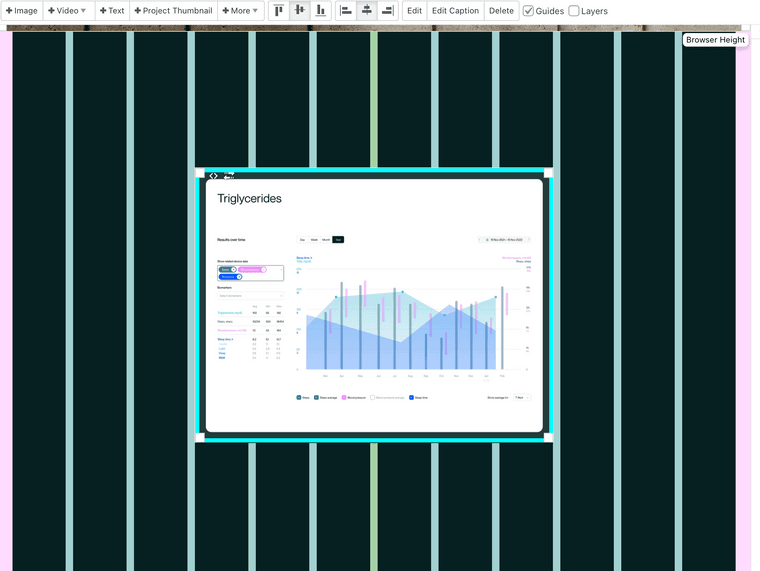
I just realized that images would not be vertically centered correctly in rows that have browser height. In Safari everything works fine but in Chrome and Firefox the images move to the top. I already turned of custom code plugins, which didn't help. Any idea if this is a general problem or just on my page?
I added screenshots to illustrate the issue and here's the example page with the according element: https://www.felixfinger.de/optimallyme-visuelle-identitaet/
Laytheme view:
Chrome view:
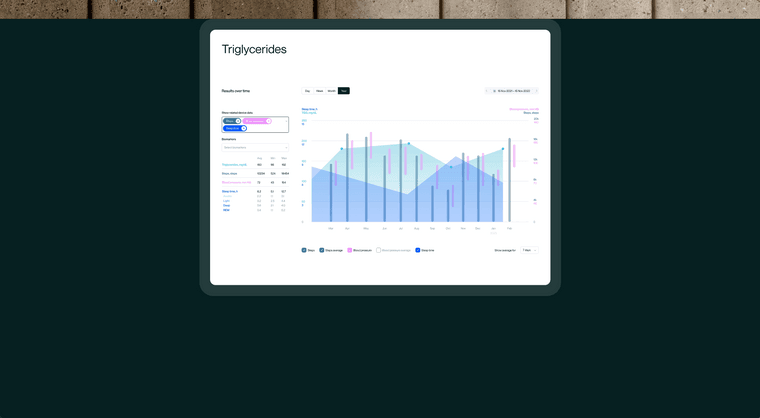
-
GSAP scrolltrigger / lottie animationOk I just figured it out myself. For everyone having the same issue: I haven't loaded the lottie web framework, but only the lottie player. So far I only embedded lottie animations via the player and didn't know I need the framework :)
So you just need to load the web framework instead of the player in your "Custom CSS & HTML" -> "Custom <head> content" Tab:
<script src="https://cdnjs.cloudflare.com/ajax/libs/lottie-web/5.12.1/lottie.min.js"></script>Cheers!
-
GSAP scrolltrigger / lottie animationHey laythemers,
I just tried to work with GSAP framework and the Scrolltrigger plugin and it works fine so far.
But I fail to run a lottie animation with the Scrolltrigger plugin.GSAP Docs provide a little helper function for this, which I used:
function LottieScrollTrigger(vars) {
    let playhead = { frame: 0 },
        target = gsap.utils.toArray(vars.target)[0],
        speeds = { slow: "+=2000", medium: "+=1000", fast: "+=500" },
        st = { trigger: target, pin: true, start: "top top", end: speeds[vars.speed] || "+=1000", scrub: 1 },
        ctx = gsap.context && gsap.context(),
        animation = lottie.loadAnimation({
            container: target,
            renderer: vars.renderer || "svg",
            loop: false,
            autoplay: false,
            path: vars.path,
            rendererSettings: vars.rendererSettings || { preserveAspectRatio: 'xMidYMid slice' }
        });
    for (let p in vars) { // let users override the ScrollTrigger defaults
        st[p] = vars[p];
    }
    animation.addEventListener("DOMLoaded", function () {
        let createTween = function () {
            animation.frameTween = gsap.to(playhead, {
                frame: animation.totalFrames - 1,
                ease: "none",
                onUpdate: () => animation.goToAndStop(playhead.frame, true),
                scrollTrigger: st
            });
            return () => animation.destroy && animation.destroy();
        };
        ctx && ctx.add ? ctx.add(createTween) : createTween();
        // in case there are any other ScrollTriggers on the page and the loading of this Lottie asset caused layout changes
        ScrollTrigger.sort();
        ScrollTrigger.refresh();
    });
    return animation;
}
I deactivated lazyloading, all kind of transition, and activated compatibility mode. I think it has something to do with the addEventListener "DOMloaded"? But I can't get my head around this. Anybody a hint to solve this?
Cheers
Felix -
Page Links not working@arminunruh
Some posts are just supposed to reference to external pages instead of going to an actual subpage with content, that's why I use this plugin.In the meantime I figured that the plugin isn't able to add certain attributes like the target="_blank" to the link, when the laytheme page is loaded a second time. I just force to re-add these attributes by jquery, this is a kind of dirty solution I think .. but it works for now :)
Not sure if there's a general demand for this feature, but I already had several cases when it would have been great to have the option to make:
- projects only showing thumbnails (without link)
- blog posts linking to external URLs
Cheers Armin!
-
Page Links not workingHi,
I'm using the plugin "Page Links To" to convert Blog Posts into URLs and this almost works. The only problem is, that the URLs just work the first time I visit the page. If I go to another page and then go back to the news section, the URLs would stop working. Do somebody has got an idea why that is?
EDIT: It has something to do with the page transitions/Ajax. When I run the page in compatibility mode, the bug disappears.
http://spp-architekten.com/aktuelles/
Using laytheme 4.8.5 and Wordpress 6.1 in Safari 15.3