Edit: perfect thank you very much! problem solved!
J
Jhmmitchell
@Jhmmitchell
Posts
-
Space freely images don't work on mobile phone -
Space freely images don't work on mobile phoneThanks ! But I would like to do the opposite.
I would like all my pages to have the "phone layout" with my content on top of another as in my last screenshot.
It is the case for all the website except for this page : https://main.juliehmmitchell.com/louise-herrero/ and this page : https://main.juliehmmitchell.com/marie-jocteur/ because I clicked on "copy same layout".
I would like these two pages to also have the phone layout but I don't know how to go backwards once I clicked on "copy same layout".
Thank you in advance ! -
Space freely images don't work on mobile phonethanks!
I clicked on "copy same layout" and ajusted the photos on the gridder BUT now only this page looks like that on the phone version :
whereas the other pages all look like that :

I would like all the pages to look the same on the phone (like the second photo). What can I do to "stack elements on top of each other" once I clicked on "copy same layout"? I don't see this options anywhere!
Thank you in advance!
-
Space freely images don't work on mobile phoneHello!
I just noticed that the photos that I "placed freely" do not work on the mobile phone version of my website :

https://main.juliehmmitchell.com/louise-herrero/ the page is like that on the web
Could you please tell me what to do to solve this problem ?
Thank you very much in advance!Julie
-
Questions : textThank you very much! It works perfectly
-
how to reduce space between categories thumbnailsThank you!
I don't know why, it doesn't reduce the size...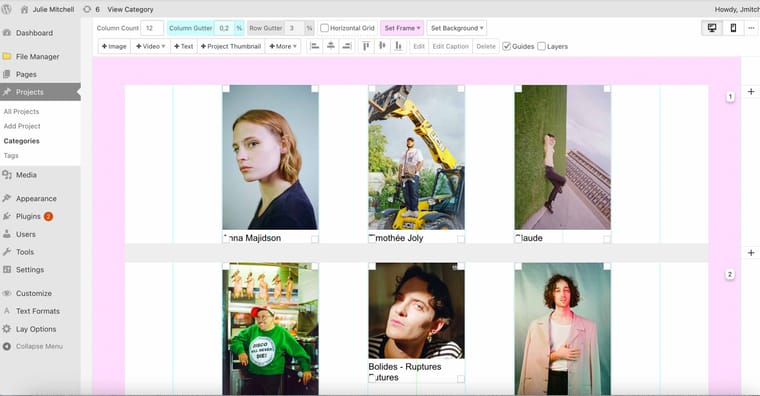
https://main.juliehmmitchell.com/category/musique/ the thumbnails are still separated by a big column gutter
Thank you for your help!
-
Questions : textHello!
I've got two questions : how can I justify a text? I see the other options (align left, align right and center) but not this one.
Second question : my text column and my menu overlap when I scroll down.
https://main.juliehmmitchell.com/disposable-buildings/
I would like to create a column which naturally disappears behind the menu when I scroll down, as on this website : https://www.charlotteabramow.com/le-petit-manuel-de-sex-education/Could you please tell me how to do this?
Thank you very much in advance!
Have a good evening -
how to reduce space between categories thumbnailsHello!
I would like to have less space between my categories thumbnails, but I don't understand how to do so because the column gutter is already set at 1%, so I can't go any lower.
https://main.juliehmmitchell.com/category/musique/On this website made with Laytheme, the column gutter is much smaller : https://www.charlotteabramow.com/
Can you please tell me how to reduce the size of the column gutter?
Thank you!
-
How to animate preview photos in the category wall ?Hey!! Thank you!
I would also like to know how to do this mouseover effect on thumbnails https://www.charlotteabramow.com/ please !
Thank you in advance -
How to animate preview photos in the category wall ?Hello,
I would like to animate the preview photos in my category walls
https://leoarnaud.com/ Here, the photos are shaking when I click on them
https://www.magnusandersen.co.uk/ Here, another photo appears when I move the mouse over itCould you please tell me how to do that please?
Do I have to download a specific addon ?Thank you in advance for you help
Best -
How to make horizontal and vertical images in Carousel have the same sizethank you very much! It now works perfectly!
Have a good day -
How to make horizontal and vertical images in Carousel have the same sizeThank you very much for your help! I'll do that!
Have a good day!
-
How to make horizontal and vertical images in Carousel have the same sizeThank you!
I followed your screenshot instructions, and they all have the same format now. But the new problem is that, with these settings, all the horizontal photos are croped...
https://main.juliehmmitchell.com/anna-majidson/?preview=true -
How to make horizontal and vertical images in Carousel have the same sizeIt works perfectly on this Website created with Lay Theme : https://www.charlotteabramow.com/angele/
-
How to make horizontal and vertical images in Carousel have the same sizethank you very much for your help!
I didn't work unfortunately... The horizontal photos are still small and positionned at the bottom of the carousel

-
How to make horizontal and vertical images in Carousel have the same sizeHello,
Happy new year !
I'm trying to make a carousel with photos with different formats : some of them are vertical, some of them horizontal.
I don't understand how to make them all appear with the same height? The horizontal ones are very little compared to the vertical ones.
https://main.juliehmmitchell.com/anna-majidson/
Thank you in advance for your help !Best
Julie
-
My website only shows the first line of my gridderOh, I understand now...! It's because I activated the slider addon without noticing, and because there were no arrows, I didn't think of clicking !
thank you! -
My website only shows the first line of my gridderHello,
I'm buidling a new photography website using Lay Theme.
Everything worked perfectly the previous days, but since today, when I open my website, only the first photo of the first line of the Gridder appears (there is no way to scroll down the page to see the other ones). The problem is the same with all my posts.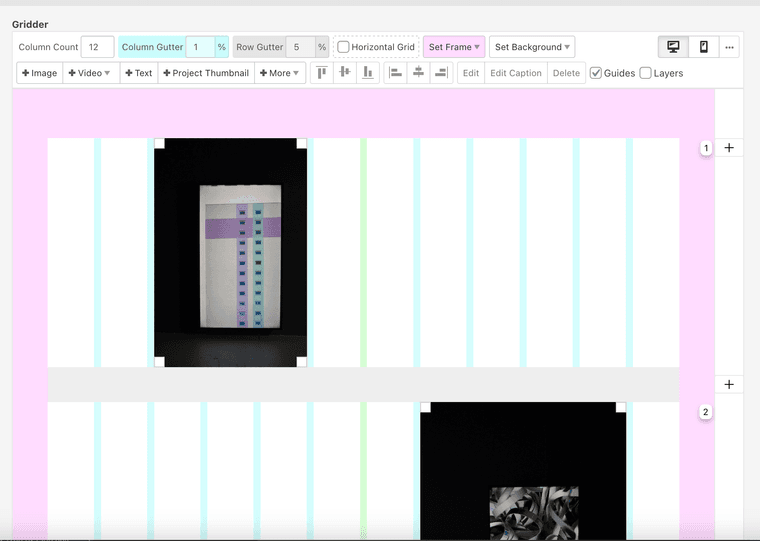

Can you please help me ?
Thank you in advanceJulie