I kindof like how it looks without a transition lol - so keeping it off! BUT I did test the overlay links with a transition and it WORKS! Whatever you did fixed it!
 J
J
joshsender
@joshsender
Posts
-
Transition when navigating triggers twice in overlay -
Transition when navigating triggers twice in overlayRemoving the transition css from the links in the overlay stop the overlay load animation from triggering again. Interesting!
-
Transition when navigating triggers twice in overlayHAH! That worked! That's what I get for revising this site over the years and leaving old code all over the place.

I'll dig through all the custom code and find whatever's doing it! THANK YOU ARMIN!
-
Transition when navigating triggers twice in overlayMousing over a link within an overlay is making the "Transition when Navigating" to trigger again. I tested it on my macbook as well.
Try mousing over a link in "About/Contact" overlay to see.

-
Invert effect text on backgroundnot a lay theme person, just trying to help:
You can add "mix-blend-mode: difference" as css to the site title and nav:
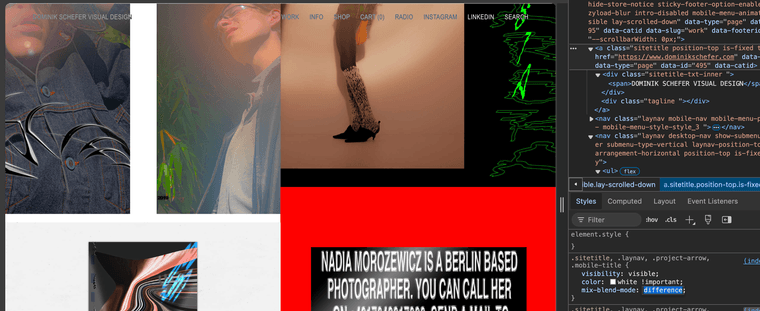
.sitetitle, .laynav, .project-arrow, .mobile-title {
    mix-blend-mode: difference;
}
^ css you want to add! But the text needs to be WHITE to properly invert (so make your nav and title link colors white.
-
project overlay conflicts with page overlayspun up a test site to try the new project overlay (what an amazing feature!! THANK YOU!!): https://cheen.dreamhosters.com/
The 2022 and 2021 open project overlays. The (read more) button opens a page overlay.
If you open a project with an overlay (click 2022 or 2021), THEN try opening a page overlay (read more) button, the page overlay no longer opens in an overlay.
-
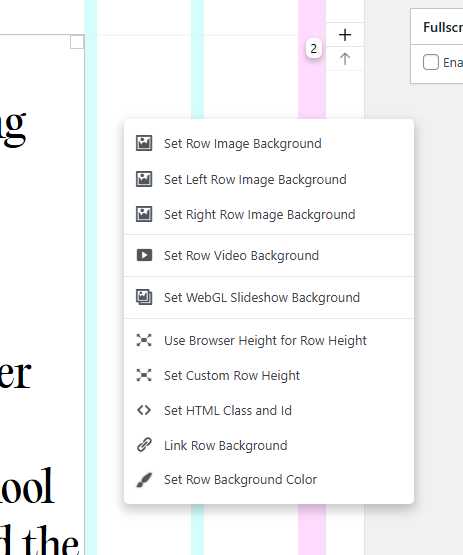
collapse row bugYah, adding that I don't see the "collapse row" option when right clicking a row:
-
OVERLAY NOT OPENING ON MACBOOK/CHROME@arminunruh For now disabling the WP Fastest Cache.
Thank you SO MUCH for all the work on the overlay. its super super cool :pray:
-
OVERLAY NOT OPENING ON MACBOOK/CHROME@arminunruh Ooooh - tried that but to no avail! Also just commented out that whole janky scrolling script and the issue still happens if the WP Fastest Cache plugin is enabled. Cleared cache through the plugin as well! I swear!
-
OVERLAY NOT OPENING ON MACBOOK/CHROME@joshsender No settings within WP Fastest Cache can be toggled for it to work. It has to be off or the Overlays load below the page and won't work.
-
OVERLAY NOT OPENING ON MACBOOK/CHROMEFigured it out! It's the plugin: WP Fastest Cache.
Disabled and it works without the fix. Heads-up because I know that plugin is recommended in the https://laytheme.com/documentation/speeding-up-your-website.html documentation.

-
OVERLAY NOT OPENING ON MACBOOK/CHROME -
OVERLAY NOT OPENING ON MACBOOK/CHROMEOverlay pages are loading at the bottom of the page and cut off:
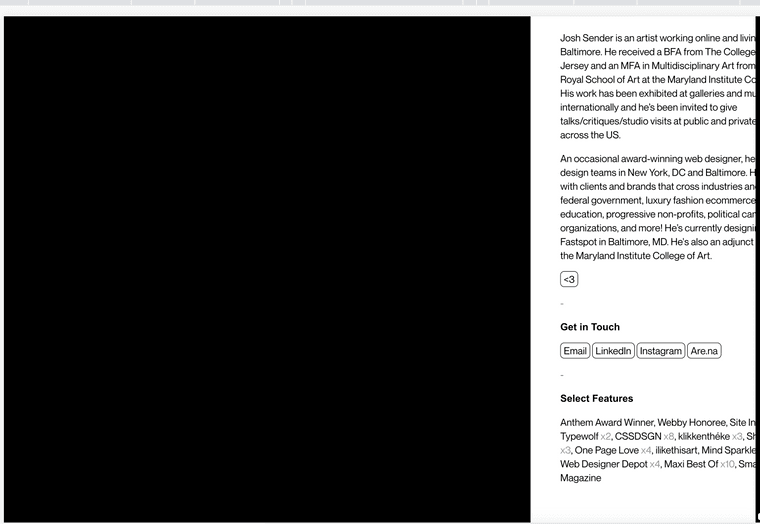
Screenshot shows: when you scroll all the way to the bottom all the overlays included in the page are stacked below the page content.To fix I had to add:
/* overlay fix */
.lay-overlay {
    top: 0;
    position: fixed;
    z-index: 9999;
    display: none;
}
.lay-overlay-bg {
    z-index: 9998;
    top: 0 !important;
    position: fixed;
}
.lay-overlay-bg.lay-show-overlay-bg {
    width: 100%;
    height: 100%;
}
.lay-show-overlay {
    display: block;
}
An OK fix but now you can't scroll always within the overlays. It's a weird bug - it doesnt happen in Edge on Windows, or Firefox on Mac. But Chrome it's happening on both.
-
Gridder doesn't work after UpdatingAdding to this to say I had the same problem on gallery.institute - grid elements were all wonky, many flushed to the left, or completely flipped around, as in the example below -
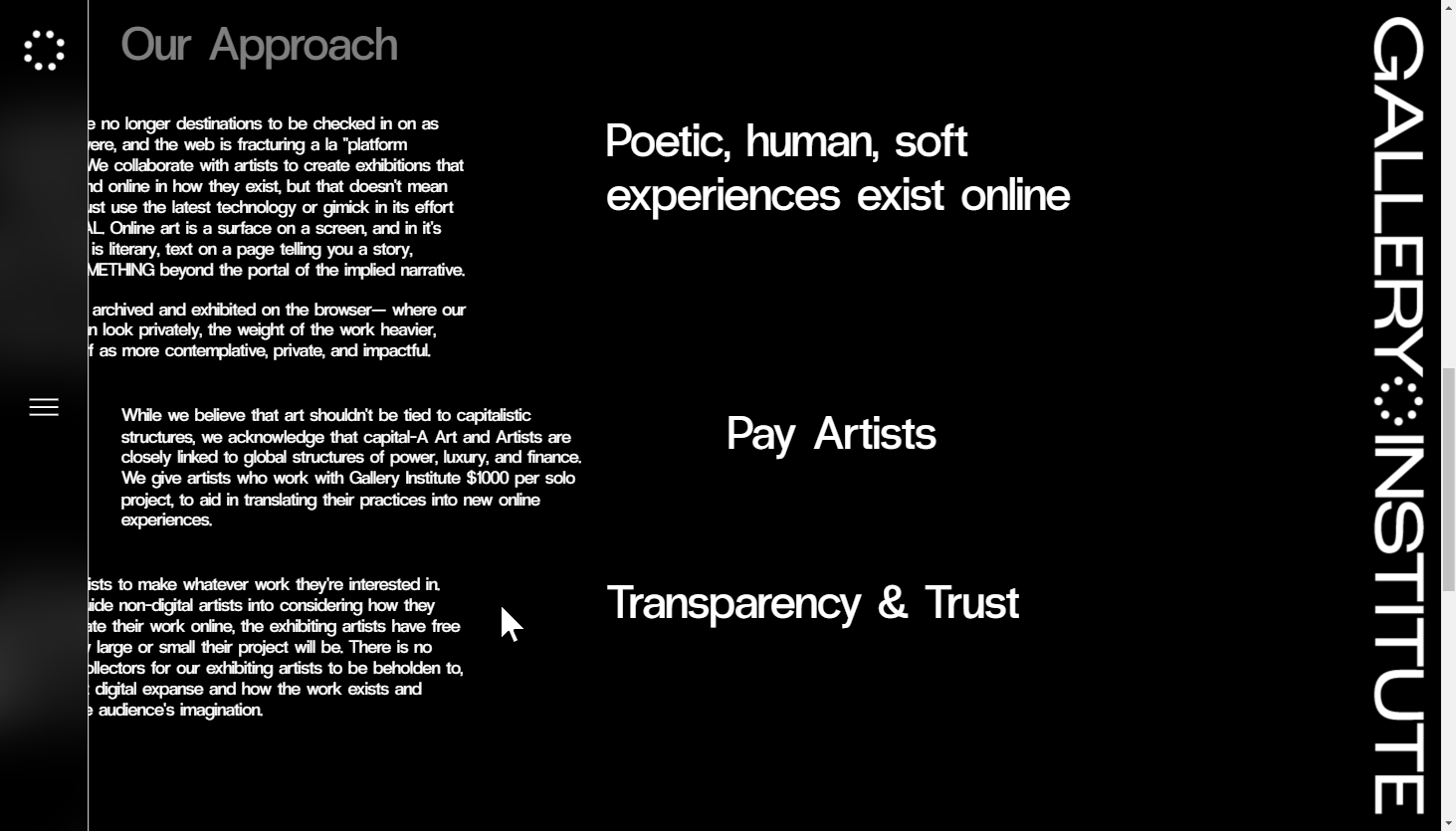
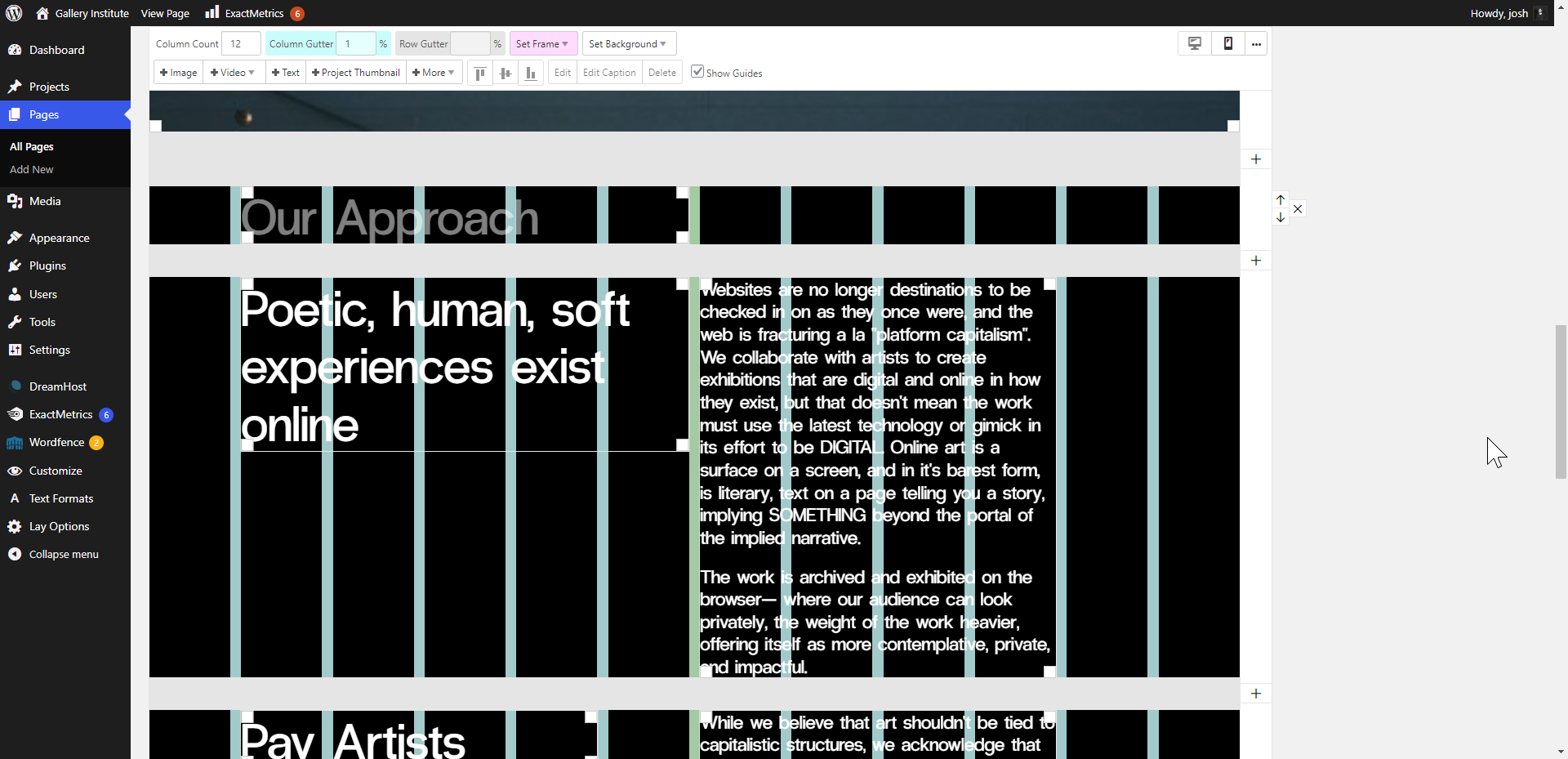
Replacing the theme with these older files worked in the meantime!
-
Bug when moving elements (f.e. images) in grid@timperangel This also happens to me all the time! Sometimes, I can adjust for it by moving the cursor super super supppperr slowly while I'm dragging.
-
Vimeo in video carousel blank (and all following carousels)Issue URL: https://joshsender.com/home-3/#you-never-know-how-the-past-will-turn-out
Hey! Loving the new updates and everything yall do on Lay Theme. I noticed an issue when I tried to add a Vimeo video to a carousel- the video and every carousel after is totally blank, like, scroll down on the page and those blank white spaces underneath each project title is a carousel! Hopefully this test url helps! <3Page with vimeo video OUSTIDE of carousel (and working fine): https://joshsender.com/home/#you-never-know-how-the-past-will-turn-out
Issue screenshot (blank carousel below text)
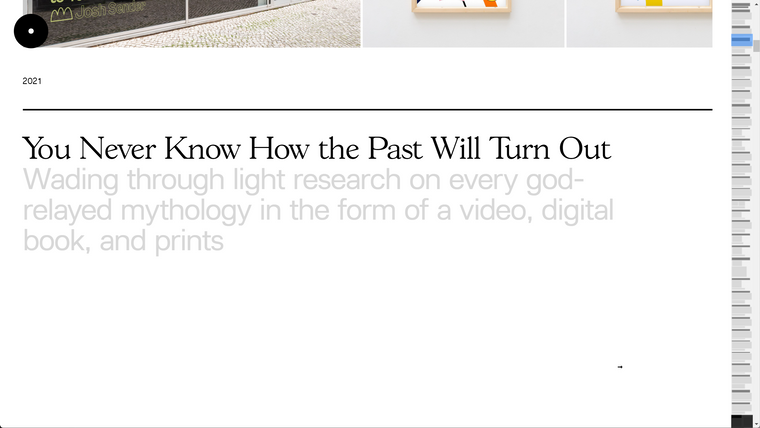
Back-end screenshot: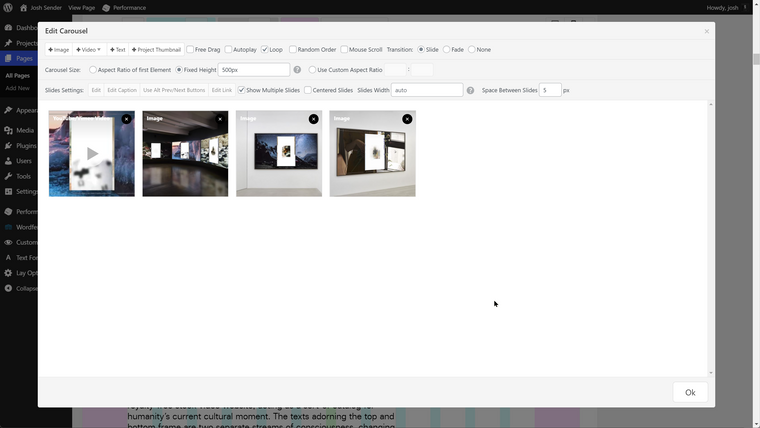
-
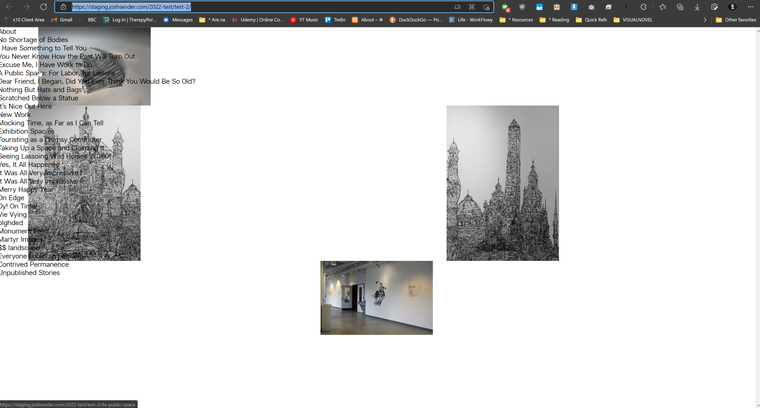
Gridder Elements moving to leftHey Richard,
I made a duplicate of the site and deleted all plugins and custom code and am able to re-create the issue:
See test page: https://staging.joshsender.com/2022-test/test-2/
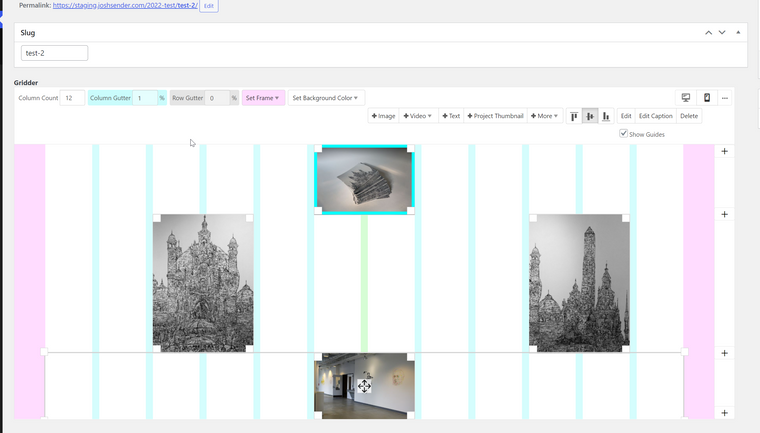
-
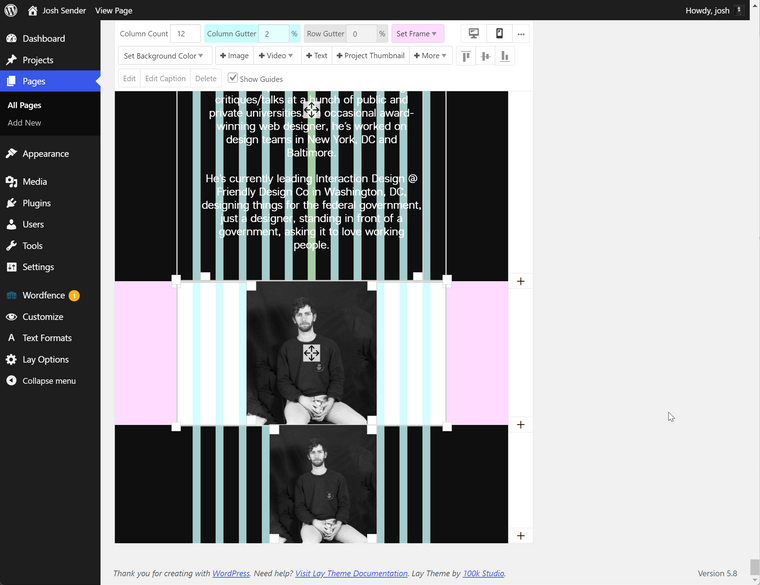
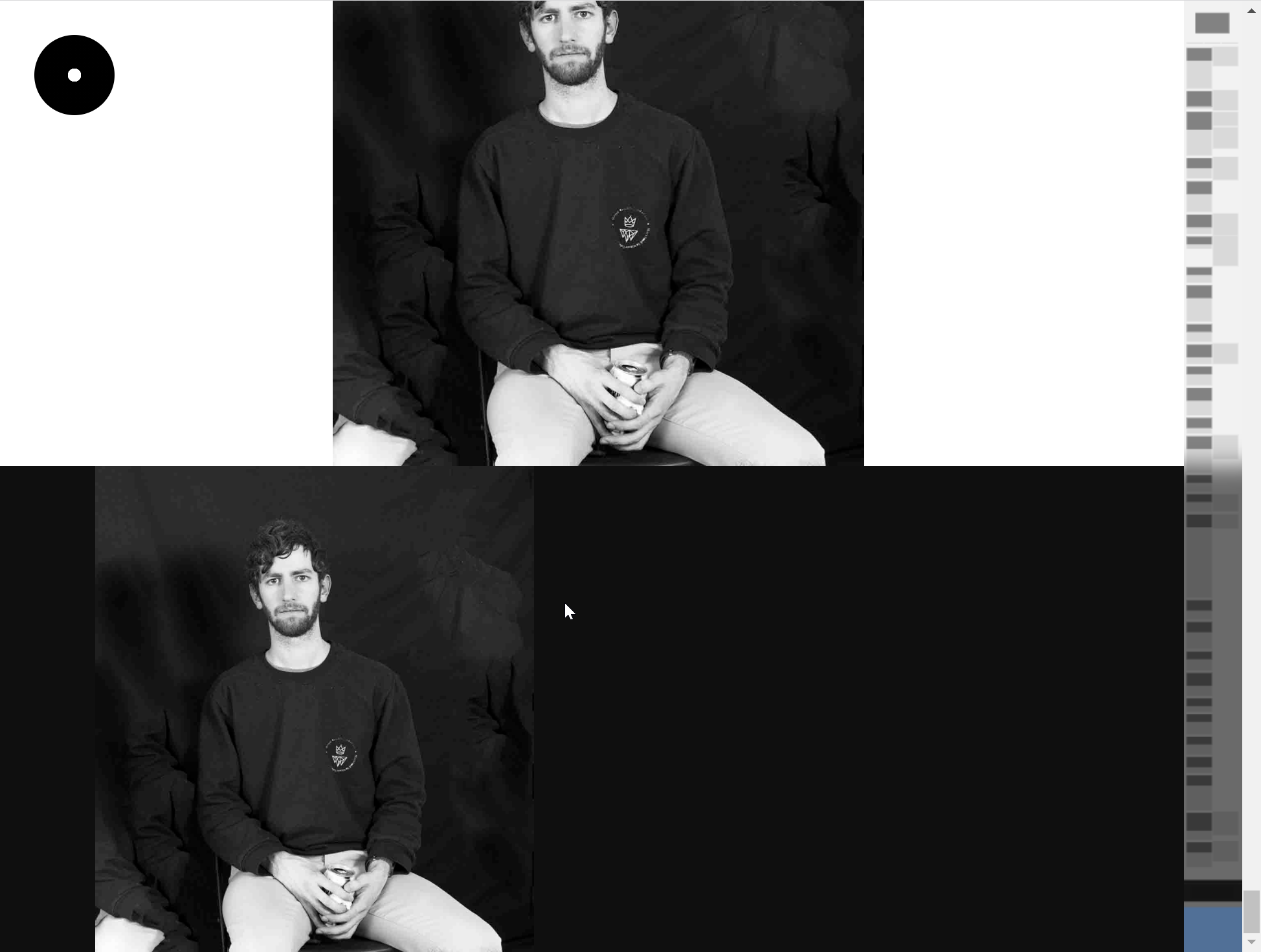
Gridder Elements moving to leftHey hey, having some trouble with elements not positioning in the Gridder. Example at the bottom of https://staging.joshsender.com/2022/#about
Gridder elements are flushing to the left (as though there's no space on the left. Elements do position properly when in a Stack container that is full width though:
Back-end:
Front-end:
-
Customizer Blank (since 3.7.4 update)Looks like it's updated in 3.7.5! Thanks!
-
Customizer Blank (since 3.7.4 update)Email i received with wordpress catching the error:
In this case, WordPress caught an error with your theme, Lay Theme.
First, visit your website (https://gallery.institute/) and check for any visible issues. Next, visit the page where the error was caught (https://gallery.institute/wp-admin/customize.php?return=%2Fwp-admin%2Fadmin.php%3Fpage%3Dmanage-htmlcssoptions) and check for any visible issues.
Please contact your host for assistance with investigating this issue further.
If your site appears broken and you can't access your dashboard normally, WordPress now has a special "recovery mode". This lets you safely login to your dashboard and investigate further.
(url removed)
To keep your site safe, this link will expire in 1 day. Don't worry about that, though: a new link will be emailed to you if the error occurs again after it expires.
When seeking help with this issue, you may be asked for some of the following information:
WordPress version 5.7
Current theme: Lay Theme (version 3.7.4)
Current plugin: (version )
PHP version 7.3.27Error Details
An error of type E_ERROR was caused in line 93 of the file /home/joshsend/gallery.institute/wp-content/themes/lay/customizer/customizer.php. Error message: Uncaught Error: Call to undefined function wc_get_page_permalink() in /home/joshsend/gallery.institute/wp-content/themes/lay/customizer/customizer.php:93
Stack trace:
#0 /home/joshsend/gallery.institute/wp-includes/class-wp-hook.php(292): Customizer->add_woocommerce_script('')
#1 /home/joshsend/gallery.institute/wp-includes/class-wp-hook.php(316): WP_Hook->apply_filters(Array, Array)
#2 /home/joshsend/gallery.institute/wp-includes/plugin.php(484): WP_Hook->do_action(Array)
#3 /home/joshsend/gallery.institute/wp-admin/customize.php(170): do_action('customize_contr...')
#4 {main}
thrown