Skip to content
  • Recent
  • Tags
  • Popular
  • Users
  • Search
Skins
  • Light
  • Brite
  • Cerulean
  • Cosmo
  • Flatly
  • Journal
  • Litera
  • Lumen
  • Lux
  • Materia
  • Minty
  • Morph
  • Pulse
  • Sandstone
  • Simplex
  • Sketchy
  • Spacelab
  • United
  • Yeti
  • Zephyr
  • Dark
  • Cyborg
  • Darkly
  • Quartz
  • Slate
  • Solar
  • Superhero
  • Vapor

  • Default (No Skin)
  • No Skin
Collapse

Lay Theme Forum

S

smartin

@smartin
Unfollow Follow
About
Posts
16
Topics
8
Shares
0
Groups
0
Followers
0
Following
0

Posts

Recent Best Controversial

  • Fullscreen slider toggles off/on when clicking the site title logo
    S smartin
    Bug Reports

    Hi Armin,

    On my front page the fullscreen slider works perfectly on load, but when I click my site title (the logo, which links to the same front page), the slider switches off and the page becomes scrollable. Clicking the logo again turns it back on — so it just toggles off/on with every click. (I believe this is the Magnetic Slides / fullpage feature.)

    It's not the AJAX transitions — I have WooCommerce active, so Compatibility Mode is already forced on, and a normal full reload of the page always works fine. It seems to be the logo's "same-page" click handling: the logo's data-id matches the current front page, and that path looks like it destroys and re-inits the slider out of sync.

    For now I've worked around it by setting the Site Title to HTML mode with a small script that forces the logo to do a real full reload:

    html
    <div class="sitetitle-txt-inner _Default"><span>Martin Schgaguler</span></div>
    <script>(function(){document.addEventListener("click",function(e){var a=e.target&&e.target.closest?e.target.closest("a.sitetitle"):null;if(!a)return;e.preventDefault();e.stopImmediatePropagation();window.location.href="https://martinschgaguler.com/";},true);})();</script>

    That works, but it feels like that it might be something worth fixing for the theme.
    Thanks for all your work on Lay!

    Best,
    Martin


  • Licence repeatedly deactivates after automatic WordPress updates
    S smartin
    Bug Reports

    Hey Armin

    My Lay Theme licence repeatedly appears to deactivate after WordPress performs an automatic maintenance or security update. When this happens, a Lay Theme credit such as “This is a Lay Theme website” appears in the footer. Re-entering and activating the same licence key makes the footer message disappear immediately.

    Configuration:
    Hosting: Amazon AWS Lightsail
    WordPress: 7.0.4
    Lay Theme: 11.6.1
    Automatic Lay Theme updates: disabled
    Automatic WordPress updates: maintenance and security releases only

    Troubleshooting completed:
    I manually updated Lay Theme, and the licence remained active.
    I manually updated all plugins individually, and the licence remained active.
    The domain in WordPress and the Lay Theme Key Manager matches exactly.

    The recurring pattern appears to be connected specifically to automatic WordPress maintenance/security updates, although it could also be Lay Theme’s periodic licence validation happening around the same time.

    Could you please inspect the activation history for my licence and advise why it is being deactivated? Is there a way to prevent this from recurring?

    Many thanks,
    Martin


  • Lay 10.6.2 + PHP 8.2: Fatal error when editing posts/pages
    S smartin
    Bug Reports

    For now I rolled back to Laytheme 10.5.9 and it works again


  • Lay 10.6.2 + PHP 8.2: Fatal error when editing posts/pages
    S smartin
    Bug Reports

    Apache log shows this fatal error:

    PHP Fatal error: Uncaught TypeError: array_merge(): Argument #2 must be of type array, bool given
    in /opt/bitnami/wordpress/wp-content/themes/lay-5/formatsmanager/formatsmanager.php:685
    Stack trace:
    #0 .../themes/lay-5/formatsmanager/formatsmanager.php(685): array_merge()
    #1 .../themes/lay-5/gridder/gridder_css_output.php(276): FormatsManager::get_textformat_css_for_selector()
    #2 ... Griddder_CSS_Output::lay_customize_css_for_admin()
    #3 ... WP_Hook->apply_filters()
    #4 ... wp-admin/admin-header.php ...


  • Lay 10.6.2 + PHP 8.2: Fatal error when editing posts/pages
    S smartin
    Bug Reports

    Hi Lay Support,
    since updating earlier today to Lay Theme 10.6.2 on a Bitnami/Lightsail WordPress setup, I can access wp-admin, but opening any page/post in the editor crashes and shows “There has been a critical error on this website”.

    Server details:
    • PHP: 8.2.7
    • Lay Theme: 10.6.2
    • (Bitnami / AWS Lightsail stack)!!

    [Screenshot 2026-03-03 at 11.24.33.png]Screenshot 2026-03-03 at 11.24.33.png

    Do you have any idea what might cause this?

    Happy to provide more context if needed.

    Many Thanks!
    Martin


  • hide Cart Menupoint when empty on mobile
    S smartin
    Shop / WooCommerce

    @arminunruh thank you, its the "Space Between (px)" that trigger this additional space.

    The reason for this is that I have the "cart" menu-point appearing next to "Information". This only shows if somebody adds anything to basket.

    Would it be possible to show the "Space Between (px)" only when there is more than one menupoints (In my case, as soon as someone adds anything to the cart)?

    Many many thanks,
    M


  • +Project Index
    S smartin
    Bug Reports

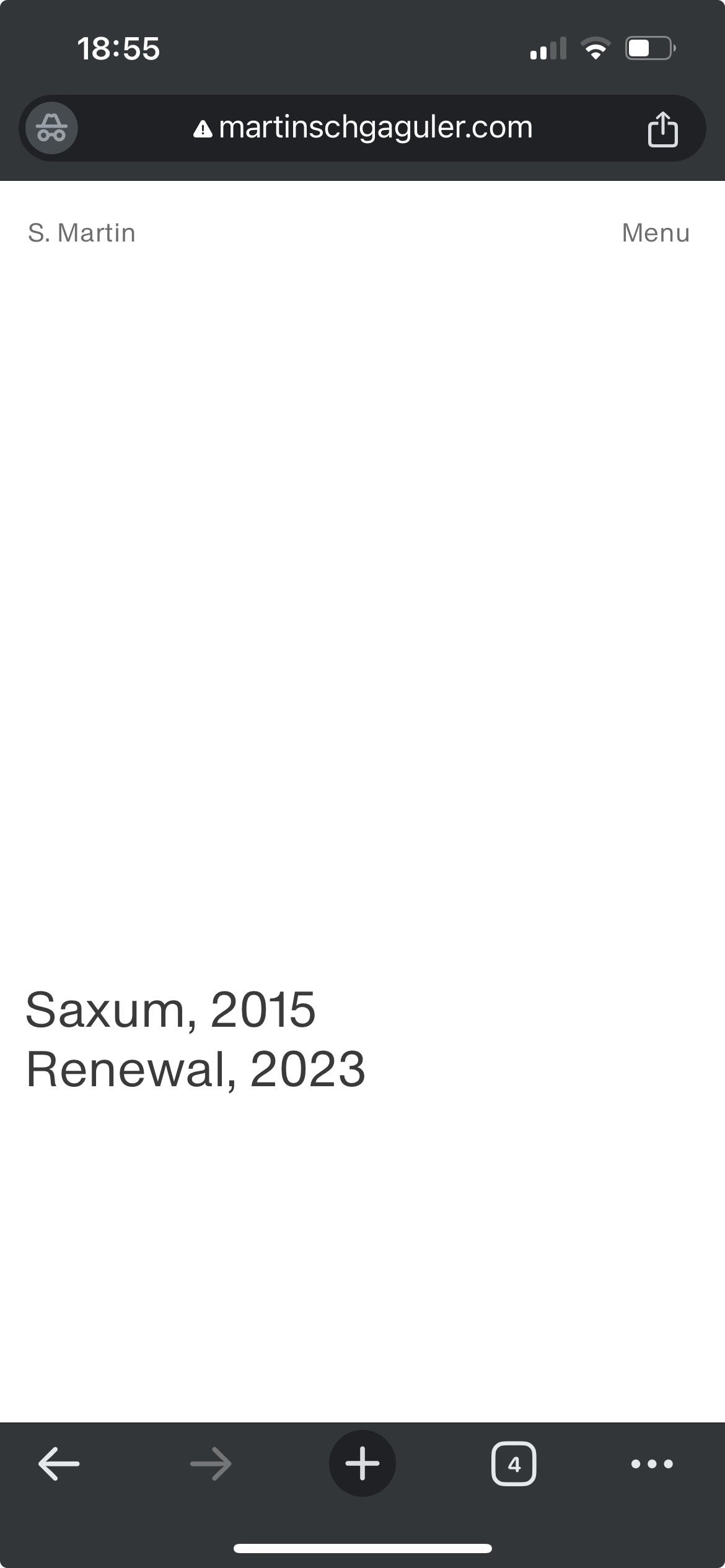
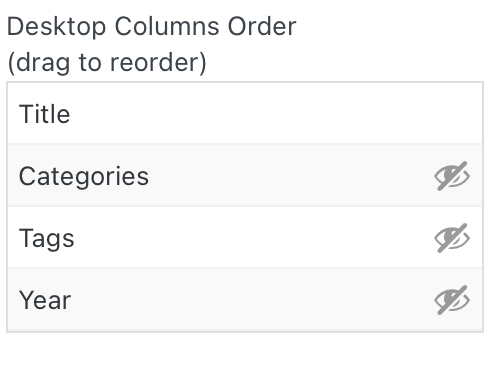
    @arminunruh I just verified, I didn't use a custom phone layout. However, I now built one, using a new-project-index to try if it might fix it. Again I am hiding everything, apart from the "title" but unfortunately the problem persists, and the "Year" still shows on mobile, despite it being hidden. Any ideas what I might be doing wrong?

    here the link to the site: https://martinschgaguler.com


  • hide Cart Menupoint when empty on mobile
    S smartin
    Shop / WooCommerce

    Many many thanks. This works fine again! :-D


  • hide Cart Menupoint when empty on mobile
    S smartin
    Shop / WooCommerce

    sure, its martinschgaguler.com


  • +Project Index
    S smartin
    Bug Reports

    Hey there,

    Unfortunately the "Project Index" no longer works correctly on mobile.

    • I am only showing the "title" and have hidden all others (Year, Category and Tag). It works fine on desktop and only the title is being displayed. On mobile however the "Year" is also being shown along with the "project name" despite it being hidden. This used to work fine before the update.

    Anything I am doing wrong?
    Thank you screenshot.jpg Screenshot 2023-11-21 at 18.38.46.png


  • hide Cart Menupoint when empty on mobile
    S smartin
    Shop / WooCommerce

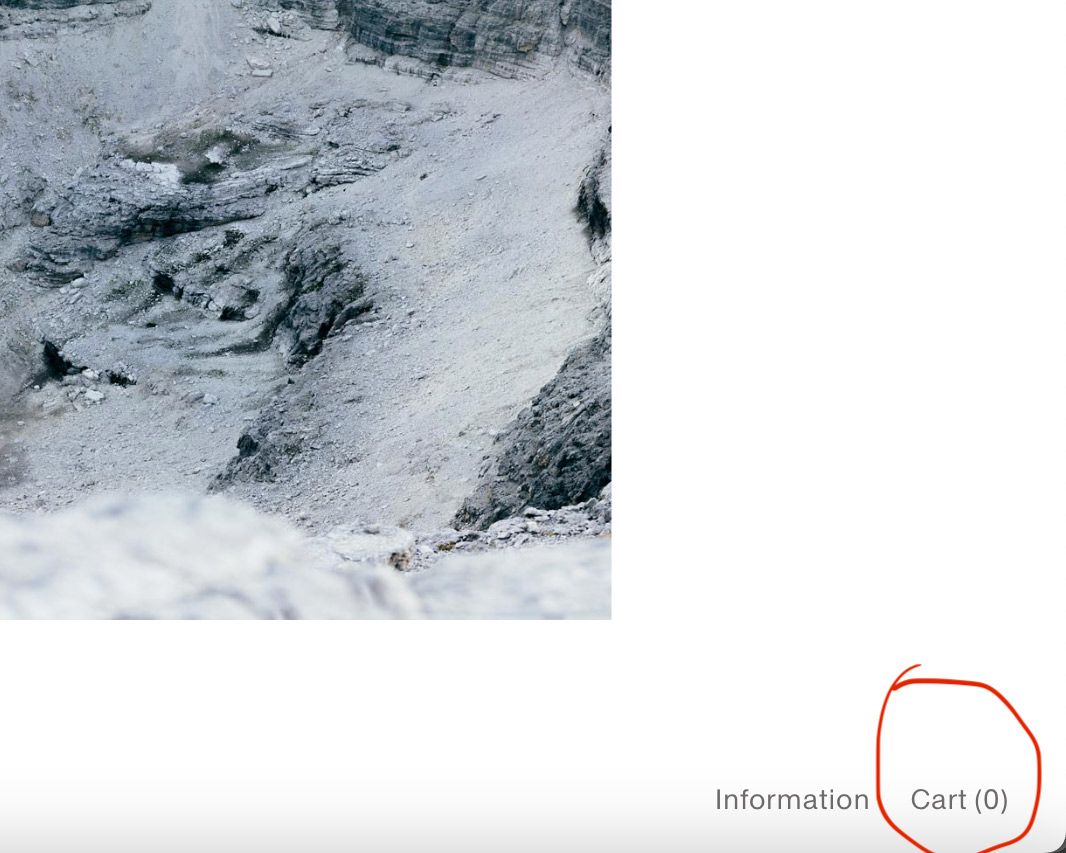
    Hey @arminunruh, just realised that since the update this afternoon the option "Hide when empty" on the cart menupoint on Desktop no longer works. The Cart now always shows, despite it being empty. Please see screenshot attached.

    Screenshot-2023-11-21-at-17.51.37.jpg

    It works fine on mobile however.


  • hide Cart Menupoint when empty on mobile
    S smartin
    Shop / WooCommerce

    Fantastic @arminunruh! This works great.
    Many many thanks.


  • hide Cart Menupoint when empty on mobile
    S smartin
    Shop / WooCommerce
    1. Hi, I know there is a setting for this in:
      "Customize" → "WooCommerce" → "Cart Menupoint" → "Hide when empty"

    However this does not work on "mobile". It still shows the Cart Icon, regardless if "hide when empty" has been ticked or not.

    1. It would also be nice, to just use type (like: "Cart") instead of the "bag icon" (This works for desktop but sadly not for the mobile version)

    2. Furthermore, when I use "Desktop Menu Style" (under Customize" → "Mobile Menu" → "Menu Style") both the "Cart Icon" and the "Menupoint" (in my case the word "Menu" overlap. However if "burger Icons" are bing used then it works and they no longer overlap but sit correctly next to "Sopping bag" Icon.

    Would be great if you guys could look into that. Cheers


  • Arrows - Full screen slider, Overlay menu, image hover
    S smartin
    Bug Reports

    Hi Armin,

    Here a two issues I am encountering.

    • the arrows as cursor for the full-screen-slider no longer show up.

    • The overlay menu I am using has become a white blank page. However if I downgrade the theme to version 5.9.0 the overlay menu works again.

    • Image Hover Plugin, I also had to downgrade to version 1.2.2 because it has stopped working

    Not sure if these are issues only I am having, I am now using 5.9.0 again. (my site is apsum.co)

    However love laytheme. Such a great tool. Thank you


  • Fullscreen Slider, Mobile Navigation
    S smartin
    Feedback navigation mobile fullscreenslide swipe

    Hi Armin,

    It would be fantastic if the navigation of the fulsscreen-slider on a mobile device would work by tapping. This is to say that a right tap would slide forward and a left tap would go backward. Just like the tapping behaviour on instagram stories. Not sure if its feasible but I think it would make the fullscreen slider a lot more intuitive on mobile.

    Many thanks,
    M

  • Login

  • Don't have an account? Register

  • Login or register to search.
  • First post
    Last post
0
  • Recent
  • Tags
  • Popular
  • Users
  • Search