Skip to content

General Discussion

5.0k Topics 21.7k Posts

A place to talk about anything Lay Theme related

  • Saturation loss in Projects

    2
    2
    0 Votes
    2 Posts
    253 Views
    RichardR
    Dear Johannes @Johannes-Meger I had seen this before & wondering if its a Lay Theme problem but more likely Wordpress & Media Library. Does this link help? https://enviragallery.com/how-to-fix-the-image-desaturation-issue-in-wordpress/ Searching "wordpress media library desaturates image?" gives some possible solutions 🌝 Best Richard
  • mobile menu scrolls to top

    4
    0 Votes
    4 Posts
    384 Views
    RichardR
    Dear @vernandel Awesome to hear we are working again! I don't currently know one sorry that will work with this version of Lay Theme. Haven't tested any myself lately 🌝 Best Richard
  • Rank Math not visible anymore

    9
    0 Votes
    9 Posts
    1k Views
    RichardR
    Thank you @Johannes-Meger for the update, good to know, have a great day 🌝
  • WEBFONT NOT SHOWING IN FIREFOX

    10
    0 Votes
    10 Posts
    2k Views
    G
    thanks a lot!
  • Mobile Menu in four corners of screen

    5
    0 Votes
    5 Posts
    1k Views
    RichardR
    Dear @oo You are using this Custom CSS suggestion from @Mariannep? If you post a link to your website i can check for a simple fix, the above code should work. But the menu-item # (number) will be different for each website. Best Richard
  • Open a project and come back to same "level"

    4
    0 Votes
    4 Posts
    244 Views
    RichardR
    Have a wonderful day @Lalitosfera ! ⭐️
  • Search feature on custom Link

    5
    0 Votes
    5 Posts
    766 Views
    RichardR
    Dear Martin @mg You can implement the Search Feature into a project/page using +More - +HTML: [image: Screen Shot 2022-02-23 at 3.01.09 PM.png] The following is raw HTML so it's unlikely that it has any styling or CSS. It will probably not appear as it has no height/width or font-size. For this reason we should add a Class to it for easy targeting later. class="custom-search" <a href="#search" class="custom-search" data-type="custom"><span>WHAT I WANT TO CALL MY SEARCH</span></a> Example CSS (basic) .custom-search { font-size: 33px; } The Custom CSS can be added via > Lay Options > Custom CSS & HTML > https://laytheme.com/documentation/custom-css-styling.html Best Richard
  • Mobile Videos not working in autoplay

    2
    0 Votes
    2 Posts
    338 Views
    RichardR
    Dear Johannes @jwk Unable to re-create issue sorry. Videos do autoplay using a browser Mobile tester and a true mobile simulator: [image: Screen Shot 2022-02-23 at 1.43.42 PM.png] [image: Screen Shot 2022-02-23 at 1.44.06 PM.png] Best Richard
  • HTML5 Videos not showing in Safari

    4
    0 Votes
    4 Posts
    465 Views
    RichardR
    Dear Felix @ffinger No worries & best wishes πŸ‘
  • Site Title - Navigation - IntersectionObserver

    1
    0 Votes
    1 Posts
    120 Views
    No one has replied
  • How to have images in the same column?

    2
    0 Votes
    2 Posts
    147 Views
    RichardR
    Dear @paulius Does the "Stack" feature work for you? https://laytheme.com/documentation/gridder-elements.html#stack-element Best Richard
  • Mobile CSS but no burger

    2
    0 Votes
    2 Posts
    143 Views
    RichardR
    Dear Joris @betonnemans If you are already playing with Custom CSS then you may wish to use your own media queries to trigger CSS changes. You can then keep the Lay Options > mobile breakpoint setting at 0 to restrict the Burger Menu. https://www.w3schools.com/css/css_rwd_mediaqueries.asp Best Richard
  • Project Thumbnail Grid – Change column direction

    3
    1
    0 Votes
    3 Posts
    262 Views
    RichardR
    Dear @franksvamp Hope you come to a solution soon, i don't have time at present sorry to guide you through, but may set you in a possible direction. 🌝 I was thinking of a faster hack but might not be elegant or work out correctly with your design: You create 3 identical single-column "Project thumbnail grids" (a,b&c): A B C 1 1 1 2 2 2 3 3 3 4 4 4 5 5 5 6 6 6 7 7 7 8 8 8 9 9 9 And then using Custom CSS remove the necessary ones to create the effect: https://css-tricks.com/useful-nth-child-recipies/ A - B - C 1 - 4 - 7 2 - 5 - 8 3 - 6 - 9 Therefore: Off column A was removed thumbnails 4,5,6,7,8,9 Off Column B was removed thumbnails 1,2,3 & 7,8,9 Off Column C was removed thumbnails 1,2,3,4,5,6 Best wishes Richard
  • Simple text description hover?

    2
    1
    0 Votes
    2 Posts
    789 Views
    RichardR
    Dear @vthevoz This should set you in the right direction, sorry that i cannot help you completely through the process. You will see what's happening here though and what to do further: https://laytheme.com/documentation/custom-css-styling.html https://laytheme.com/documentation/custom-javascript.html Gridder Setup: [image: Screen Shot 2022-02-22 at 7.25.06 PM.png] Important to note that you should make use of Lay Theme's built in captions as this should be much easier than adding HTML text areas under the images. The Image element should be given either a Custom Class or ID so we can target it easier: [image: Screen Shot 2022-02-22 at 7.24.25 PM.png] Custom CSS: .magic-caption .caption{ display:none; } .caption-visible{ display:block !important; } JQuery: <script> window.laytheme.on("newpageshown", function(layoutObj, type, obj){ jQuery(".magic-caption").click(function(){ jQuery(".caption").toggleClass("caption-visible"); }); }); </script> Reference: https://www.w3schools.com/jquery/html_toggleclass.asp Result: [image: Screen Shot 2022-02-22 at 7.45.50 PM.png] [image: Screen Shot 2022-02-22 at 7.46.03 PM.png] The Class caption-visible is added to the caption. This comes with new CSS information that tells this HTML element now to be visible. NOTE: you will see that the caption height created by becoming visible also affects the image to it's right horizontally. Both are pushed upwards. This is something to figure out 🌝 Hope this sets you in the right direction & best wishes Richard
  • Vertical Lines

    8
    1
    0 Votes
    8 Posts
    2k Views
    RichardR
    Dear W @wardh This was done with the developer tools of the browser, they are extremely helpful for testing things before hard-coding. Any custom code would be added to your website via: Lay Options > Custom CSS & HTML > Custom CSS The documentation page will really help you with this (there is also help with developer tools): https://laytheme.com/documentation/custom-css-styling.html Best wishes Richard
  • Can the footer be displayed on top a body text that occupies 100vh??

    2
    0 Votes
    2 Posts
    199 Views
    RichardR
    Dear @NDT Custom CSS: #footer-region{ z-index:10; background-color:white; } Result: [image: Screen Shot 2022-02-22 at 12.14.35 PM.png] https://laytheme.com/documentation/custom-css-styling.html best wishes and have a wonderful day ✨ Richard
  • Fixed element Z-index

    2
    0 Votes
    2 Posts
    232 Views
    RichardR
    Dear Laura @lauragrimm Am i correct that you resolved the problem? 🌝 [image: Screen Shot 2022-02-22 at 10.30.15 AM.png] [image: Screen Shot 2022-02-22 at 10.30.19 AM.png] Best Richard
  • 0 Votes
    2 Posts
    120 Views
    RichardR
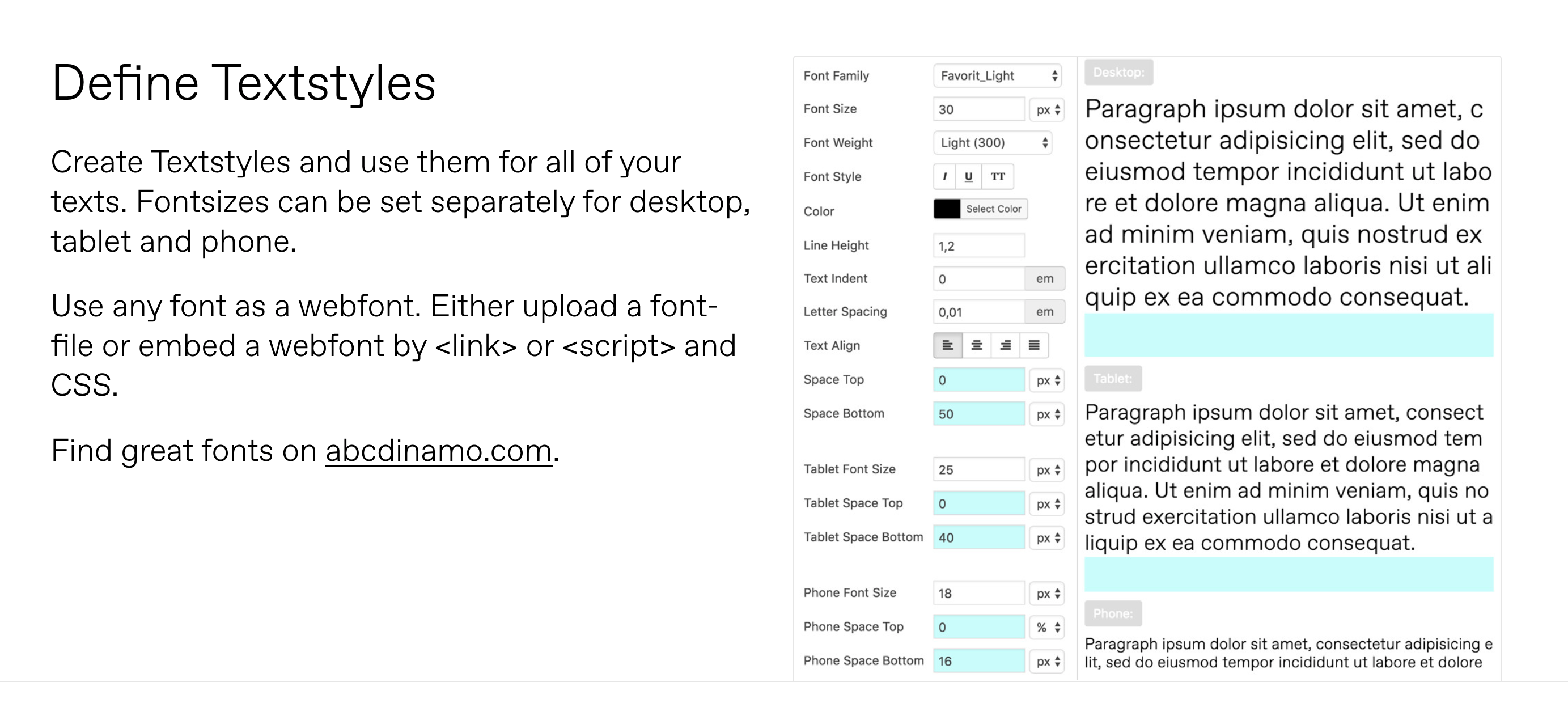
    Dear @janek "My overall feedback is that we could use more documentation" Lay Theme does have a documentation page 🌝: https://laytheme.com/documentation/textformats-and-webfonts.html Here you will find more in-depth tutorials on Lay Theme's functions. Best wishes Janek and have a wonderful day Richard
  • How to hide elements on mobil?

    4
    0 Votes
    4 Posts
    315 Views
    RichardR
    Thanks @goldmine best of luck for the rest of your Project! ⭐️
  • Editing Link Preview Text?

    1
    0 Votes
    1 Posts
    421 Views
    No one has replied
Online Users
Forgot your key, lost your files, need a previous Lay Theme or Addon version? Go to www.laykeymanager.com