Skip to content
  • Recent
  • Tags
  • Popular
  • Users
  • Search
Skins
  • Light
  • Brite
  • Cerulean
  • Cosmo
  • Flatly
  • Journal
  • Litera
  • Lumen
  • Lux
  • Materia
  • Minty
  • Morph
  • Pulse
  • Sandstone
  • Simplex
  • Sketchy
  • Spacelab
  • United
  • Yeti
  • Zephyr
  • Dark
  • Cyborg
  • Darkly
  • Quartz
  • Slate
  • Solar
  • Superhero
  • Vapor

  • Default (No Skin)
  • No Skin
Collapse

Lay Theme Forum

  1. Home
  2. General Discussion
  3. Footer not left aligned anymore — moves when resizing window

Footer not left aligned anymore — moves when resizing window

Scheduled Pinned Locked Moved General Discussion
12 Posts 2 Posters 234 Views 2 Watching
  • Oldest to Newest
  • Newest to Oldest
  • Most Votes
Reply
  • Reply as topic
Log in to reply
This topic has been deleted. Only users with topic management privileges can see it.
  • S Offline
    S Offline
    spale176
    wrote on last edited by spale176
    #2

    PS.:
    It might happened after my LayTheme Update, some days ago.
    And i realised, i cant set objects and text left aligned anymore at all.

    1 Reply Last reply
    0
    • arminunruhA Offline
      arminunruhA Offline
      arminunruh
      Global Moderator
      wrote on last edited by
      #3

      do u have a link

      1 Reply Last reply
      0
      • S Offline
        S Offline
        spale176
        wrote on last edited by
        #4

        Sorry for the late reply. On my 13" laptop, it appears correctly left-aligned.
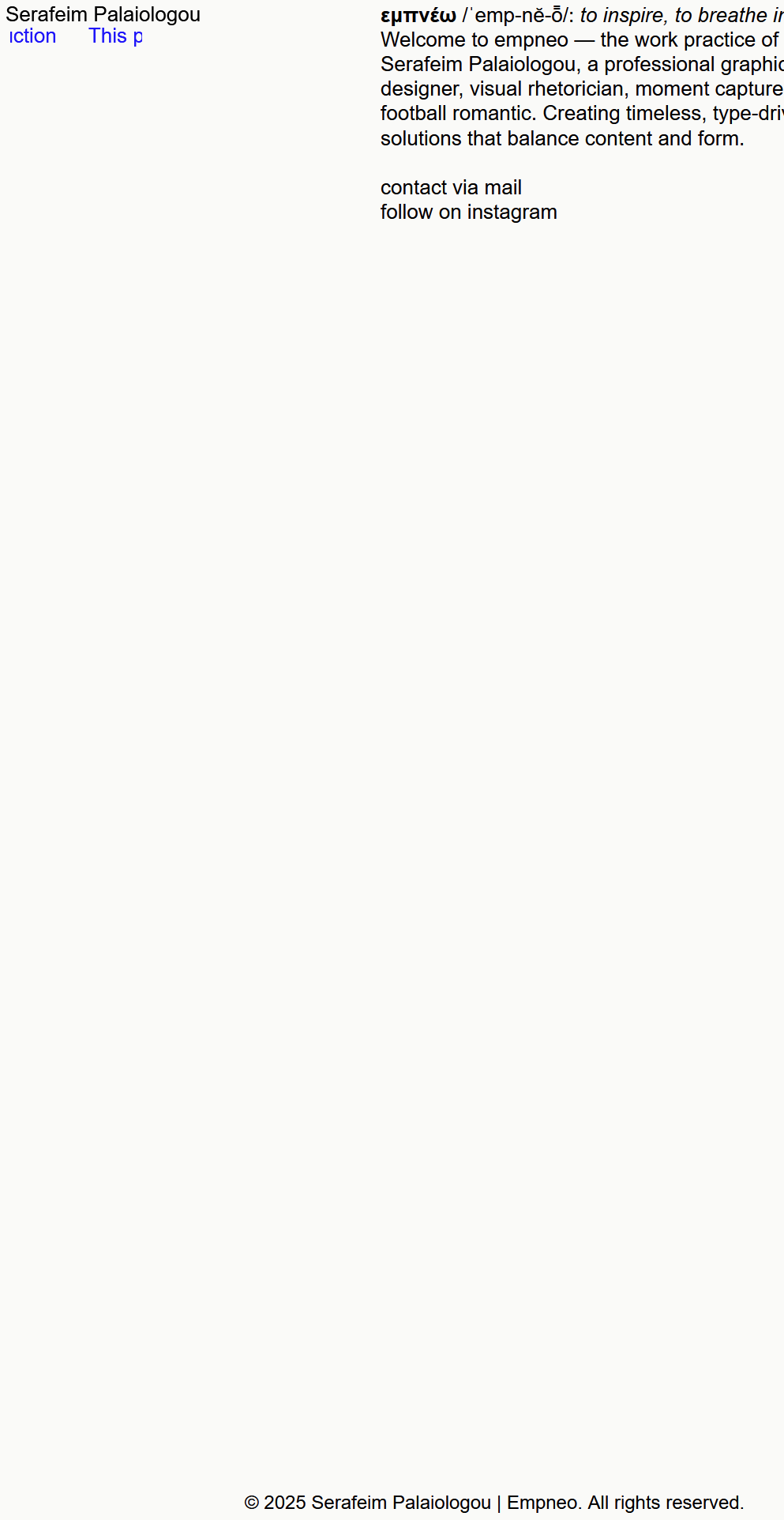
        On a 27" monitor, however, it doesn’t stay in the bottom left but shifts towards the right.
        you can see it here:
        https://empneo.com/

        1 Reply Last reply
        0
        • arminunruhA Offline
          arminunruhA Offline
          arminunruh
          Global Moderator
          wrote on last edited by
          #5

          image.png

          Ah, now I understand. Seems like a certain fix that I did recently for another issue produced this issue.

          I'm releasing an update now that fixes this! If you update to version 9.8.8 it will be fixed!

          1 Reply Last reply
          0
          • S Offline
            S Offline
            spale176
            wrote on last edited by spale176
            #6

            Thanks, I´ve updated it and still doesnt work. Do I need to do anything else?

            1 Reply Last reply
            0
            • arminunruhA Offline
              arminunruhA Offline
              arminunruh
              Global Moderator
              wrote on last edited by
              #7

              u need to clear ur cache or disable all caching plugins i think

              1 Reply Last reply
              0
              • arminunruhA Offline
                arminunruhA Offline
                arminunruh
                Global Moderator
                wrote on last edited by
                #8

                oh nevermind,

                you need to turn off max width, by setting this to 0, in lay options:

                Screenshot 2025-10-27 at 08.08.08.png

                1 Reply Last reply
                0
                • arminunruhA Offline
                  arminunruhA Offline
                  arminunruh
                  Global Moderator
                  wrote on last edited by
                  #9

                  i changed sth in my code too, can you try this theme version additionally to my recommendations above?

                  heres the download link:

                  https://www.dropbox.com/scl/fi/0aa178g63ekg7znq2ymro/lay.zip?rlkey=t69udtzwq48hsx427leuccr9k&st=ccxkn971&dl=0

                  1 Reply Last reply
                  0
                  • arminunruhA Offline
                    arminunruhA Offline
                    arminunruh
                    Global Moderator
                    wrote on last edited by
                    #10

                    also

                    image.png

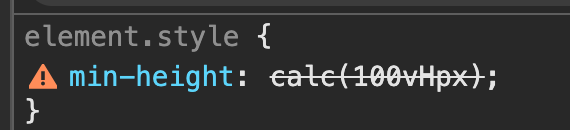
                    there is a problem here, did you enter 100vHpx ? for your custom row height row?
                    it has to be either vh or px :D

                    1 Reply Last reply
                    0
                    • S Offline
                      S Offline
                      spale176
                      wrote on last edited by spale176
                      #11

                      Thank you so much. It works now. When I set "100vh" at my footer page, it appears not as one screen and I need to scroll to see it. When I set it to "100 vH", it appears as one screen, as I want it to be. When I try to set another value on it, it says: "100vHpx". I don't know if it´s the right way, but it somehow works.
                      Regarding the theme version - which I should test, how do I install it?

                      1 Reply Last reply
                      0
                      • arminunruhA Offline
                        arminunruhA Offline
                        arminunruh
                        Global Moderator
                        wrote on last edited by
                        #12

                        ah ok if it works now, then u dont need to install any other version.

                        So looking at your code, it seems that you put this text in the footer.
                        When you go to Lay Options > Footer, I think there is a setting to make the footer sticky, which means the footer will be at the bottom even if the content of the main grid is not big enough.

                        I think that for the row of your footer, you don't need a custom browser height at all. Probably, you can just remove it, and it will still work.
                        But you can just also leave it the way it is.

                        1 Reply Last reply
                        0
                        Reply
                        • Reply as topic
                        Log in to reply
                        • Oldest to Newest
                        • Newest to Oldest
                        • Most Votes


                        I also code custom websites or custom Lay features.
                        💿 Email me here: 💿
                        info@laytheme.com

                        Our Web Development company: 100k.studio

                        Want to tip me? https://www.paypal.com/paypalme/arminunruh

                        Before you post:
                        1. When using a WordPress Cache plugin, disable it or clear your cache.
                        2. Update Lay Theme and all Lay Theme Addons
                        3. Disable all Plugins
                        4. Go to Lay Options → Custom CSS & HTML, click "Turn Off All Custom Code", click "Save Changes"

                        This often solves issues you might run into

                        When you post:
                        1. Post a link to where the problem is
                        2. Does the problem happen on Chrome, Firefox, Safari or iPhone or Android?
                        3. If the problem is difficult to explain, post screenshots / link to a video to explain it
                        Online Users
                        L
                        Liefko
                        Forgot your key, lost your files, need a previous Lay Theme or Addon version? Go to www.laykeymanager.com
                        laytheme.com
                        • Login

                        • Don't have an account? Register

                        • Login or register to search.
                        • First post
                          Last post
                        0
                        • Recent
                        • Tags
                        • Popular
                        • Users
                        • Search