Skip to content
  • Recent
  • Tags
  • Popular
  • Users
  • Search
Skins
  • Light
  • Brite
  • Cerulean
  • Cosmo
  • Flatly
  • Journal
  • Litera
  • Lumen
  • Lux
  • Materia
  • Minty
  • Morph
  • Pulse
  • Sandstone
  • Simplex
  • Sketchy
  • Spacelab
  • United
  • Yeti
  • Zephyr
  • Dark
  • Cyborg
  • Darkly
  • Quartz
  • Slate
  • Solar
  • Superhero
  • Vapor

  • Default (No Skin)
  • No Skin
Collapse

Lay Theme Forum

  1. Home
  2. General Discussion
  3. Footer not left aligned anymore — moves when resizing window

Footer not left aligned anymore — moves when resizing window

Scheduled Pinned Locked Moved General Discussion
12 Posts 2 Posters 1.1k Views 2 Watching
  • Oldest to Newest
  • Newest to Oldest
  • Most Votes
Reply
  • Reply as topic
Log in to reply
This topic has been deleted. Only users with topic management privileges can see it.
  • S
    S
    spale176
    wrote on last edited by spale176
    #2

    PS.:
    It might happened after my LayTheme Update, some days ago.
    And i realised, i cant set objects and text left aligned anymore at all.

    1 Reply Last reply
    0
    • arminunruhA
      arminunruhA
      arminunruh
      Global Moderator
      wrote on last edited by
      #3

      do u have a link

      1 Reply Last reply
      0
      • S
        S
        spale176
        wrote on last edited by
        #4

        Sorry for the late reply. On my 13" laptop, it appears correctly left-aligned.
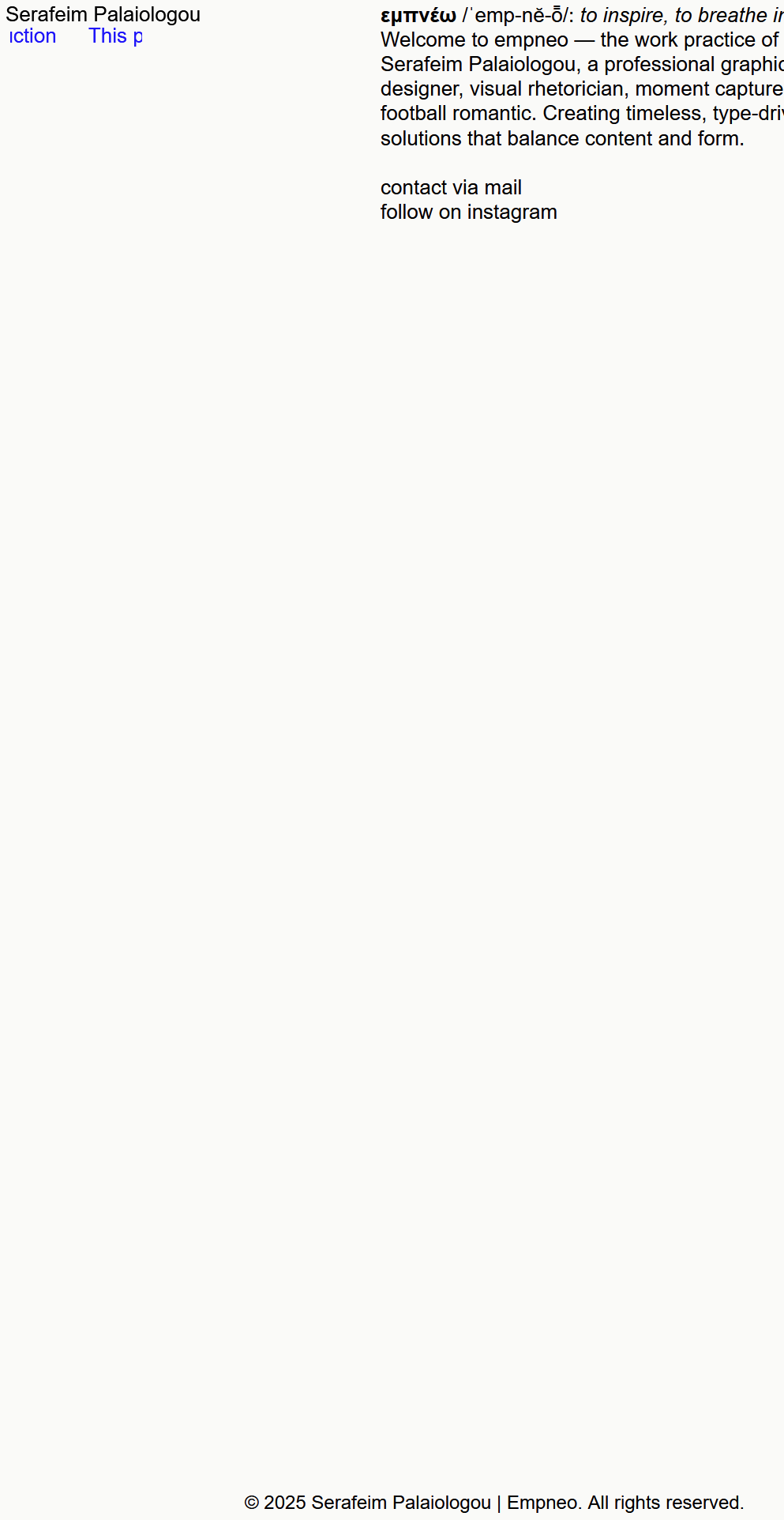
        On a 27" monitor, however, it doesn’t stay in the bottom left but shifts towards the right.
        you can see it here:
        https://empneo.com/

        1 Reply Last reply
        0
        • arminunruhA
          arminunruhA
          arminunruh
          Global Moderator
          wrote on last edited by
          #5

          image.png

          Ah, now I understand. Seems like a certain fix that I did recently for another issue produced this issue.

          I'm releasing an update now that fixes this! If you update to version 9.8.8 it will be fixed!

          1 Reply Last reply
          0
          • S
            S
            spale176
            wrote on last edited by spale176
            #6

            Thanks, I´ve updated it and still doesnt work. Do I need to do anything else?

            1 Reply Last reply
            0
            • arminunruhA
              arminunruhA
              arminunruh
              Global Moderator
              wrote on last edited by
              #7

              u need to clear ur cache or disable all caching plugins i think

              1 Reply Last reply
              0
              • arminunruhA
                arminunruhA
                arminunruh
                Global Moderator
                wrote on last edited by
                #8

                oh nevermind,

                you need to turn off max width, by setting this to 0, in lay options:

                Screenshot 2025-10-27 at 08.08.08.png

                1 Reply Last reply
                0
                • arminunruhA
                  arminunruhA
                  arminunruh
                  Global Moderator
                  wrote on last edited by
                  #9

                  i changed sth in my code too, can you try this theme version additionally to my recommendations above?

                  heres the download link:

                  https://www.dropbox.com/scl/fi/0aa178g63ekg7znq2ymro/lay.zip?rlkey=t69udtzwq48hsx427leuccr9k&st=ccxkn971&dl=0

                  1 Reply Last reply
                  0
                  • arminunruhA
                    arminunruhA
                    arminunruh
                    Global Moderator
                    wrote on last edited by
                    #10

                    also

                    image.png

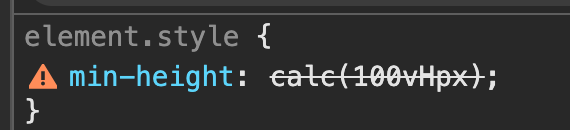
                    there is a problem here, did you enter 100vHpx ? for your custom row height row?
                    it has to be either vh or px :D

                    1 Reply Last reply
                    0
                    • S
                      S
                      spale176
                      wrote on last edited by spale176
                      #11

                      Thank you so much. It works now. When I set "100vh" at my footer page, it appears not as one screen and I need to scroll to see it. When I set it to "100 vH", it appears as one screen, as I want it to be. When I try to set another value on it, it says: "100vHpx". I don't know if it´s the right way, but it somehow works.
                      Regarding the theme version - which I should test, how do I install it?

                      1 Reply Last reply
                      0
                      • arminunruhA
                        arminunruhA
                        arminunruh
                        Global Moderator
                        wrote on last edited by
                        #12

                        ah ok if it works now, then u dont need to install any other version.

                        So looking at your code, it seems that you put this text in the footer.
                        When you go to Lay Options > Footer, I think there is a setting to make the footer sticky, which means the footer will be at the bottom even if the content of the main grid is not big enough.

                        I think that for the row of your footer, you don't need a custom browser height at all. Probably, you can just remove it, and it will still work.
                        But you can just also leave it the way it is.

                        1 Reply Last reply
                        0

                        Hello! It looks like you're interested in this conversation, but you don't have an account yet.

                        Getting fed up of having to scroll through the same posts each visit? When you register for an account, you'll always come back to exactly where you were before, and choose to be notified of new replies (either via email, or push notification). You'll also be able to save bookmarks and upvote posts to show your appreciation to other community members.

                        With your input, this post could be even better 💗

                        Register Login
                        Reply
                        • Reply as topic
                        Log in to reply
                        • Oldest to Newest
                        • Newest to Oldest
                        • Most Votes


                        Online Users
                        Forgot your key, lost your files, need a previous Lay Theme or Addon version? Go to www.laykeymanager.com
                        laytheme.com
                        • Login

                        • Don't have an account? Register

                        • Login or register to search.
                        • First post
                          Last post
                        0
                        • Recent
                        • Tags
                        • Popular
                        • Users
                        • Search