Skip to content
  • Recent
  • Tags
  • Popular
  • Users
  • Search
Skins
  • Light
  • Brite
  • Cerulean
  • Cosmo
  • Flatly
  • Journal
  • Litera
  • Lumen
  • Lux
  • Materia
  • Minty
  • Morph
  • Pulse
  • Sandstone
  • Simplex
  • Sketchy
  • Spacelab
  • United
  • Yeti
  • Zephyr
  • Dark
  • Cyborg
  • Darkly
  • Quartz
  • Slate
  • Solar
  • Superhero
  • Vapor

  • Default (No Skin)
  • No Skin
Collapse

Lay Theme Forum

  1. Home
  2. Bug Reports
  3. mailto: link issue

mailto: link issue

Scheduled Pinned Locked Moved Bug Reports
29 Posts 7 Posters 1.2k Views 3 Watching
  • Oldest to Newest
  • Newest to Oldest
  • Most Votes
Reply
  • Reply as topic
Log in to reply
This topic has been deleted. Only users with topic management privileges can see it.
  • W wiuf

    okay i get crazy. Google Chrome ist uptodate, Safari up to date. But mailto link is not working.
    On Tablet & Iphone it's no problem in both browsers :S

    J Offline
    J Offline
    jpunivers
    wrote on last edited by
    #19

    @wiuf hi, just post your url and i will have a look.

    1 Reply Last reply
    0
    • arminunruhA Offline
      arminunruhA Offline
      arminunruh
      Global Moderator
      wrote on last edited by
      #20

      does the link in the code look like this?

      <a href="mailto:myemail@gmail.com">hello</a>

      specifically the href part?
      if yes, the code is correct. maybe there is no app configured to open the mailto link

      https://support.apple.com/en-us/102362#:~:text=From the Mail menu in,reader” pop-up menu.

      1 Reply Last reply
      0
      • arminunruhA Offline
        arminunruhA Offline
        arminunruh
        Global Moderator
        wrote on last edited by
        #21

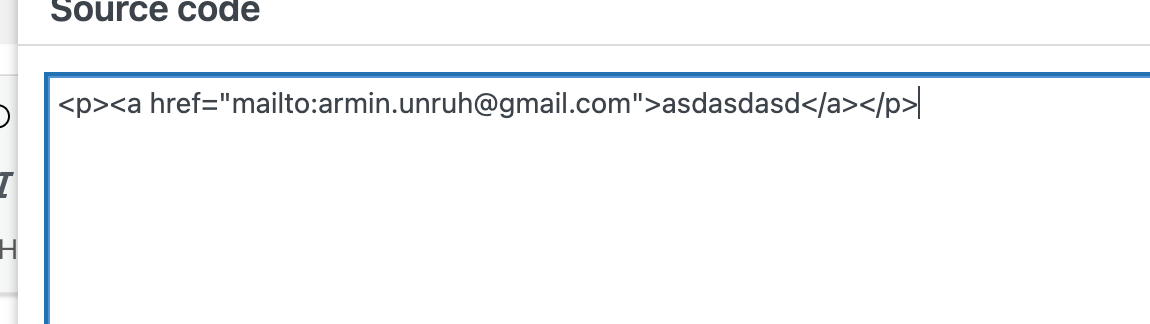
        Screenshot 2024-12-20 at 14.29.20.png

        when creating a mailto link with lay theme i see the code is correct. make sure to also use the latest lay version and then create a link

        1 Reply Last reply
        0
        • B Offline
          B Offline
          Blurred00
          wrote on last edited by
          #22

          Hi Armin i ve the same problem link was correct but only open a new tab not email

          Screenshot 2025-11-13 alle 14.20.09.png Screenshot 2025-11-13 alle 14.20.19.png

          1 Reply Last reply
          0
          • arminunruhA Offline
            arminunruhA Offline
            arminunruh
            Global Moderator
            wrote on last edited by
            #23

            can you remove: target="_blank" please and remove data-id="0" too please

            usually when you enter just a mailto: link it looks like:
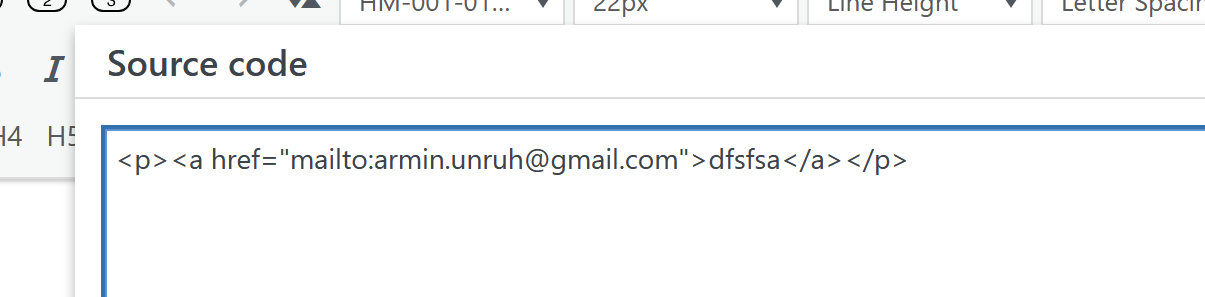
            image.png

            1 Reply Last reply
            0
            • B Offline
              B Offline
              Blurred00
              wrote last edited by
              #24

              nothing. The problem is only on computer, on smartphone it work well.

              <p class="_Descrizione" style="text-align: left;"><a rel="noopener" href="mailto:info@spaziodimora.it">info@spaziodimora.it</a></p>

              1 Reply Last reply
              0
              • arminunruhA Offline
                arminunruhA Offline
                arminunruh
                Global Moderator
                wrote last edited by
                #25

                ok whats the link to the page? i want to take a look myself at ur website

                B 1 Reply Last reply
                0
                • arminunruhA arminunruh

                  ok whats the link to the page? i want to take a look myself at ur website

                  B Offline
                  B Offline
                  Blurred00
                  wrote last edited by Blurred00
                  #26

                  @arminunruh said in mailto: link issue:

                  ok whats the link to the page? i want to take a look myself at ur website

                  spaziodimora.it

                  1 Reply Last reply
                  0
                  • arminunruhA Offline
                    arminunruhA Offline
                    arminunruh
                    Global Moderator
                    wrote last edited by
                    #27

                    image.png

                    So you did it right, and when I click this link, my email program opens.

                    Do you think maybe the issue is with your browser? Can you try a different browser, please?

                    1 Reply Last reply
                    0
                    • arminunruhA Offline
                      arminunruhA Offline
                      arminunruh
                      Global Moderator
                      wrote last edited by
                      #28

                      I'm talking about this link in the footer here:
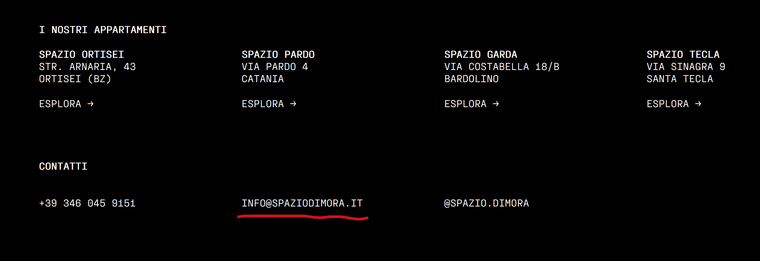
                      image.png

                      Congratulations on the website. It looks really good.

                      1 Reply Last reply
                      0
                      • B Offline
                        B Offline
                        Blurred00
                        wrote last edited by
                        #29

                        Hello Armin, sorry for the late reply. I believe the problem is because I don't use an email program on my Mac, just Gmail via web. In fact, it works perfectly on mobile devices.

                        Thank you for appreciating my work! 🥰

                        1 Reply Last reply
                        1
                        Reply
                        • Reply as topic
                        Log in to reply
                        • Oldest to Newest
                        • Newest to Oldest
                        • Most Votes


                        I also code custom websites or custom Lay features.
                        💿 Email me here: 💿
                        info@laytheme.com

                        Our Web Development company: 100k.studio

                        Want to tip me? https://www.paypal.com/paypalme/arminunruh

                        Before you post:
                        1. When using a WordPress Cache plugin, disable it or clear your cache.
                        2. Update Lay Theme and all Lay Theme Addons
                        3. Disable all Plugins
                        4. Go to Lay Options → Custom CSS & HTML, click "Turn Off All Custom Code", click "Save Changes"

                        This often solves issues you might run into

                        When you post:
                        1. Post a link to where the problem is
                        2. Does the problem happen on Chrome, Firefox, Safari or iPhone or Android?
                        3. If the problem is difficult to explain, post screenshots / link to a video to explain it
                        Online Users
                        F
                        fernandol97
                        A
                        alasdair17
                        Forgot your key, lost your files, need a previous Lay Theme or Addon version? Go to www.laykeymanager.com
                        laytheme.com
                        • Login

                        • Don't have an account? Register

                        • Login or register to search.
                        • First post
                          Last post
                        0
                        • Recent
                        • Tags
                        • Popular
                        • Users
                        • Search