Skip to content
  • Recent
  • Tags
  • Popular
  • Users
  • Search
Skins
  • Light
  • Brite
  • Cerulean
  • Cosmo
  • Flatly
  • Journal
  • Litera
  • Lumen
  • Lux
  • Materia
  • Minty
  • Morph
  • Pulse
  • Sandstone
  • Simplex
  • Sketchy
  • Spacelab
  • United
  • Yeti
  • Zephyr
  • Dark
  • Cyborg
  • Darkly
  • Quartz
  • Slate
  • Solar
  • Superhero
  • Vapor

  • Default (No Skin)
  • No Skin
Collapse

Lay Theme Forum

  1. Home
  2. Addons
  3. Carousel "X"

Carousel "X"

Scheduled Pinned Locked Moved Addons
14 Posts 2 Posters 111 Views 2 Watching
  • Oldest to Newest
  • Newest to Oldest
  • Most Votes
Reply
  • Reply as topic
Log in to reply
This topic has been deleted. Only users with topic management privileges can see it.
  • arminunruhA Offline
    arminunruhA Offline
    arminunruh
    Global Moderator
    wrote last edited by
    #3

    so the x that is shown inside of the project is the x that belongs to the project overlays. This is the correct x.

    About the side title and the menu contrasting, I would suggest you go to the customizer and enable mix blend mode difference for both of them.
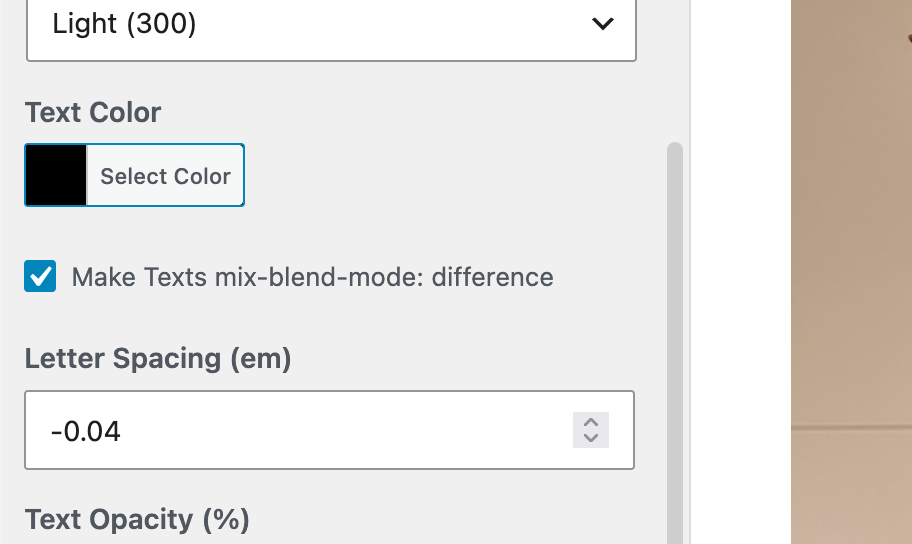
    grafik.png

    I think images don't really have a mixed blend mode difference. Logo images don't really support that. You may need to write custom CSS to make that happen for your logo image site title.

    Or you can use a menu bar with a lighter color, which you can also enable and customize - menu style.

    1 Reply Last reply
    0
    • arminunruhA Offline
      arminunruhA Offline
      arminunruh
      Global Moderator
      wrote last edited by arminunruh
      #4

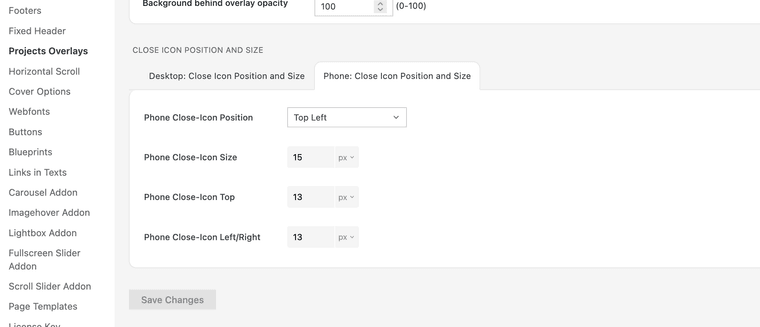
      About the X icon of project overlay positioning on phones:
      grafik.png

      I mean, there are settings for the phone X icon. Maybe you didn't see them?

      1 Reply Last reply
      0
      • arminunruhA Offline
        arminunruhA Offline
        arminunruh
        Global Moderator
        wrote last edited by
        #5

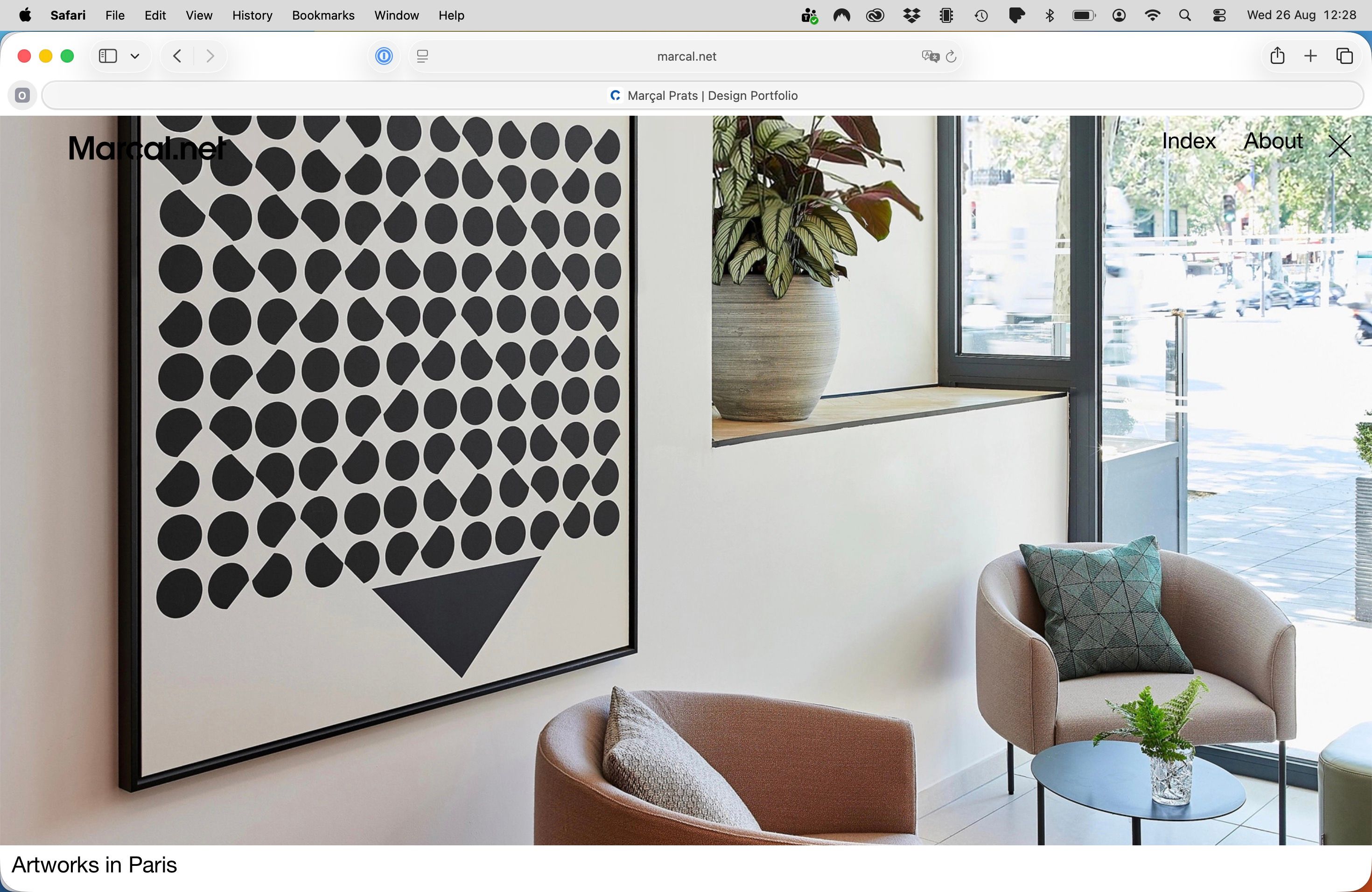
        The issue is whether it would be possible to have the "X" icon aligned vertically with the menu "Index About X".

        Yeah, that's a good question. You could theoretically move the menu so it has more space to the right and then position the X icon just in that place. It's all possible with the menu positioning settings in the customizer and the position and size settings for the X close icon shown in the screenshot above.

        1 Reply Last reply
        0
        • arminunruhA Offline
          arminunruhA Offline
          arminunruh
          Global Moderator
          wrote last edited by
          #6

          I'm going to work on the site title being able to have a mixed blend mode difference, too. With the next update, you're going to be able to have your site title work like that, so you won't have to write custom CSS

          1 Reply Last reply
          0
          • arminunruhA Offline
            arminunruhA Offline
            arminunruh
            Global Moderator
            wrote last edited by
            #7

            and for the X icon i will code this too <3

            1 Reply Last reply
            0
            • M Offline
              M Offline
              Marcal
              wrote last edited by
              #8

              Hi Armin,

              I'm so sorry for not having the Lay Theme updated to the latest version when I wrote this post. I usually receive a message from my WordPress asking to update, but it didn't work this time.

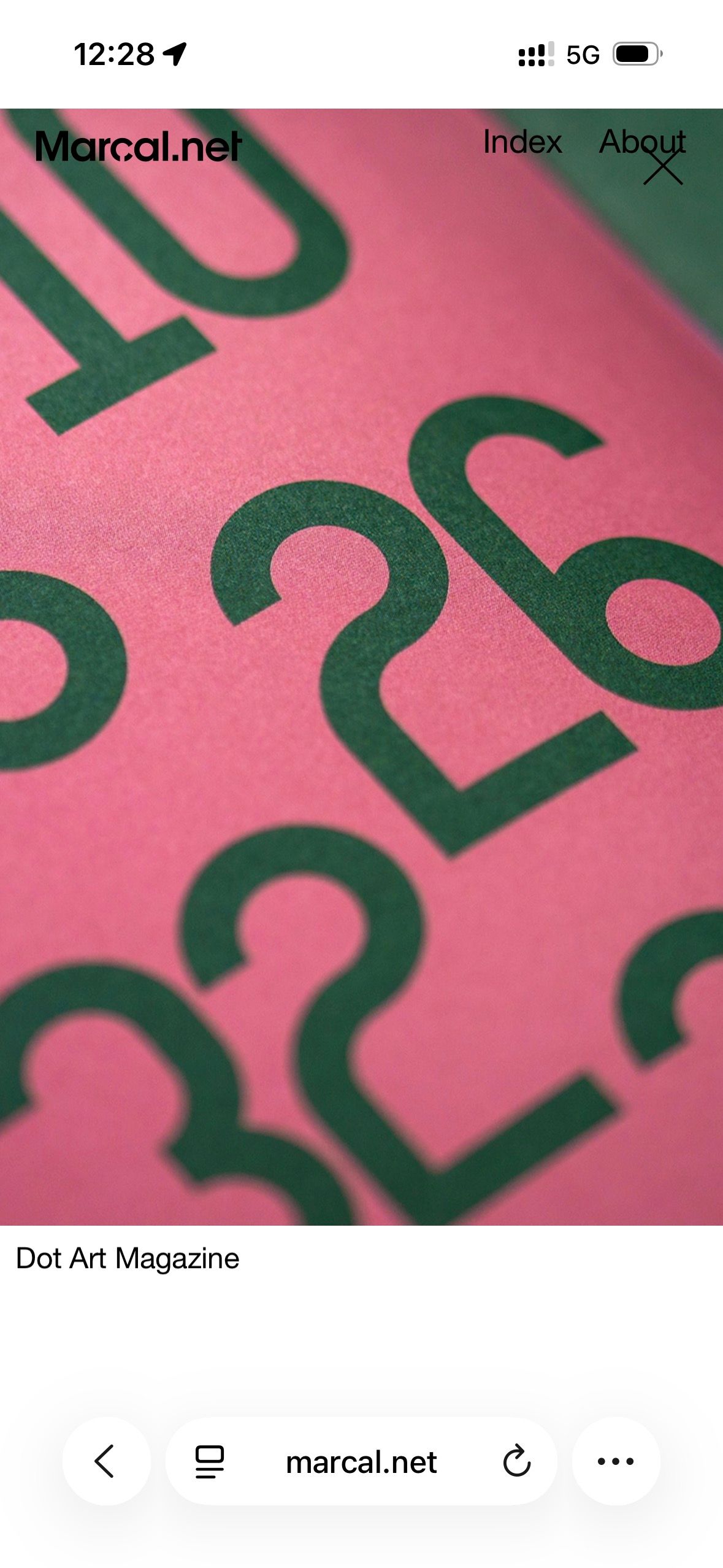
              I have updated everything. It resolved the initial "X" icon on the desktop home page, but the issue persists on mobile—emptied the cache before testing. (Screenshot attached)

              I will follow your advice and suggestion to adjust the menu position to align with the "X" icon.

              One workaround I did in the past was to add an image to the top of the project for the menu to be visible, but I personally don't like how it looks:
              https://www.marcal.net/river-rights/

              The difference in mixed blend modes is an amazing feature! I'm going to use it. And I'm very grateful that you're going to add this feature to the site title as well. 🎊

              Many thanks for everything.
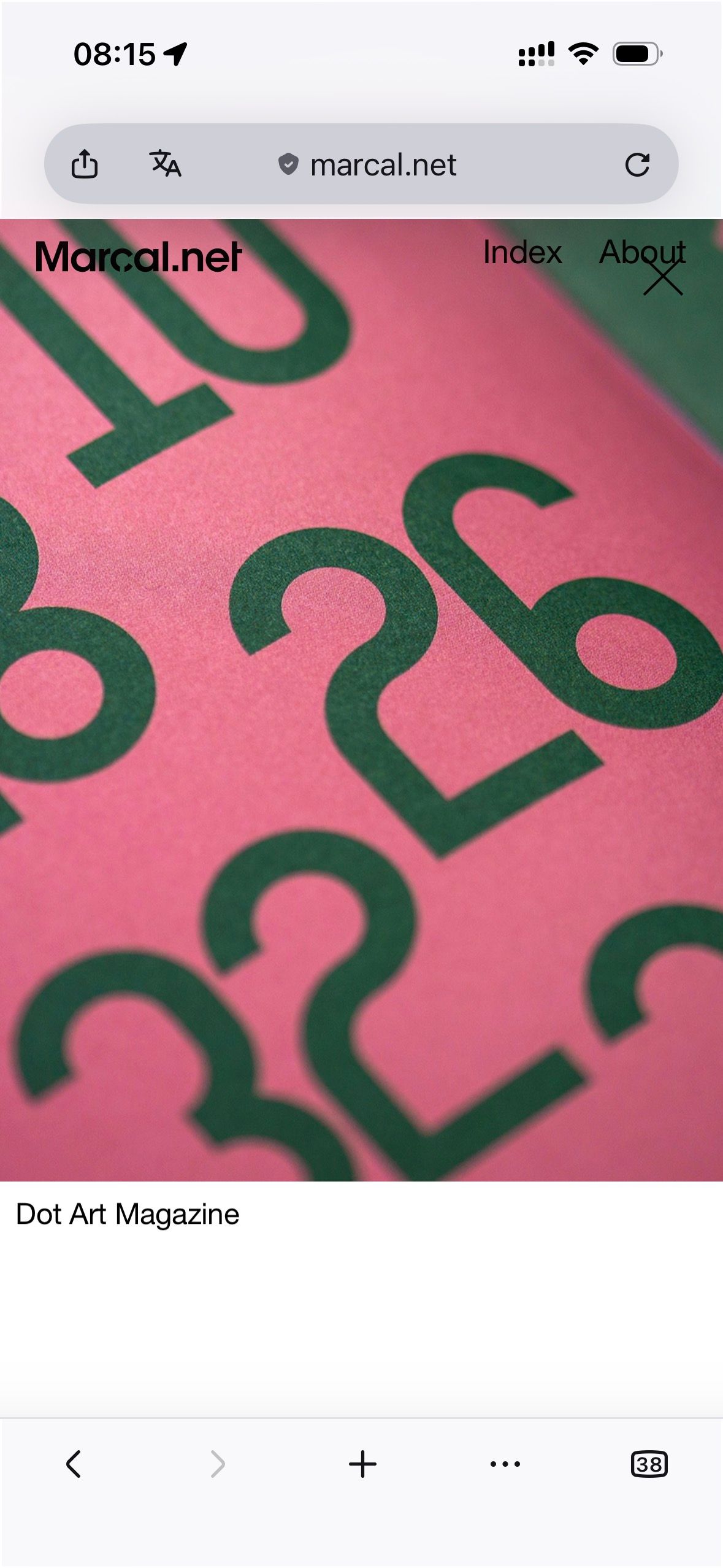
              Screenshot 2026-08-27 at 08.15.50.jpg

              1 Reply Last reply
              0
              • arminunruhA Offline
                arminunruhA Offline
                arminunruh
                Global Moderator
                wrote last edited by
                #9

                Thanks! The remaining X is the search close icon. Your updated Lay Theme CSS already contains the fix, but WP Fastest Cache is still serving an older minified CSS file. Please use “Delete Cache and Minified CSS” in WP Fastest Cache, then reload the page. Clearing only the browser cache is not enough.

                1 Reply Last reply
                0
                • M Offline
                  M Offline
                  Marcal
                  wrote last edited by
                  #10

                  Of course, after following your indications, it works like a charm on mobile. So many things to keep present!

                  Again, thank you so much, Armin, for your priceless support.

                  1 Reply Last reply
                  0
                  • arminunruhA Offline
                    arminunruhA Offline
                    arminunruh
                    Global Moderator
                    wrote last edited by
                    #11

                    aha thanks a lot!! <3 :))

                    1 Reply Last reply
                    0
                    • M Offline
                      M Offline
                      Marcal
                      wrote last edited by
                      #12
                      This post is deleted!
                      1 Reply Last reply
                      0
                      • M Offline
                        M Offline
                        Marcal
                        wrote last edited by Marcal
                        #13

                        Hi Armin!

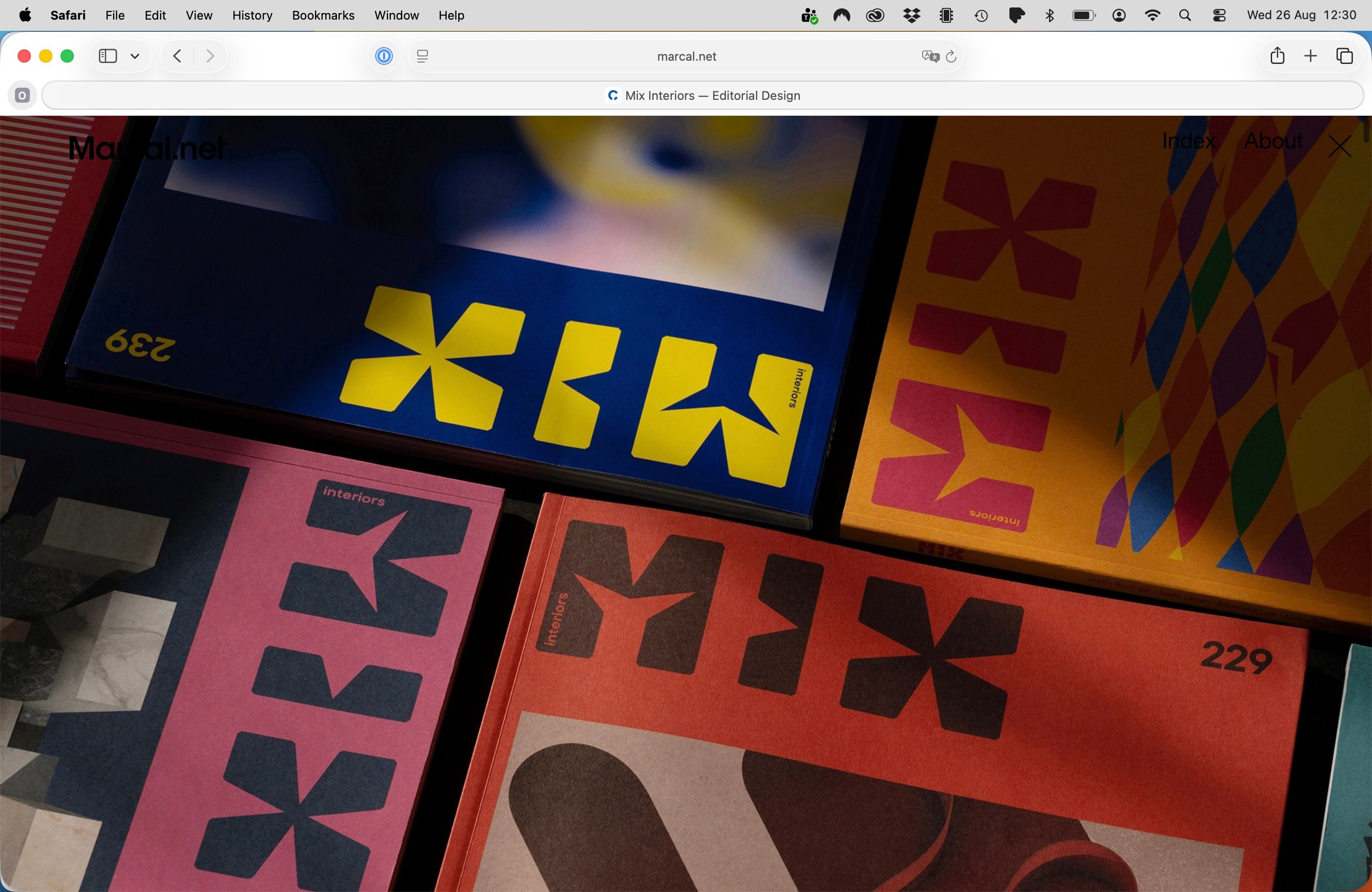
                        Good news! My site logo now has the same mix-blend-mode: difference effect 🎊
                        I had to change the black logo SVG to a white one so this would work.

                        Anyway, I also have this custom CSS that does the job, even without the feature activated:


                        a.sitetitle,
                        a.sitetitle.is-fixed {
                        mix-blend-mode: difference;
                        background: transparent;
                        isolation: auto;
                        }

                        a.sitetitle img {
                        mix-blend-mode: normal;
                        }


                        Screenshot attached.

                        Screenshot 2026-08-28 at 17.56.39.png

                        1 Reply Last reply
                        0
                        • M Offline
                          M Offline
                          Marcal
                          wrote last edited by
                          #14

                          Last thing: now the carousel "X" icon does not appear when landing on the home screen (good!), but it also does not appear when visiting any of the project links on the home page.

                          However, the "X" icon is still functional, so clicking on the "X" icon area when visiting a project closes it and returns to the home page.

                          Is it possible to have the "X" icon feature back, only when visiting any of the homepage project links?

                          Then I would add the following CSS to apply the mix-blend-mode: difference effect to the "X" icon.


                          div.close-projects-overlay {
                          mix-blend-mode: difference;
                          background-color: transparent;
                          isolation: auto;
                          }


                          Many thanks!

                          1 Reply Last reply
                          0
                          Reply
                          • Reply as topic
                          Log in to reply
                          • Oldest to Newest
                          • Newest to Oldest
                          • Most Votes


                          Online Users
                          Forgot your key, lost your files, need a previous Lay Theme or Addon version? Go to www.laykeymanager.com
                          laytheme.com
                          • Login

                          • Don't have an account? Register

                          • Login or register to search.
                          • First post
                            Last post
                          0
                          • Recent
                          • Tags
                          • Popular
                          • Users
                          • Search
