Footer not left aligned anymore — moves when resizing window
-
Hi all,
I hope I can get some help here, since im a bit frustrated.I created a simple footer – just a sentence with copyright text – that should appear on every page, bottom left.
It worked perfectly a few days ago, but suddenly it’s no longer left aligned. Now it appears at the bottom but much more to the right, and it even shifts position when I resize the window.
I’m pretty sure I didn’t change any settings in the footer page or global layout.
Could this be a recent issue or bug in LayTheme?
Or maybe something changed in how frames or row heights are calculated?Thanks a lot for any help!
-
-
do u have a link
-
Sorry for the late reply. On my 13" laptop, it appears correctly left-aligned.
On a 27" monitor, however, it doesn’t stay in the bottom left but shifts towards the right.
you can see it here:
https://empneo.com/ -
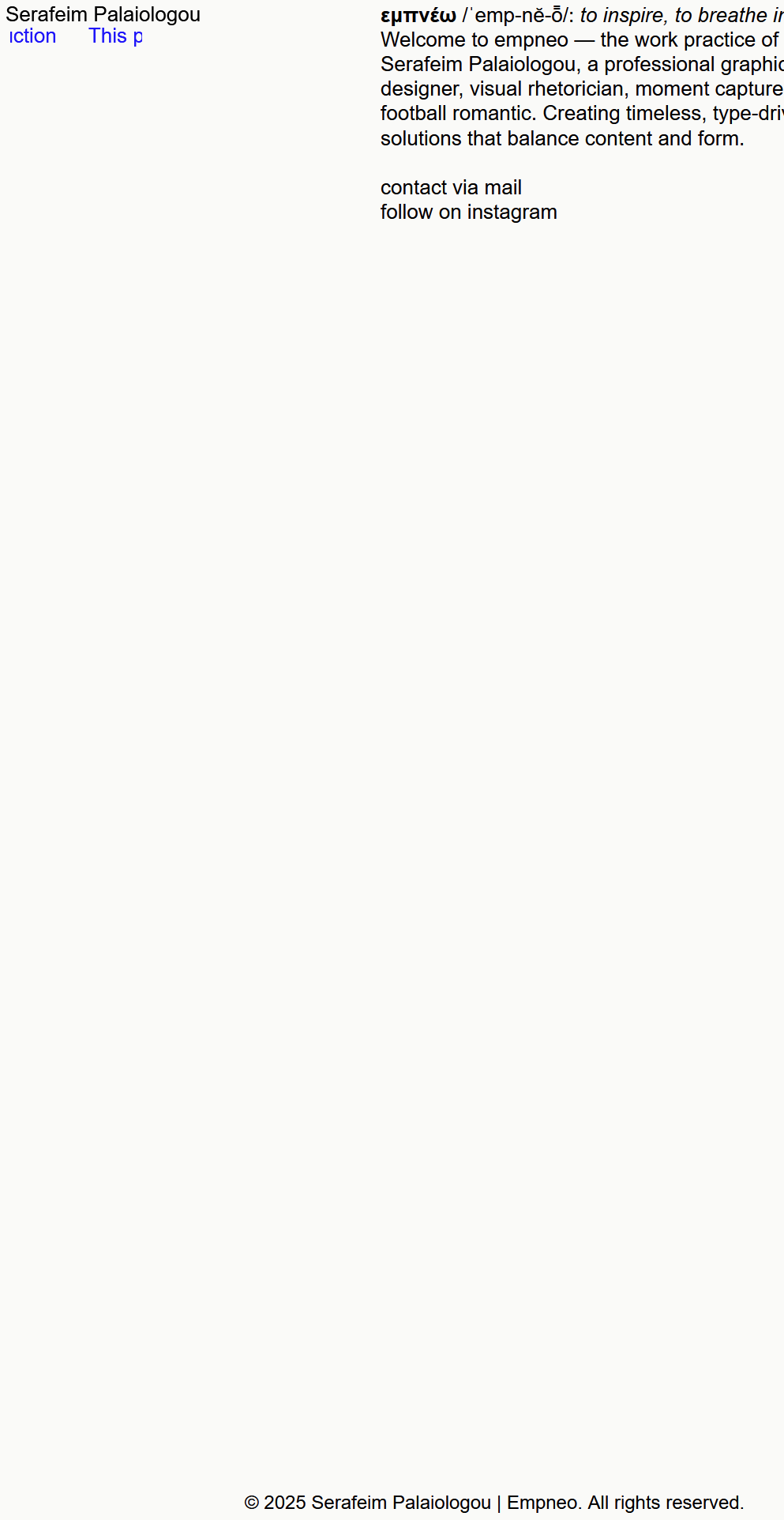
Ah, now I understand. Seems like a certain fix that I did recently for another issue produced this issue.
I'm releasing an update now that fixes this! If you update to version 9.8.8 it will be fixed!
-
-
u need to clear ur cache or disable all caching plugins i think
-
oh nevermind,
you need to turn off max width, by setting this to 0, in lay options:

-
i changed sth in my code too, can you try this theme version additionally to my recommendations above?
heres the download link:
-
also
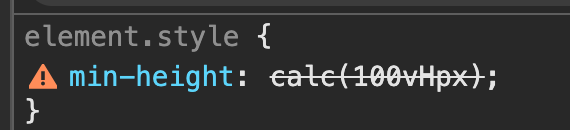
there is a problem here, did you enter 100vHpx ? for your custom row height row?
it has to be either vh or px :D -
Thank you so much. It works now. When I set "100vh" at my footer page, it appears not as one screen and I need to scroll to see it. When I set it to "100 vH", it appears as one screen, as I want it to be. When I try to set another value on it, it says: "100vHpx". I don't know if it´s the right way, but it somehow works.
Regarding the theme version - which I should test, how do I install it? -
ah ok if it works now, then u dont need to install any other version.
So looking at your code, it seems that you put this text in the footer.
When you go to Lay Options > Footer, I think there is a setting to make the footer sticky, which means the footer will be at the bottom even if the content of the main grid is not big enough.I think that for the row of your footer, you don't need a custom browser height at all. Probably, you can just remove it, and it will still work.
But you can just also leave it the way it is.

Hello! It looks like you're interested in this conversation, but you don't have an account yet.
Getting fed up of having to scroll through the same posts each visit? When you register for an account, you'll always come back to exactly where you were before, and choose to be notified of new replies (either via email, or push notification). You'll also be able to save bookmarks and upvote posts to show your appreciation to other community members.
With your input, this post could be even better 💗
Register Login