fixed 👌🏼
E
emresenoglu
@emresenoglu
Posts
-
project overlay conflicts with horizontal scroll -
project overlay conflicts with horizontal scrollthank you armin!!
-
project overlay conflicts with horizontal scrolli can see that there is a fix for this now? when exiting project overlay, there is a brief moment where the broken layout is still visible:
-
project overlay conflicts with horizontal scrollmany thx!
-
project overlay conflicts with horizontal scrollsite: lamba.dreamhosters.com
os/browser: mac os / firefox
problem: upon exiting a project overlay, the horizontal scroll layout seems to reset. problem exists on chrome as well.
also, i think the current setup for side margins doesn't play too well with horizontal scroll.. i want a list of 20+ items as a scrollable band, but having side margins means that after the first 4 thumbnails, there's an uneven margin between images.. as a work around, i can enter a value for the left margin and 0 for the right, and then set column gutter to the same value, but this doesn't cover a fix for all cases.

-
reversed zoom for scroll sliderthanks armin, you too
-
reversed zoom for scroll sliderhello armin&team,
it would be great to have an option to reverse zoom direction for the scroll slider add-on.i also noticed that zooming in focuses on the cursor however zoom out doesn't. this can be a little disorientating.
-
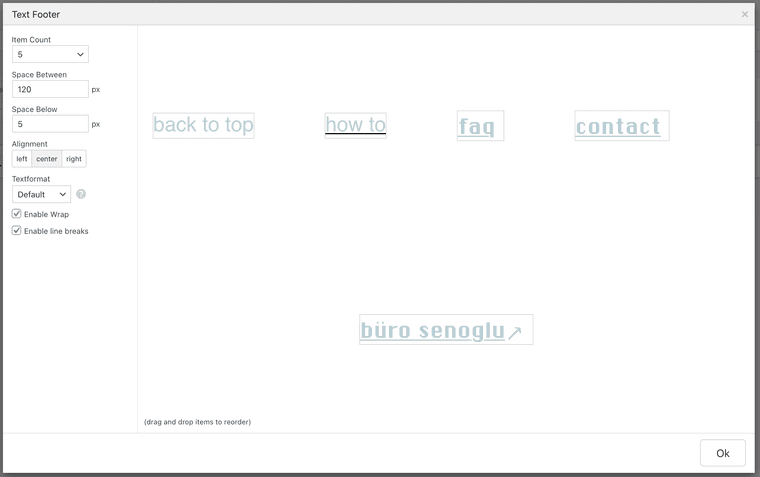
scroll to top button inside 'text footer' elementhello armin. it would be great to be able to assign one of the items inside a text footer as a scroll to top button. as far as i can tell this is currently not possible. cheers.
-
question about arranging elements on a 'sort of' split pageperfect, that achieves it, thanks armin!!
-
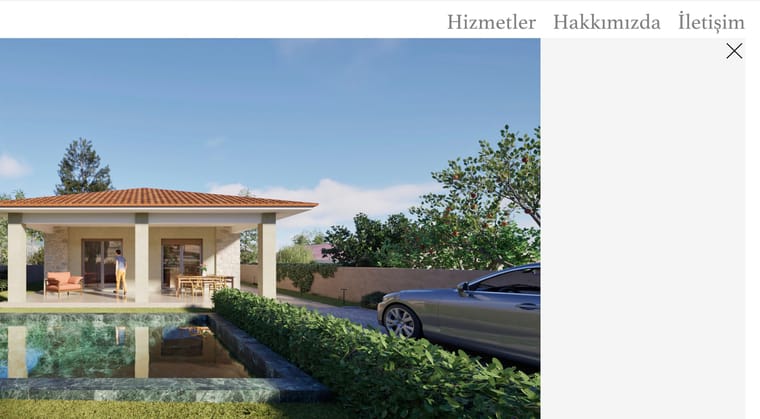
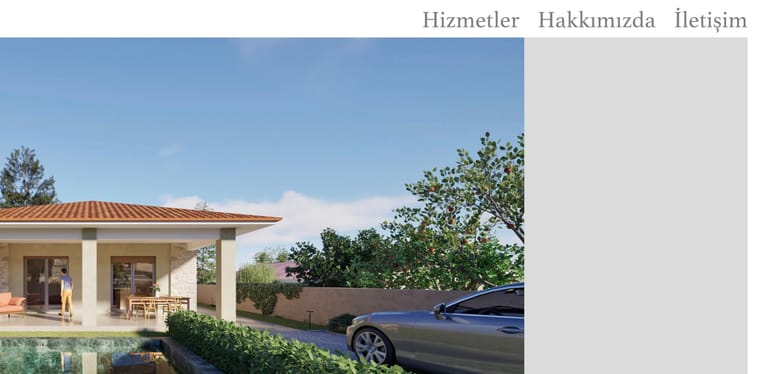
project view page loses close button (X) when reloaded.hello armin - while in the project view, if i reload i lose the X button on the top right. is this preventable?
after reload:
-
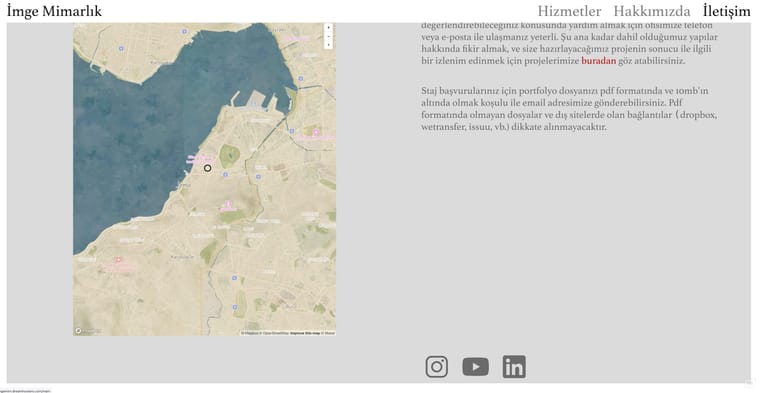
question about arranging elements on a 'sort of' split pagehey all - this is a very basic question but i seem to be stuck at the moment and perhaps someone is a little more creative than me. i want to create a sort of 'split page' without all the fancy scrolling things: it's just a page where i want 1 element on the left (map embed), and 3 elements (text, text, a row of images) on the right. i've tried creating 3 rows but then the map makes the middle row too high. im guessing that since it's an iframe, i cant seem to make it float freely. is there a way to get this done (ideally without css)? many thanks!
link to page: https://imgemim.dreamhosters.com/iletisim/
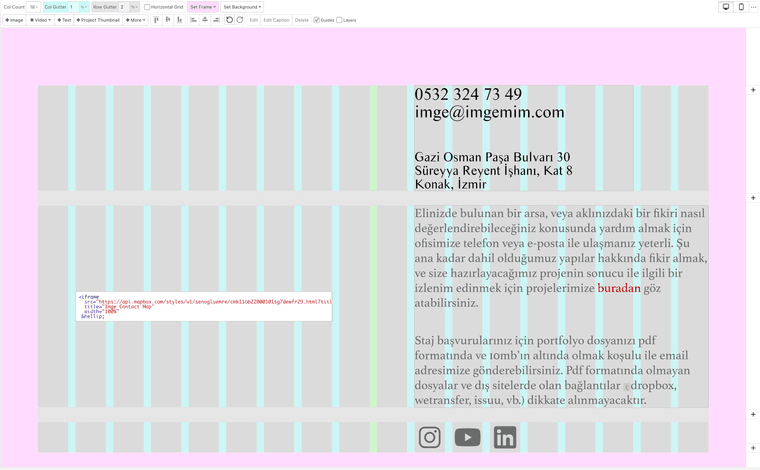
current result:
-
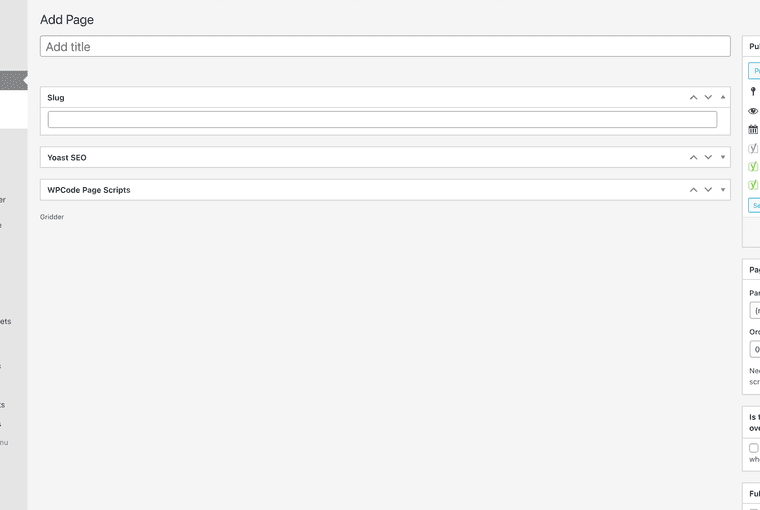
adding table element makes gridder disappearhello armin, i'm on 10.2.2 - i'm trying to add a table element, however clicking on '+table' makes the gridder disappear. see below:
-
bug: text footer elements don't center align correctly.noticed a small bug in the behaviour of text footer. all the individual elements are aligned to center. but if you look closely, you will notice that the center element doesn't align with the center of the page. i'm assuming the whole container is aligned to text boxes as a whole. but this results in a not so nice alignment especially if you have other central elements on the page.

-
wish: text footer divider charactersminor suggestion: it would be nice to have a possibility for entering dividing character for in between the text footer elements.

-
wish: better controls for mobile menu buttonhello, it would be great to have some options the control the size & padding of the mobile menu icon, if possible. many thanks!

-
mobile format + 3js html issuethank you armin, deleted the phone layout and it seems to work fine.
-
mobile format + 3js html issuehello, i've just added a 3js script to one of my pages and everything seems to be working fine. however when i add the same script to the mobile layout, instead of seeing it on mobile, i just see 2 of the same containers on my desktop site. is it something to do with my code?
i've currently removed it from the mobile page in order for the desktop page to display correctly, but i can redo it if/when needed.
here's the page: senoglu.co/contact
-
custom header itemvery helpful, thanks a lot armin. i'm looking forward to seeing what else i can tweak on my page.
-
Fixed caption with fullscreen slidergot it thank you!
-
custom header itemnevermind, silly me i used the wrong hex code :) problem solved!