good to know, thank you!
J
jacobtegel
@jacobtegel
Posts
-
Left Row / Right Row webgl Slideshow -
Left Row / Right Row webgl Slideshowhey armin, thank you so much for your feedback! i couldn’t quite get the 50% width css for the carousels to work, but i figured out that if i use a carousel element with 100svh height and for image 50% width, i get split sceen effect i was looking for!
and then i can kinda cram the text in the same row and laytheme will put it on top lol. text on slide is definitely super cool, but in this case i want the text to stay static and the images to change :–) -
Left Row / Right Row webgl SlideshowI am currently working on a Site which uses the left / right row image background, and was wondering if it would be possible to have left / right row webgl slideshows. Carousel wouldn’t work for me here I think, as I want to avoid the horizontal Gutter, and we have Elements on top. Thank you!
-
project index Image hover mix-blend-modeamazing, thank you so much!
-
project index Image hover mix-blend-modehey @arminunruh briefly coming back to this, just wondering if it would therefore not be possible to have only a single row change blend mode? while your solution works well, every other row will turn invisible because the black text will turn white.
-
project index Image hover mix-blend-modeamazing! thank you so much! @arminunruh
-
project index Image hover mix-blend-modeI would like to apply the
mix-blend-mode differenceto a column in the project overview, since we are using the imagehover addon with images in the background
https://www.blila.de/projektindex/
however
.lay-projectindex-col {
	mix-blend-mode: difference !important;
}
doesn’t seem to be working; is there any technical restrictions to that or do i just have an error in the code? thanks!
-
Cover Feature or Project overlay with split screen site@arminunruh do you think some workaround with CSS would be possible though?
I was wondering since the Project- and Page-Overlays seem to be working in the same way, if it would be possible to “restrict” the project overlay to the right half of a page? -
Cover Feature or Project overlay with split screen sitedouble thank you! @arminunruh
-
Cover Feature or Project overlay with split screen sitewe built this splitscreen website a while ago, following the tutorial, which works great! and now wanted to make some changes to it.
we would like to use the cover feature, which apparently does not work with the splitscreen site, the first row will completely not be shown.
then i also looked into project overlay since we’re using overlay for the menu on the left half, would be cool if we could use the project overlay on the right half, but on safari (mac) it didn’t work at all, and on firefox it was taking up the whole screen and there is no 'half' option unfortunately.
macOS 15.5
Safari Version 18.5
Firefox Version 139.0.4 -
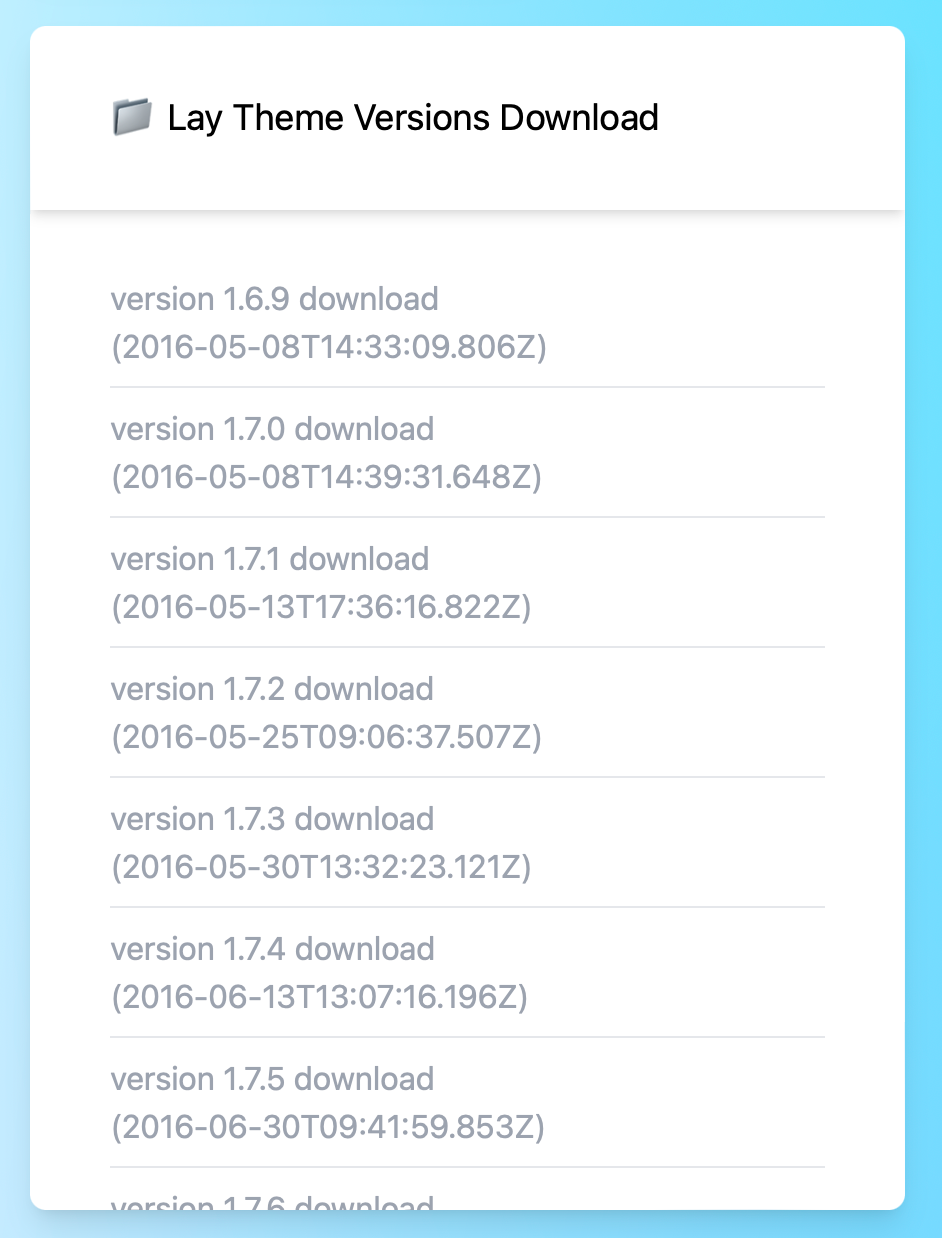
laykeymanager lay theme version history is in wrong orderi think i know what happened. i must have hit refresh and while it’s refreshing the order changes, so the oldest one is at the top, once it’s done refreshing it changes to the correct order again, i must have just checked that something changed and then just downloaded the top one, just because i didn’t check if it was still refreshing.
-
laykeymanager lay theme version history is in wrong orderhey, i was just about to install laytheme on a new site and discovered, that the version history on the laykeymanager is unfortunately in the wrong order (the oldest is at the top); and i just downloaded and installed it without checking the version and created an error on the page; perhaps you want to change it so it’s consistent across all the version histories.
-
page content disappearing when going back on mobile, splitscreen pagejust turned off »Activate on Scroll Element Transitions« in Lay Options, and that fixed it. seems like the content was never revealed as it was never scrolled to?
-
page content disappearing when going back on mobile, splitscreen page@arminunruh said in page content disappearing when going back on mobile, splitscreen page:
so u're just on the homepage, then u tap on a project, and then you go back using the browser buttons huh?
yes exactly!
i did not set the footer for every page but for the home page, and when visiting the page for the first time it is there. sometimes when scrolling up a bit the intro text can be found, but not the thumbnail grid. i also checked via web inspector
-
page content disappearing when going back on mobile, splitscreen pageyeah unfortunately, it even happens on the ios simulator.
i cannot upload screen recordings here, can i? -
page content disappearing when going back on mobile, splitscreen pageHi there, we’ve run into a problem where content is no longer visible when going back to the previous page via the forward & back buttons on ios safari.
site: blila.de
iOS 17
on desktop it’s set up as a splitscreen page, on mobile there is only the footer (containing the thumbnail grid) visible when visiting the site. therefore the home site on mobile is empty, perhaps the problem lies here?
to reproduce the problem it’s as simple as opening a project from the home page and then going back via the safari buttons. you will have to reload the page to see the content & project thumbnail grid again
any idea what could help? while searching the forum i came across this topic but unfortunately simply changing the alignment did not do anything.
-
bug / Overlay Menu & splitscreen sitegot it to work, following this selection of the grid
body > .lay-content #gridi applied the same structure to selecting the project grids, since not every page should be splitscreen, only projects
.type-project > .lay-content #gridand you’re right .home was not necessary (anymore).
-
Dark mode — is it possible?Dear @mariusjopen and @Hayo-Gebauer thank you so much for your work on this topic!
i recently came across it and immediately tried to implement it on my site. I tried adding the darkmode button .clickme class ( i used .dark-mode-wrapper class) to an empty menu item and it would not fire the event, while an empty link on the site would fire it.
Any idea why that is or how to work around it? I would like to have the toggle button inside the menu permanently accessible.https://jacobtegel.com/home-copy-2/
Thank you so much in advance!
Jacob -
Can’t add carousel elementcan’t add carousel element. i installed the plugin but the button won’t appear in the gridder. did i miss or forgot to do something?
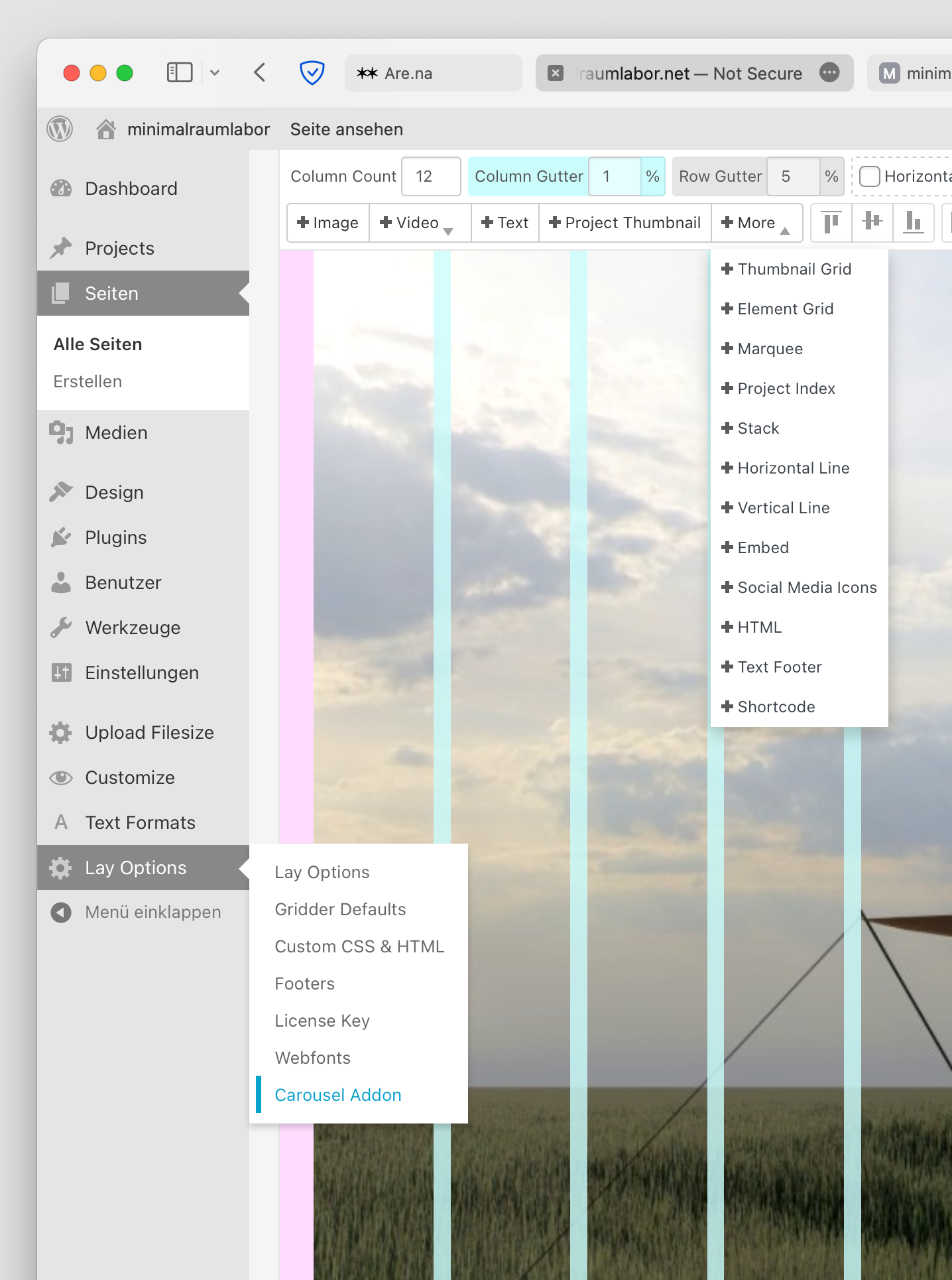
site: www.minimalraumlabor.net
Safari Version 16.6 (18615.3.12.11.2)
Laytheme Version: 6.1.4
Carousel Version 2.2.1(downloaded all the latest versions via laykeymanager)