@arminunruh Thanks for the update! 😊
I'm actually using qTranslate, and unfortunately the category names are still not being translated. Hopefully this will be fixed in one of the next updates. Thanks for looking into it
M
Markus
@Markus
Posts
-
marquee and language switch -
marquee and language switch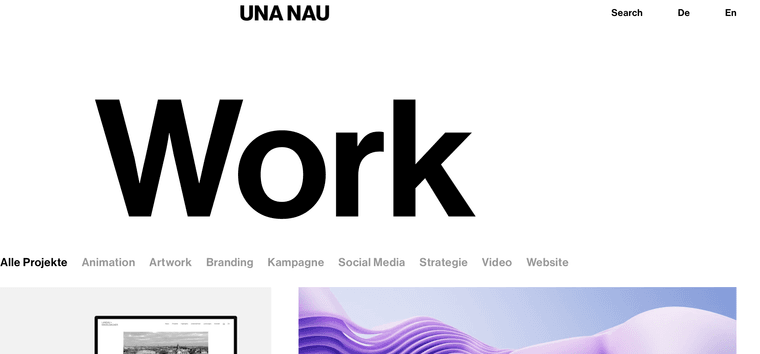
@arminunruh Its the English version... , but unfortunately the categories and tags still remain in German.
-
marquee and language switchHi @arminunruh
When switching the language in the top right corner between German and English, the categories and tags remain in the previously selected language and do not update accordingly.
This affects both the categories and the tags displayed below the project thumbnails.
It would be great if this could be fixed.
Thank you very much! -
qtranslate-xt project thumbnail grid@arminunruh I also noticed that the tags are unfortunately not being translated yet.
If possible, it would be wonderful if this could be included in a future update as well.
Thank you so much for your help -
qtranslate-xt project thumbnail gridSame issue. It would be great if this could be fixed soon, as I currently can’t update a few pages. Thank you so much @arminunruh
-
marquee and language switch
-
marquee and language switch
-
marquee and language switchHey @arminunruh ,
Unfortunately, the language assignment for the category titles is still not working correctly. In an older version of Laytheme, this worked perfectly, but with the current version it unfortunately doesn’t anymore.
It would be great if this could be fixed.Thank you so much!
-
marquee and language switchperfect, thank you @arminunruh
-
marquee and language switch
-
marquee and language switchThe issue also occurs with the “categories”: the labels remain in German even when the English version of the website is selected.
I will temporarily upload an older Laytheme version to the system to ensure the current version is not live with errors.
-
marquee and language switch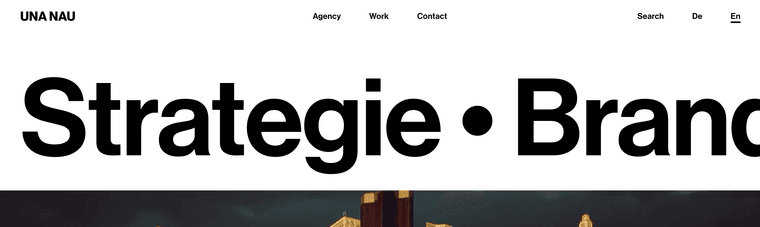
-
marquee and language switch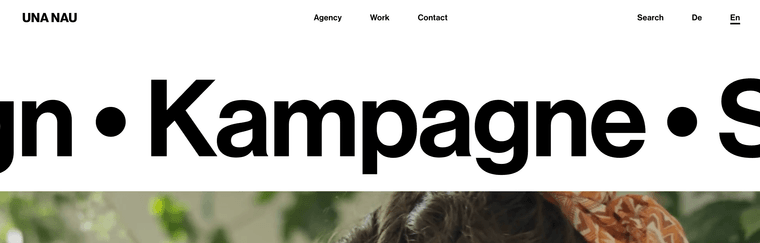
-
marquee and language switchHey @arminunruh , thanks a lot — really appreciate it.
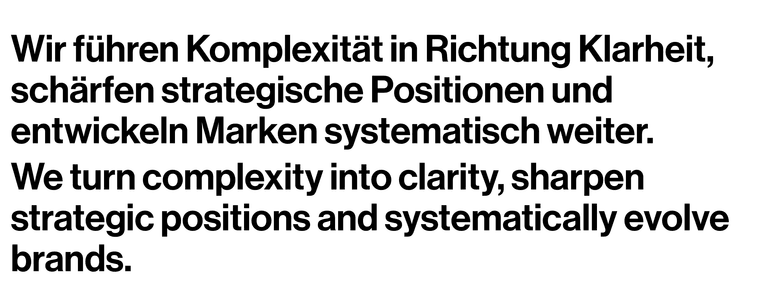
There’s just one point still open: the marquee function (Start-Page, Home) is currently only displaying the German version, even when the English version of the website is selected.
(An English version is set up, but unfortunately it isn’t being displayed.)
Aside from that, the last update fixed the issues with the other texts.
Thanks again! -
marquee and language switch
-
marquee and language switchI hope you are doing well.
Thank you!I wanted to bring a small issue to your attention regarding the latest version. It seems that the language switch functionality is no longer working correctly with qTranslate-XT (version 3.16.1). The translated texts are currently overlapping, as shown in the attached screenshots.
When reverting to the previous Laytheme version, everything works as expected, so the issue appears to be related to the recent update.
Since many users rely on qTranslate-XT, this could potentially affect quite a few websites.
It would be great if there were a way to resolve this compatibility issue.
Thank you very much
Best regards -
marquee and language switchHi,
After the last update, several parts of my website broke. The marquee at the top of the homepage stopped working, and the language switch between German and English was disrupted, the texts were overlapping.
I have now reverted back to version 10.8.4, which is running smoothly without any issues.Website: www.unanau.com
best and thanks!
-
Thumbnail grid + tagsUnfortunately, it still doesn’t work on my side ;(
I’ve installed version 10.0.8, but the issue has appeared again.When I deactivate the tags, the order is correct.
-
Thumbnail grid + tagsSame here. The thumbnail grid is behaving unpredictably and no longer keeps the manually defined order.
When I activate “tags,” the previous ordering stops working. When I deactivate “tags” in the thumbnail grid, the order works again fine.
This started happening after the latest update.
For the moment I downgraded to "version 10.0.2 download (November 13, 2025)", here its fine.
-
menu bar typography changingIs it possible to create a desktop navigation that starts with white typography without background color, but changes the typography to black with a menu bar background when scrolling?
Like here, for example:
https://leicht.com
https://www.dornbracht.com
https://www.vzug.com
https://flos.com(And adding icons to the menu bar would be great.)
Many thanks – it would be great if this were possible.