Hey Armin @arminunruh , thanks for your feedback. There is enough space on the server, but it seems to be an issue related to the plugin qtranslate-x which is no longer supported by laytheme?
A
andreschmidt
@andreschmidt
Posts
-
critcal error / laytheme doesnt update properly / Theme failed to load properly -
critcal error / laytheme doesnt update properly / Theme failed to load properlyThis is the answer I got from Gemini to this problem, can you confirm that this procedure is a smart way to get the page back up and running? I would prefer not ot set up the same page in different languages though...
Gemini:
How to safely get back to the latest Lay Theme
Do not try to update to version 11.x again until you have completely purged the ghost of qTranslate-X from your system.
Here is the exact sequence to get everything working on the newest versions:
Stay on Lay Theme 10.5.8 for now: It is stable and keeping your site online while you clean house. Perform the Translation Migration/Cleanup: Follow the steps to use a cleanup tool (like the qTranslate X Cleanup tool) to either strip out the old tags or cleanly convert them into separate pages for a modern plugin like Polylang (which is fully supported by Lay Theme). Clear your Layout Cache: Once your pages are clean and the old tags are gone, go to your WordPress backend and clear any caching plugins you have running. Update Lay Theme: With a completely clean database, update Lay Theme to the latest version. The layout engine will now be able to process your clean text without hitting corrupt code, allowing you to enjoy WordPress 7 compatibility without the crashes. -
critcal error / laytheme doesnt update properly / Theme failed to load properlyWordpress 7 seems to be in conflict with LAYtheme.
-
critcal error / laytheme doesnt update properly / Theme failed to load properly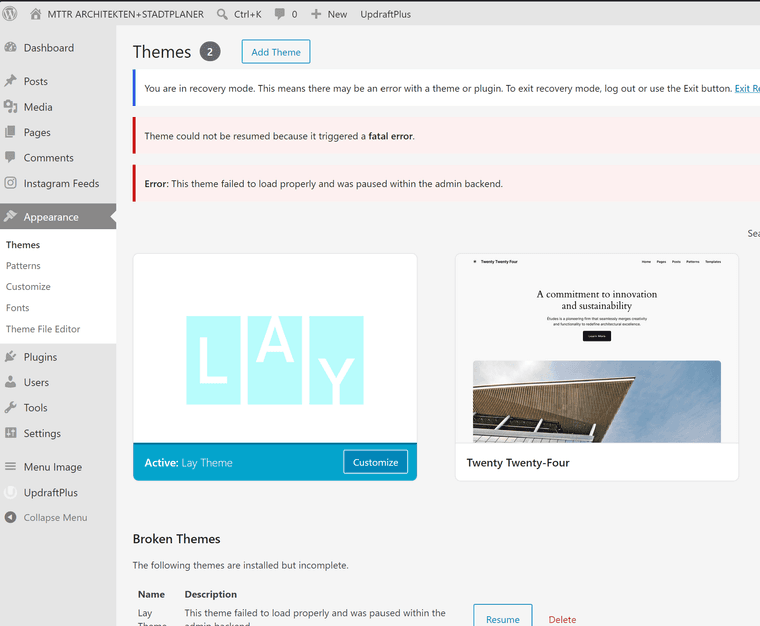
-
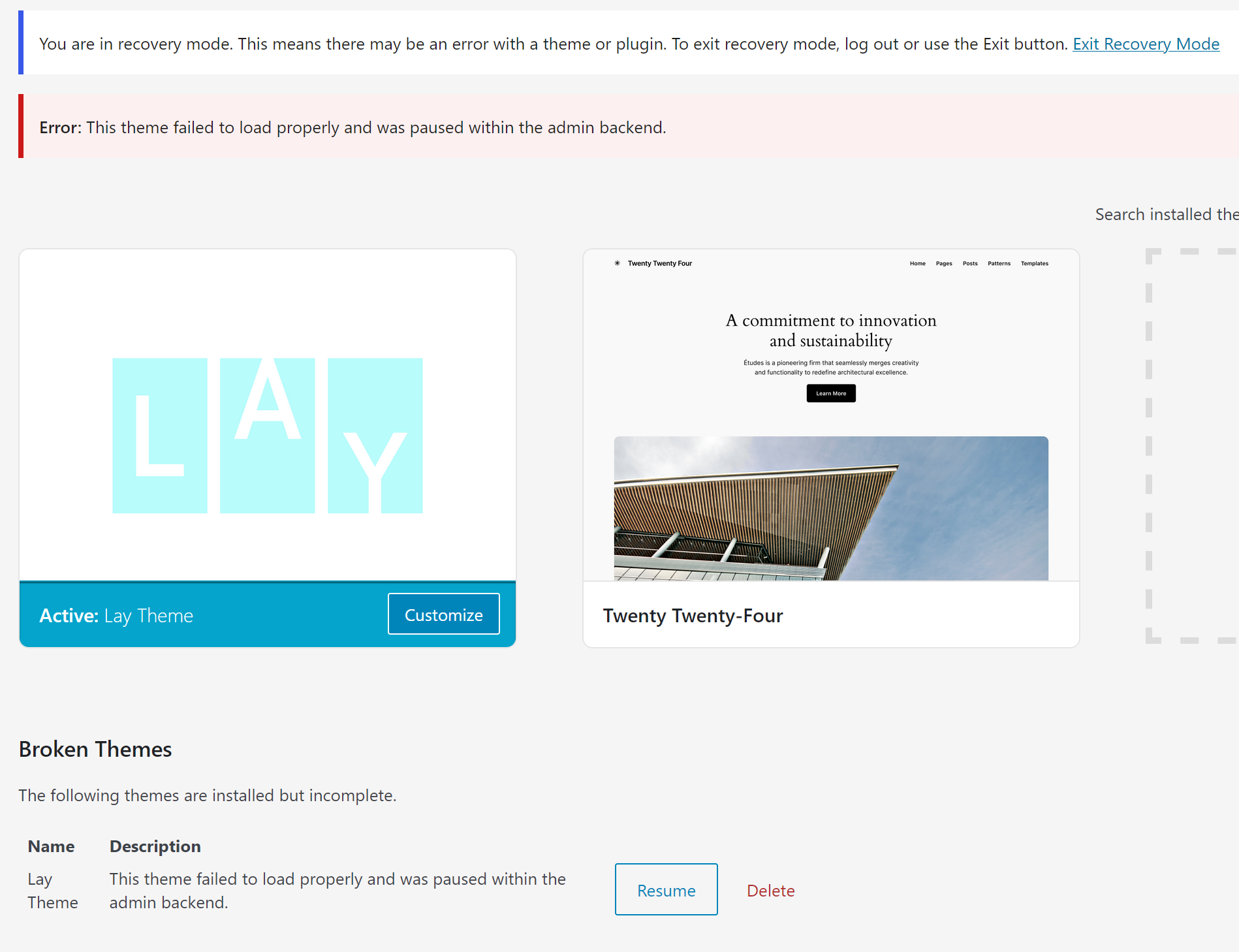
critcal error / laytheme doesnt update properly / Theme failed to load properlynach Wordpress update und dem Versuch, Laytheme zu updaten habe ich dieses Problem und weis nicht weiter:
-
how to add a Landing page before the existing website?Hi, we need to add a stand alone landing page before our existing website, so that the visitor can choose either to proceed to our website or to a different, external website.
I tried to customize the frontpage by choosing the new landing site but still see the main menu and site title on top. it is important that the new landing page is not showing anything of the existing page, similar to a holding page. how can I make this work? thank you! -
Carousel captionsHello everyone,
I´m having some issues with Captions within my image-carousel.Every time I edit a caption / delete the old one, the new version of the caption is stacking on top of the older version, and the more I try to get rid of the old versions, the more captions are appearing on my website

Does anyone know a way out? :)
Thank you! -
Menu MouseoverHi guys :)
Is it possible to hide single letters in the menu bar and make them appear when hovering over them with the mouse?
Right now the words are turning grey, as you can see here:
https://mttr.berlin/en/I would like to show the category "profile" hiding single letters (PR F E) and to make all the missing letters appear (PROFILE) when rolling over the word with the mouse.
Thank you for your help!
-A.
-
Menu mouseoverHi guys :)
Is it possible to hide single letters in the menu bar and make them appear when hovering over them with the mouse?
Right now the words are turning grey, as you can see here:
https://mttr.berlin/en/I would like to show the category "profile" hiding single letters (PR F E) and to make all the missing letters appear (PROFILE) when rolling over the word with the mouse.
Thank you for your help!
-A.
-
Position Text on Intro pageactually - it worked at first, but now the title in the intro sits slightly below the title of our main page. I can't figure out why. any ideas?
-
Position Text on Intro pagetataaa, this was too easy : 0 px and it's in the same spot
-
Position Text on Intro pageI am trying to place a text on our intro page in the same place as on our start or home page. I set both site title and intro text to space top 30px. But they don't show up on the same height. What am I missing?
http://mttr.berlin/ -
tab title shows weird symbols@arminunruh great thanks!
-
Click to call linkThat worked! Thanks
-
tab title shows weird symbolshi . our title tab shows these funny symbols and I can't figure our, what the problem is.
can anyone help? Thanks!
-
Click to call linkHi
I'm looking to activate a phone number in our contact page for click-to-call. Malto: xxx works, but Tel: xxx doesn't as it links to http://tel: xxxCan someone help with this?
Thanks
-
Search link - FontThanks! I think I can work with that
-
Search link - Fonthttp://mttr.berlin/ > page is very much work in progress. but I'd like the SEARCH to show up differently.
-
Search link - FontHi ! Is there a way to change the Font for the Search link? I would like it to look different than the rest of the Menu. Thanks
-
Changing key project images depending on search categorywe would like to use different key project images in the portfolio overview, depending on search categories. for example: projects (fashion style 1,2,3,...) includes images A (hat), B (shirt), C (trouser) and D (shoes) with image B defined as key project image. when projects are sorted by categories, we would like to see the rearranged project key images changing depending on the category chosen. when category "trousers" is chosen, the key project images of all projects should switch to C (trouser) in the overview portfolio page. is this possible?